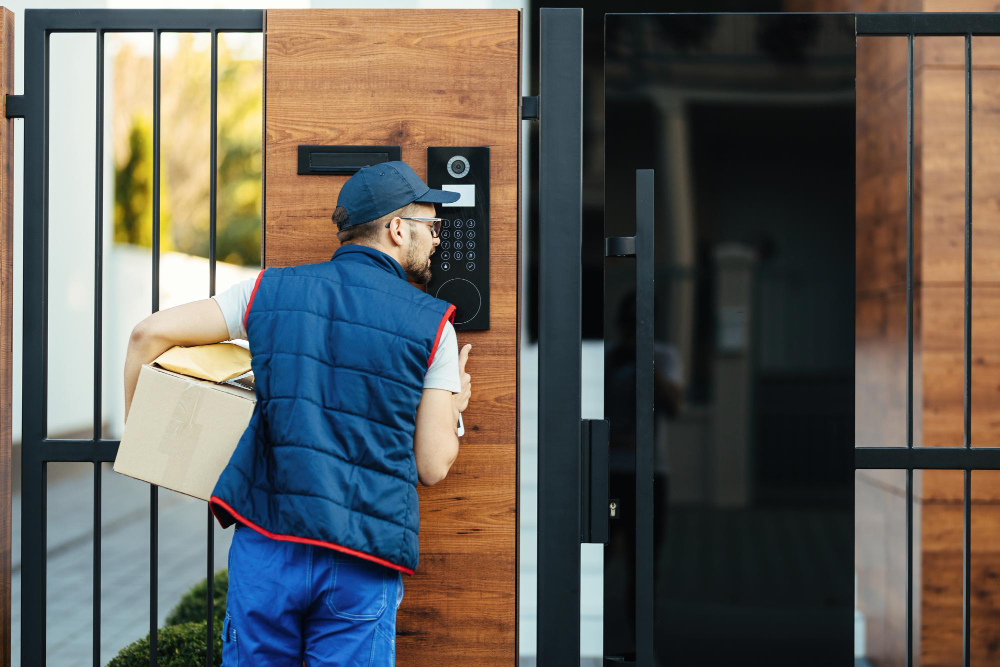
A courier accesses a secure entry system while delivering a package to a residential home.
📋 Quick Navigation
- Why Programmers Need Smart Locks
- What to Look For in a Smart Lock
- Top Smart Locks at a Glance
- Best Smart Locks for Programmers
- Comparison Table
- How to Choose the Perfect Smart Lock
- Installation Guide for Programmers
- Code Management: The Programmer’s Advantage
- Smart Home Integration Guide
- Privacy & Security Considerations
- Real-World Case Study
- Frequently Asked Questions
- Related Guides
Disclosure: As an Amazon Associate, I earn from qualifying purchases. Some links below are affiliate links that help support this site at no extra cost to you.
Why Programmers Need Smart Locks
You’ve optimized your code, your workflow, your desk setup, your lighting, your temperature, your security cameras, and your smart speakers. But what about the most basic security element of your home office? The lock on your door.
For programmers, a smart lock isn’t just about convenience—it’s about control, automation, and peace of mind.
The Smart Lock Advantage for Programmers
- Remote access: Lock/unlock your door from anywhere—no more wondering if you locked up
- Code management: Create, modify, or delete access codes instantly—perfect for freelancers with contractors
- Auto-lock: Never worry about forgetting to lock your door again
- Activity logs: See who entered and when—great for home offices with shared spaces
- Temporary codes: Grant access to dog walkers, cleaners, or guests for specific time windows
- Voice control: “Alexa, lock the front door” from your desk
- Integration: Part of your complete smart home security ecosystem
Mark Thompson, cybersecurity expert and home automation consultant, notes: “The most secure lock is the one you actually use. Smart locks eliminate the human error of forgetting to lock up. For programmers managing sensitive work, that peace of mind is invaluable.”
What to Look For in a Smart Lock
1. Connectivity
- Wi-Fi: Direct connection, remote access without hub, more battery drain
- Bluetooth: Local only (must be nearby), better battery life, requires Bluetooth on phone
- Zigbee/Z-Wave: Requires hub, great battery life, reliable
- Thread/Matter: New standard, excellent reliability, low power
2. Installation Type
- Retrofit: Replaces only the interior thumb turn (August, Level)—keeps existing keyhole
- Full replacement: Replaces entire deadbolt (Schlage, Yale, Eufy)—new keys included
- Lever/door handle: Replaces door knob—good for interior doors
3. Authentication Methods
- App control: Lock/unlock from smartphone
- Keypad: Enter code to unlock
- Fingerprint: Biometric access
- Key: Physical key backup
- Voice: Alexa/Google/Siri control
- Auto-unlock: Geofencing unlocks when you approach
4. Access Management Features
- Permanent codes: For family members
- Scheduled codes: Active only during specific hours
- One-time codes: Single use, expires after entry
- User management: Add/remove users via app
- Activity log: See who entered and when
5. Smart Home Integration
- Alexa: Voice control, routines (“Alexa, good night” locks door)
- Google Assistant: Voice control, routines
- Apple HomeKit: Siri control, Home app integration
- Matter: Universal compatibility across ecosystems
6. Battery Life & Alerts
- Battery type: AA, AAA, or built-in rechargeable
- Battery life: 6-12 months typical
- Low battery alerts: App notification when batteries need replacement
- Emergency power: USB port for temporary power
- Key backup: Physical key in case of complete battery failure
Top Smart Locks at a Glance
- August Wi-Fi Smart Lock (4th Gen): Best Retrofit | Wi-Fi | August app | $180-200
- Yale Assure Lock 2 (Wi-Fi): Best Full Replacement | Wi-Fi | Yale | $200-230
- Schlage Encode Plus: Best Keypad | Wi-Fi + Thread | Schlage | $280-320
- Level Lock+: Most Invisible | Bluetooth + Thread | Level | $300-350
- Eufy Smart Lock C220: Best Budget | Wi-Fi | Eufy | $120-150
- August Smart Lock (4th Gen) with Connect: Best Zigbee | Zigbee (hub) | August | $150-170
- Yale Assure Lock 2 (Keypad, Bluetooth): Best Bluetooth | Bluetooth | Yale | $150-180
- Ultraloq U-Bolt Pro Wi-Fi: Best Fingerprint | Wi-Fi | Ultraloq | $150-180
Best Smart Locks for Programmers
1. August Wi-Fi Smart Lock (4th Gen): Best Retrofit
The August Wi-Fi Smart Lock is the best retrofit option—it replaces only the interior thumb turn, keeping your existing exterior keyhole and keys.
- Installation Type: Retrofit (replaces interior thumb turn)
- Connectivity: Built-in Wi-Fi
- Authentication: App, key (existing), keypad (optional), voice
- Auto-Lock: Yes
- Activity Log: Yes
- Access Codes: Yes (via app, requires optional keypad)
- Smart Home: Alexa, Google, HomeKit, Matter
- Battery Life: 6 months (4 AA)
- Price: $180-200
Why it’s great for programmers: The retrofit design means installation takes 10 minutes with just a screwdriver. You keep your existing keys and exterior hardware. The DoorSense technology knows if your door is actually closed and locked.
Pros: Easy installation (10 min), keeps existing keys, built-in Wi-Fi, good smart home integration, DoorSense technology
Cons: Keypad sold separately, chunky interior design
👉 Check price of August Wi-Fi Smart Lock on Amazon
2. Yale Assure Lock 2 (Wi-Fi): Best Full Replacement
The Yale Assure Lock 2 is the best full replacement smart lock—clean design, multiple modules for connectivity choice.
- Installation Type: Full replacement (replaces entire deadbolt)
- Connectivity: Wi-Fi (module), Bluetooth (module), Zigbee (module), Matter (module)
- Authentication: App, keypad, key (optional), voice, fingerprint (optional)
- Auto-Lock: Yes
- Activity Log: Yes
- Access Codes: Up to 250 users
- Smart Home: Alexa, Google, HomeKit, SmartThings
- Battery Life: 12 months (4 AA)
- Price: $200-230
Why it’s great for programmers: The modular design lets you choose your connectivity—Wi-Fi, Zigbee, or Matter. The access code management is best-in-class with support for up to 250 users, scheduled access, and one-time codes.
Pros: Clean design, modular connectivity, excellent code management, good battery life, many finishes
Cons: Connectivity modules sold separately, installation requires more work
👉 Check price of Yale Assure Lock 2 on Amazon
3. Schlage Encode Plus: Best Keypad & Build Quality
The Schlage Encode Plus is the best smart lock for build quality and keypad experience—it feels premium and works flawlessly.
- Installation Type: Full replacement
- Connectivity: Wi-Fi + Thread
- Authentication: Keypad, key, app, Apple Home Key, voice
- Auto-Lock: Yes
- Activity Log: Yes
- Access Codes: Up to 100 users
- Smart Home: Alexa, Google, Apple HomeKit (Home Key)
- Special Features: Built-in alarm, tamper detection
- Battery Life: 12 months (4 AA)
- Price: $280-320
Why it’s great for programmers: The Apple Home Key integration lets you tap your iPhone or Apple Watch to unlock—no app needed. The built-in alarm alerts you to tampering or forced entry. The mechanical build quality is unmatched.
Pros: Excellent build quality, Home Key support, built-in alarm, Thread support, great keypad
Cons: Expensive, bulky exterior
👉 Check price of Schlage Encode Plus on Amazon
4. Level Lock+: Most Invisible Smart Lock
The Level Lock+ is the most invisible smart lock—the smart components are hidden inside the deadbolt, leaving your lock looking completely normal.
- Installation Type: Full replacement (deadbolt only)
- Connectivity: Bluetooth + Thread
- Authentication: App, key, voice, Apple Home Key
- Auto-Lock: Yes
- Activity Log: Yes
- Access Codes: Via app
- Smart Home: Alexa, Google, Apple HomeKit (Home Key), Matter
- Special Features: Invisible design, Touch to Lock/Unlock (tap lock)
- Battery Life: 12 months (CR2)
- Price: $300-350
Why it’s great for programmers: The invisible design means your lock looks completely normal—no keypad, no bulky hardware. The Touch to Lock/Unlock feature works with your phone: tap the lock to toggle. Perfect for programmers who value minimalist aesthetics.
Pros: Completely invisible, excellent design, Home Key support, Touch to Lock/Unlock, Thread support
Cons: Expensive, requires Thread border router for remote access, no keypad option
👉 Check price of Level Lock+ on Amazon
5. Eufy Smart Lock C220: Best Budget
The Eufy Smart Lock C220 offers excellent value with no subscription fees and local storage.
- Installation Type: Full replacement
- Connectivity: Wi-Fi
- Authentication: Keypad, key, app, fingerprint, voice
- Auto-Lock: Yes
- Activity Log: Yes (local)
- Access Codes: Up to 50 users
- Smart Home: Alexa, Google
- Special Features: Fingerprint reader, no subscription fees
- Battery Life: 10 months (4 AA)
- Price: $120-150
Why it’s great for programmers: The built-in fingerprint reader offers fast, secure access. No subscription fees mean you own your data. At under $150, it’s the perfect entry point for smart lock adoption.
Pros: Affordable, fingerprint reader, no subscription fees, local storage, good build quality
Cons: No HomeKit, limited smart home integration
👉 Check price of Eufy Smart Lock C220 on Amazon
6. August Smart Lock (4th Gen) with Connect: Best Zigbee
The August Smart Lock with Connect adds a Zigbee hub for reliable, low-power connectivity.
- Installation Type: Retrofit
- Connectivity: Bluetooth + Zigbee (via Connect hub)
- Authentication: App, key (existing), keypad (optional), voice
- Auto-Lock: Yes
- Activity Log: Yes
- Access Codes: Yes (via app, requires optional keypad)
- Smart Home: Alexa, Google, SmartThings
- Battery Life: 6 months (2 CR123)
- Price: $150-170
Why it’s great for programmers: The Zigbee connectivity is more reliable and battery-friendly than Wi-Fi. The Connect hub also acts as a range extender for other Zigbee devices.
Pros: Easy retrofit installation, Zigbee reliability, works with SmartThings, keeps existing keys
Cons: Requires hub, keypad sold separately
👉 Check price of August Smart Lock on Amazon
7. Yale Assure Lock 2 (Keypad, Bluetooth): Best Bluetooth
The Yale Assure Lock 2 with Bluetooth is the best Bluetooth-only option—no hub, no Wi-Fi, just phone proximity.
- Installation Type: Full replacement
- Connectivity: Bluetooth
- Authentication: Keypad, app, key (optional), voice
- Auto-Lock: Yes
- Activity Log: Yes (local)
- Access Codes: Up to 250 users
- Smart Home: Works with Alexa via app
- Battery Life: 12 months (4 AA)
- Price: $150-180
Why it’s great for programmers: No Wi-Fi or hub required—perfect for simple setups. The keypad provides reliable code entry, and the app connects via Bluetooth when you’re nearby.
Pros: No hub/Wi-Fi needed, excellent code management, good battery life, clean design
Cons: No remote access (must be nearby)
👉 Check price of Yale Assure Lock 2 on Amazon
8. Ultraloq U-Bolt Pro Wi-Fi: Best Fingerprint
The Ultraloq U-Bolt Pro Wi-Fi offers multiple authentication methods including fingerprint, keypad, and phone.
- Installation Type: Full replacement
- Connectivity: Wi-Fi + Bluetooth
- Authentication: Fingerprint, keypad, key, app, voice
- Auto-Lock: Yes
- Activity Log: Yes
- Access Codes: Up to 100 users
- Smart Home: Alexa, Google
- Special Features: Anti-peep keypad, fingerprint works with wet hands
- Battery Life: 8 months (4 AA)
- Price: $150-180
Why it’s great for programmers: The fingerprint reader works even with wet or dirty hands—great for programmers who wash hands often. The anti-peep keypad allows random number entry (your code can be 1-2-3, but you type 5-4-1-2-7-3).
Pros: Multiple authentication methods, fingerprint works wet/dry, anti-peep keypad, good value
Cons: No HomeKit, bulky design
👉 Check price of Ultraloq U-Bolt Pro on Amazon
Comparison Table
| Model | Installation | Connectivity | Max Codes | Authentication | Battery Life | Price | Best For |
|---|---|---|---|---|---|---|---|
| August Wi-Fi (4th Gen) | Retrofit | Wi-Fi | Via App | App, Key, Voice | 6 months | $180-200 | Best Retrofit |
| Yale Assure Lock 2 | Full | Wi-Fi | 250 Users | Keypad, App, Key | 12 months | $200-230 | Best Full Replacement |
| Schlage Encode Plus | Full | Wi-Fi + Thread | 100 Users | Keypad, Home Key | 12 months | $280-320 | Best Keypad |
| Level Lock+ | Full | Bluetooth + Thread | Via App | App, Home Key | 12 months | $300-350 | Most Invisible |
| Eufy C220 | Full | Wi-Fi | 50 Users | Fingerprint, Keypad | 10 months | $120-150 | Best Budget |
| August + Connect | Retrofit | Zigbee | Via App | App, Key | 6 months | $150-170 | Best Zigbee |
| Yale Bluetooth | Full | Bluetooth | 250 Users | Keypad, App | 12 months | $150-180 | Best Bluetooth |
| Ultraloq U-Bolt Pro | Full | Wi-Fi | 100 Users | Fingerprint, Keypad | 8 months | $150-180 | Best Fingerprint |
How to Choose the Perfect Smart Lock
Step 1: Choose Installation Type
- Renter or want easy installation: Retrofit (August) — keeps existing keys, 10-min install
- Homeowner or prefer new look: Full replacement (Yale, Schlage, Level) — new keypad, new keys
- Want invisible design: Level Lock+ — looks like a normal lock
Step 2: Choose Connectivity
- Need remote access: Wi-Fi (August, Yale Wi-Fi, Schlage, Eufy)
- Have smart home hub: Zigbee/Z-Wave (August + Connect), Thread (Level, Schlage)
- Only need local access: Bluetooth (Yale Bluetooth) — no hub needed
Step 3: Choose Authentication
- Prefer codes: Keypad models (Yale, Schlage)
- Prefer fingerprint: Ultraloq, Eufy
- Prefer phone proximity: August, Level
- Want multiple options: Ultraloq (all methods), Eufy (fingerprint + keypad + app)
Step 4: Consider Smart Home Ecosystem
- Alexa/Google: Most work well
- Apple HomeKit/Home Key: Schlage Encode Plus, Level Lock+
- SmartThings: August (Zigbee), Yale (Zigbee)
Step 5: Set Your Budget
- Under $150: Eufy C220, August + Connect, Yale Bluetooth
- $150-200: August Wi-Fi, Ultraloq, Yale (various)
- $200-250: Yale Assure Lock 2 Wi-Fi
- $250+: Schlage Encode Plus, Level Lock+
Installation Guide for Programmers
Tools You’ll Need
- Phillips head screwdriver
- Tape measure
- Level (optional)
- Smart lock and included hardware
- Smartphone with app installed
Installation Steps (Retrofit)
- Remove existing thumb turn: Unscrew interior plate, remove thumb turn
- Install mounting plate: Attach to existing deadbolt
- Connect wire harness: Plug into lock body
- Attach lock body: Slide onto mounting plate
- Install batteries: Insert AA batteries
- Install cover: Snap or screw into place
- Calibrate: Follow app instructions for calibration
- Test: Lock/unlock via app and manual turn
Pro Tips
- Take a photo of your existing lock before removing anything
- Check door alignment: Deadbolt should slide freely
- Update firmware after installation
- Test multiple times before relying on the smart lock
- Keep physical keys in a safe place (car, wallet, neighbor)
Code Management: The Programmer’s Advantage
Smart locks offer unprecedented control over who can access your home office:
Code Types
- Permanent codes: For family members, never expire
- Scheduled codes: Active only during specific hours (e.g., cleaner 2-4 PM Tue/Thu)
- Temporary codes: Active for a set number of hours/days
- One-time codes: Single use, expires after entry
- Recurring codes: Weekly or monthly repeating schedules
Best Practices for Code Management
- Use unique codes per person — see who came and when
- Delete old codes immediately when no longer needed
- Set expiration dates for temporary access
- Enable entry notifications for security alerts
- Review activity logs weekly to ensure security
Smart Home Integration Guide
Creating a “Good Night” Routine
Alexa: “Alexa, good night” → turns off lights, locks door
Google: “Hey Google, good night” → turns off lights, locks door
Apple HomeKit: “Hey Siri, good night” → locks door, turns off lights
Integration with Security Cameras
- When door is unlocked, security camera records a clip (Ring, Nest)
- When motion detected at door, send alert to phone
Privacy & Security Considerations
Security Best Practices
- Enable two-factor authentication on your lock app
- Use strong, unique app password — not shared with other accounts
- Keep physical keys safe — don’t hide under doormat
- Regularly check activity logs for unauthorized access
- Update lock firmware when available
Privacy Concerns
- Logging your comings and goings: Smart locks track when you lock/unlock
- Eufy: Local storage only, no subscription
- August, Yale, Schlage: Cloud storage with optional data deletion
Real-World Case Study: How a Smart Lock Saved One Programmer’s Sanity
The Programmer: David Kim, freelance full-stack developer
The Problem: David lived in an apartment and had a dog walker come daily at 2 PM. He also had cleaners come weekly and occasional guests. Managing physical keys meant making copies, worrying about lost keys, and changing locks when keys weren’t returned.
The Solution: David installed a Yale Assure Lock 2 with keypad on his front door.
The Result:
- Dog walker: Code active Mon-Fri 1:30-2:30 PM only
- Cleaners: Code active Thursday 10 AM-4 PM only
- Guests: One-time codes for weekend visitors
- No more physical keys: No copies to manage, no lost keys to worry about
- Activity log: Can see exactly when dog walker arrived and left
“The scheduled codes are a game-changer. I never have to worry about giving out keys or remembering to lock up. The activity log gives me peace of mind.” — David Kim
Frequently Asked Questions
Do smart locks work without Wi-Fi? Yes, via Bluetooth. Without Wi-Fi, you lose remote access, but auto-lock and keypad functions still work.
Are smart locks secure? Yes, with proper setup. Modern smart locks use 128-bit or 256-bit encryption. Enable two-factor authentication and keep firmware updated.
What happens if the battery dies? Most locks have emergency power via USB port. Always keep your physical key as backup.
Can I still use my physical key? Yes, most locks retain physical key access.
What’s the best smart lock for renters? The August Wi-Fi Smart Lock (retrofit) — 10-minute installation, no permanent changes.
How long do batteries last? 6-12 months depending on usage. Wi-Fi models drain faster than Bluetooth.
Do smart locks work with Apple Home Key? Schlage Encode Plus and Level Lock+ support Apple Home Key.
What’s the best budget smart lock? The Eufy Smart Lock C220 offers fingerprint, keypad, and Wi-Fi for under $150.
What’s the best smart lock for programmers? The Yale Assure Lock 2 offers the best code management. The August Wi-Fi is best for renters. The Schlage Encode Plus is best for Apple users.
Explore Our Complete Programmer Workspace Guides
🖥️ Complete Your Programming Workspace
💻 Laptops & Monitors
- Best Programming Laptops 2026
- Best Desktop PCs 2026
- Best Mini PCs 2026
- Best Monitors for Coding 2026
⌨️ Input & Audio
- Best Mechanical Keyboards 2026
- Best Ergonomic Mice 2026
- Best Wrist Rests 2026
- Best Mouse Pads 2026
- Best Noise Cancelling Headphones 2026
- Best USB Microphones 2026
- Best Computer Speakers 2026
🔌 Accessories & Setup
- Best USB-C Hubs & Docks 2026
- Best Mesh Wi-Fi Systems 2026
- Best Surge Protectors & UPS 2026
- Best Smart Plugs 2026
- Best Smart Lights 2026
- Best Smart Thermostats 2026
- Best Smart Security Cameras 2026
- Best Smart Speakers 2026
- Best Smart Locks 2026
- Best Laptop Backpacks 2026
- Best Laptop Sleeves 2026
- Best Travel Tech Kits 2026
- Complete Desk Setup Guide 2026
🪑 Health & Gifts
*All guides are independently researched and updated for 2026 to help you build the perfect programming workspace.
Disclosure: As an Amazon Associate, I earn from qualifying purchases. Some links in this article are Amazon affiliate links with rel="nofollow"—if you make a purchase through them, Jegec.com may earn a small commission at no extra cost to you.
Secure your code. Secure your space. Code with confidence.