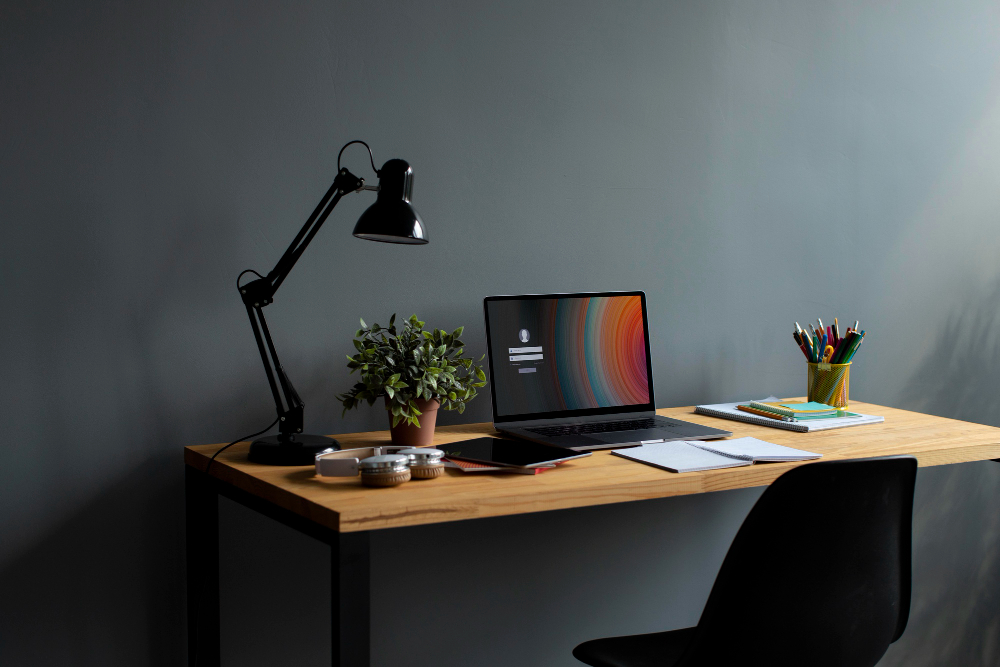
Clean minimalist desk setup featuring a laptop, task lamp, and stationery arranged neatly on a wooden workstation in a home office.
Disclosure: As an Amazon Associate, I earn from qualifying purchases. Some links below are affiliate links that help support this site at no extra cost to you.
📋 Quick Navigation
- Why Your Desk Setup Matters
- Part 1: The Foundation – Your Desk
- Part 2: Computing Core – Laptops & Monitors
- Part 3: Input Devices – Keyboards & Mice
- Part 4: Audio & Video – Headphones, Webcams, Mics
- Part 5: Connectivity & Power – Hubs, Docks, Cables
- Part 6: Comfort & Health – Chairs, Lighting, Ergonomics
- Part 7: Organization & Storage
- Part 8: 3 Complete Sample Setups
- Part 9: The 10-Step Desk Setup Checklist
- Related Guides
Introduction: Why Your Desk Setup Matters
You spend 8, 10, sometimes 12 hours a day at your desk. You’re debugging complex code, architecting systems, and solving problems that require intense focus. But have you ever stopped to consider how your physical environment affects your mental performance?
The truth is, your desk setup isn’t just about aesthetics—it’s about productivity, health, and long-term sustainability.
Research shows that a well-designed workspace can:
| Benefit | Improvement |
|---|---|
| Productivity | Increase by up to 20% |
| Eye strain | Reduce by 30-40% |
| Back and neck pain | Decrease by 50% |
| Focus | Improve significantly |
Whether you’re a remote developer, a freelancer, or someone who just wants to level up their coding environment, this guide will walk you through everything you need to build the perfect programmer desk setup.
What we’ll cover:
- The Foundation – Desks, standing desks, and surfaces
- Computing Core – Laptops, monitors, and monitor arms
- Input Devices – Keyboards, mice, and accessories
- Audio & Video – Headphones, webcams, and microphones
- Connectivity – Hubs, docks, and cable management
- Comfort & Health – Chairs, lighting, and ergonomics
- Organization – Storage, backpacks, and desk accessories
- 3 Complete Sample Setups – For every budget
Let’s build your dream workspace.
Part 1: The Foundation – Your Desk
Your desk is the foundation of your entire setup. Get this wrong, and nothing else matters.
Desk Size and Shape
Choosing the right desk size depends on your space and how many monitors you plan to use.
| Desk Size | Dimensions | Best For | Pros | Cons |
|---|---|---|---|---|
| Small | 47″ x 24″ | Small apartments, limited space | Fits anywhere | Limited monitor space |
| Medium | 55″ x 28″ | Most programmers | Good balance | May feel cramped for dual monitors |
| Large | 63″ x 32″ | Dual/triple monitor setups | Ample space | Requires large room |
| Extra Large | 71″+ x 34″+ | Ultimate setups | Everything fits | Needs dedicated office |
Our recommendation: For most programmers, a 60-65″ wide and 30″ deep desk is ideal. This gives you enough space for dual monitors, a laptop, keyboard, mouse, and still room for a notebook and coffee.
Desk Material
| Material | Pros | Cons | Best For |
|---|---|---|---|
| Solid Wood | Beautiful, durable, timeless | Heavy, expensive | Permanent setups |
| Laminate | Affordable, easy to clean | Can chip, less premium | Budget builds |
| Bamboo | Sustainable, hard, attractive | Can scratch | Eco-conscious |
| Metal/Steel | Industrial look, sturdy | Cold, can dent | Modern aesthetics |
Standing Desks: Are They Worth It?
Yes—if you use them properly. The evidence is clear: sitting all day is harmful, and alternating between sitting and standing throughout the day offers significant benefits.
Health Benefits of Standing Desks:
- Reduces back pain by 54%
- Improves mood and energy levels
- Burns more calories (about 50-100 per hour standing)
- Potentially reduces long-term health risks
Top Standing Desk Recommendations
| Model | Best For | Weight Capacity | Height Range | Price Range |
|---|---|---|---|---|
| Uplift V2 Commercial | Best Overall | 355 lbs | 22.5″ – 48.7″ | $600-800 |
| Fully Jarvis Bamboo | Best Bamboo | 350 lbs | 22.5″ – 48.7″ | $500-700 |
| Flexispot E7 | Best Value | 310 lbs | 22.8″ – 48.4″ | $300-400 |
| Autonomous SmartDesk Pro | Best Mid-Range | 300 lbs | 24.5″ – 50.5″ | $400-500 |
👉 Check prices of standing desks on Amazon
Pro tip: Always get a desk with a programmable controller. Save your sitting and standing heights for one-touch transitions.
Desk Mats and Protection
A good desk mat does three things:
- Protects your desk surface from scratches and spills
- Provides a smooth surface for your mouse
- Adds aesthetic polish to your setup
Recommendation: Look for a large desk pad—at least 30″ x 15″ to fit your keyboard and mouse comfortably. Options include leather, felt, or cork materials.
👉 Check prices of desk mats on Amazon
Part 2: Computing Core – Laptops & Monitors
Choosing Your Programming Laptop
Your laptop is the heart of your setup. For a detailed breakdown, check out our Best Laptops for Programming 2026 guide. Here’s the quick summary:
| User Type | Recommended Laptop | Why |
|---|---|---|
| Most programmers | MacBook Pro 14″ M4 Pro | Best balance of power, battery, portability |
| Windows developers | Dell XPS 15 | Excellent build, powerful specs |
| Linux users | Lenovo ThinkPad X1 Carbon | Best Linux compatibility, legendary keyboard |
| Budget-conscious | ASUS TUF Gaming F16 | Affordable, good performance |
| iOS/macOS developers | MacBook Pro 16″ M4 Max | Ultimate power for Xcode, simulators |
👉 Check prices of programming laptops on Amazon
External Monitors for Coding
Your laptop screen is rarely enough for serious programming. External monitors are productivity multipliers.
Single vs Dual vs Ultrawide
| Setup | Pros | Cons | Best For |
|---|---|---|---|
| Single 27″ 4K | Simple, affordable | Limited screen space | Casual users |
| Dual 27″ 4K | Massive screen real estate, flexible | Bezels in middle | Most programmers |
| Ultrawide 34″ | No bezels, immersive | Less flexible | Multitaskers |
| Triple monitors | Maximum space | Requires large desk | Power users |
Best Monitors for Programming
See our full Best Monitors for Programming 2026 guide, but here are top picks:
| Monitor | Size | Resolution | Best For | Price Range |
|---|---|---|---|---|
| BenQ RD320UA | 31.5″ | 4K | Coding-specific features | ~$700 |
| Dell U2725QE | 27″ | 4K | Thunderbolt 4, IPS Black | ~$750 |
| LG 34WN80C-B | 34″ | WQHD | Ultrawide multitasking | ~$650 |
| Dell P2426D | 24″ | QHD | Budget dual setup | ~$300 |
👉 Check prices of programming monitors on Amazon
Monitor Arms: The Upgrade You Didn’t Know You Needed
Monitor arms are one of the most underrated desk upgrades. They:
- Free up valuable desk space
- Allow perfect ergonomic positioning
- Make your setup look clean and professional
- Enable easy adjustments throughout the day
Best Monitor Arms
| Model | Best For | Weight Capacity | Price Range |
|---|---|---|---|
| Ergotron LX | Gold standard | 7-25 lbs each | $150-200 |
| Amazon Basics Premium | Best value | Up to 25 lbs | $100-130 |
| HUANUO Dual Monitor Stand | Best budget | Up to 19.8 lbs each | $40-60 |
| Atdec Telehook | Heavy monitors | Up to 44 lbs | $200-300 |
👉 Check prices of monitor arms on Amazon
Pro tip: Get a dual monitor arm even if you only have one monitor now. You’ll likely add a second later, and it’s easier to install once.
Laptop Stands
Raising your laptop to eye level:
- Prevents neck strain
- Improves airflow (cooler laptop)
- Creates space underneath for your keyboard
| Model | Best For | Material | Price Range |
|---|---|---|---|
| Rain Design mStand | Classic MacBook stand | Aluminum | $50-60 |
| Nexstand K2 | Portable, adjustable | Plastic | $30-40 |
| Twelve South Curve | Sleek design | Aluminum | $50-70 |
| OMOTON Adjustable | Budget pick | Aluminum | $20-30 |
👉 Check prices of laptop stands on Amazon
Part 3: Input Devices – Keyboards & Mice
Mechanical Keyboards for Programmers
Your keyboard is your primary tool. Invest wisely. See our Best Mechanical Keyboards 2026 guide for full details.
Quick Recommendations
| Keyboard | Best For | Switches | Price Range |
|---|---|---|---|
| Keychron Q1 Pro | Best overall | Gateron K Pro | $180-200 |
| Keychron K8 Pro | Best value | Gateron G Pro | $100-120 |
| Wooting 80HE | Speed + gaming | Lekker Hall Effect | $175-195 |
| Logitech MX Mechanical | Wireless office | Tactile silent | $150-170 |
| HHKB Professional Hybrid | Vim/Emacs enthusiasts | Topre | $250-300 |
👉 Check prices of mechanical keyboards on Amazon
Switch Guide for Programmers
| Switch Type | Feel | Sound | Best For |
|---|---|---|---|
| Tactile (Brown) | Bump at actuation | Moderate | Most programmers |
| Linear (Red) | Smooth | Quiet | Fast typists, gamers |
| Clicky (Blue) | Bump + click | Loud | Solo offices |
| Silent (MX Silent) | Linear/tactile | Very quiet | Open offices |
| Hall Effect | Adjustable | Quiet | Customization lovers |
Mice for Programmers
You might think any mouse works, but the right mouse prevents wrist strain and improves efficiency.
| Mouse | Best For | Connectivity | Price Range |
|---|---|---|---|
| Logitech MX Master 3S | Best overall | Bluetooth/USB | $90-100 |
| Logitech G502 X | Best gaming/coding hybrid | Wired/wireless | $70-80 |
| Apple Magic Mouse | Mac users only | Bluetooth | $80-90 |
| Razer Pro Click | Productivity focus | Bluetooth/USB | $80-100 |
| Anker Vertical Mouse | Ergonomic, budget | Wired/wireless | $20-30 |
| Logitech Lift | Vertical ergonomic | Bluetooth | $50-70 |
👉 Check prices of ergonomic mice on Amazon
Ergonomic tip: Consider a vertical mouse if you experience wrist discomfort. It keeps your hand in a more natural handshake position.
Mouse Pads and Desk Mats
| Type | Best For | Size | Price Range |
|---|---|---|---|
| Large felt desk mat | Aesthetics, protection | 30″x15″+ | $30-50 |
| Gaming mouse pad | Speed, precision | Various | $20-40 |
| Leather desk pad | Professional look | Various | $40-80 |
| Cork desk mat | Eco-friendly | Various | $25-45 |
👉 Check prices of desk pads on Amazon
Part 4: Audio & Video – Headphones, Webcams, Mics
Noise Cancelling Headphones
For programmers, focus is everything. See our Best Noise Cancelling Headphones 2026 guide.
| Model | Best For | Battery | Noise Cancelling | Price Range |
|---|---|---|---|---|
| Sony WH-1000XM6 | Overall best | 40 hrs | ⭐⭐⭐ Excellent | $350-400 |
| Bose QuietComfort Ultra | Most comfortable | 28 hrs | ⭐⭐⭐ Excellent | $400-450 |
| Apple AirPods Max | Apple ecosystem | 22 hrs | ⭐⭐⭐ Excellent | $500-550 |
| Anker Soundcore Space Q45 | Best budget | 50 hrs | ⭐⭐ Good | $120-150 |
| Sennheiser Momentum 4 | Best sound | 60 hrs | ⭐⭐ Good | $350-380 |
👉 Check prices of noise cancelling headphones on Amazon
Webcams for Professional Calls
Built-in laptop webcams are terrible. Upgrade your presence. See our Best Webcams 2026 guide.
| Model | Best For | Resolution | Special Feature | Price Range |
|---|---|---|---|---|
| Logitech MX Brio | Overall best | 4K | AI auto-framing, Show Mode | $200-230 |
| Razer Kiyo Pro Ultra | Low light | 4K | F/1.7 aperture | $250-300 |
| Elgato Facecam Pro | 4K 60fps | 4K @ 60fps | Studio-quality | $300-350 |
| Logitech C920s | Best budget | 1080p | Privacy shutter, reliable | $60-80 |
| Anker PowerConf C300 | Best value | 1080p | Sony STARVIS sensor | $90-110 |
👉 Check prices of webcams on Amazon
Microphones for Meetings and Recording
If you do lots of meetings or create content, a dedicated mic is worth it.
| Mic | Best For | Type | Price Range |
|---|---|---|---|
| Blue Yeti | Best all-around | USB condenser | $100-130 |
| Elgato Wave:3 | Streaming focus | USB condenser | $140-160 |
| Shure MV7 | Professional quality | USB/XLR hybrid | $250-280 |
| Samson Q2U | Best budget | USB/XLR | $60-70 |
| Razer Seiren Mini | Compact budget | USB condenser | $40-50 |
👉 Check prices of microphones on Amazon
Part 5: Connectivity & Power – Hubs, Docks, Cables
USB-C Hubs and Docking Stations
Modern laptops have too few ports. A good hub is essential. See our Best USB-C Hubs 2026 guide.
| Model | Best For | Ports | Power Delivery | Price Range |
|---|---|---|---|---|
| Anker 575 | Best overall | 13-in-1 | 85W | $80-90 |
| Plugable USBC-9IN1E | Power users | 9 ports | 125W | $70-80 |
| Caldigit TS4 | Ultimate Thunderbolt | 18 ports | 98W | $350-400 |
| Anker 341 | Best budget | 7-in-1 | 100W | $30-35 |
| UGREEN Revodok 209 | Mac dual monitors | 9 ports | 85W | $60-70 |
👉 Check prices of USB-C hubs on Amazon
Cable Management: The Secret to a Clean Desk
Messy cables destroy the aesthetic of even the most expensive setup. Here’s how to fix it.
Essential Cable Management Products
| Product | Purpose | Price Range |
|---|---|---|
| Under-desk cable tray | Hides power strips and excess cable | $20-40 |
| Velcro cable ties | Bundle cables together | $10-20 (pack) |
| Adhesive cable clips | Route cables along desk edges | $8-15 |
| Cable sleeves | Combine multiple cables into one | $10-20 |
| Cable box | Hide power strips | $15-30 |
| Magnetic cable ties | Reusable, clean | $15-25 |
👉 Check prices of cable management on Amazon
Step-by-Step Cable Management
- Plan your layout – Know where everything goes before you start
- Mount power strip – Under desk or in cable tray
- Bundle cables – Group by function (power, data, peripherals)
- Route cables – Use clips to follow desk frame
- Label everything – USB-C, monitor, etc. for easy troubleshooting
- Enjoy the clean look – No more spaghetti monster!
Power Protection: UPS and Surge Protectors
Don’t let a power outage kill your work.
| Device | Best For | Price Range |
|---|---|---|
| APC Back-UPS Pro 1500VA | Whole setup protection | $200-250 |
| CyberPower CP1500PFCLCD | Great alternative | $180-220 |
| Belkin 12-Outlet Surge Protector | Basic surge protection | $30-40 |
| Anker Power Strip Tower | Desktop charging station | $40-60 |
👉 Check prices of UPS on Amazon
Part 6: Comfort & Health – Chairs, Lighting, Ergonomics
Ergonomic Office Chairs
The most important investment you’ll make. See our Best Ergonomic Office Chairs 2026 guide.
| Model | Best For | Key Feature | Price Range |
|---|---|---|---|
| Herman Miller Aeron | Gold standard | PostureFit SL, 12-year warranty | $1,500-1,800 |
| Steelcase Gesture | Best arm support | 360° armrests | $1,300-1,500 |
| Herman Miller Embody | Best back support | Pixelated support | $1,600-1,900 |
| Sihoo Doro C300 | Best value | Adaptive lumbar | $300-350 |
| Staples Hyken | Best budget | Mesh, adjustable | $250-300 |
👉 Check prices of ergonomic chairs on Amazon
Ergonomic Accessories
| Accessory | Purpose | Price Range |
|---|---|---|
| Footrest | Keeps feet flat when chair is too high | $20-50 |
| Wrist rest | Prevents wrist strain | $15-30 |
| Lumbar support cushion | Adds back support to any chair | $20-40 |
| Seat cushion | Extra comfort for long sessions | $25-50 |
👉 Check prices of ergonomic accessories on Amazon
Desk Lighting
Good lighting reduces eye strain and headaches.
| Light | Best For | Price Range |
|---|---|---|
| BenQ ScreenBar Halo | Monitor-mounted, ambient | $120-150 |
| Xiaomi Mi Desk Lamp | Budget friendly | $30-40 |
| Elgato Key Light | Streaming, video calls | $150-200 |
| Philips Hue Play Bars | Bias lighting, ambiance | $70-100 |
👉 Check prices of desk lamps on Amazon
Pro tip: Bias lighting behind your monitor reduces eye strain by balancing screen brightness with room brightness.
Blue Light Glasses
If you code late at night, these help.
| Brand | Best For | Price Range |
|---|---|---|
| Gunnar | Most popular, many styles | $50-150 |
| Zenni Optical | Prescription + blue light | $30-100 |
| J+S Vision | Budget yellow-tinted | $20-30 |
👉 Check prices of blue light glasses on Amazon
Part 7: Organization & Storage
Desk Organization Accessories
| Product | Purpose | Price Range |
|---|---|---|
| Monitor stand riser | Raises monitor, adds storage | $30-60 |
| Desk organizer tray | For notebooks, pens, small items | $15-30 |
| Headphone stand | Keeps headphones accessible | $15-40 |
| Phone stand | Vertical/horizontal viewing | $10-20 |
| Laptop sleeve | Protection when moving | $20-50 |
👉 Check prices of desk organizers on Amazon
Laptop Backpacks for Transport
See our Best Laptop Backpacks 2026 guide.
| Model | Best For | Laptop Size | Price Range |
|---|---|---|---|
| Nomatic Navigator | Best overall | Up to 16″ | $200-220 |
| MATEIN Travel | Best budget | Up to 17.3″ | $35-40 |
| eBags Professional | Best organization | Up to 17″ | $120-140 |
| Tomtoc Navigator-T68 | Best protection | Up to 16″ | $55-65 |
| Everki Onyx | Giant laptops | Up to 18.4″ | $100-120 |
👉 Check prices of laptop backpacks on Amazon
Part 8: 3 Complete Sample Setups
Setup 1: The Budget Build (~$1,500)
Perfect for students, interns, or developers just starting.
| Category | Item | Price |
|---|---|---|
| Desk | Flexispot E7 Standing Desk | $350 |
| Laptop | ASUS TUF Gaming F16 | $830 |
| Monitor | Dell P2426D (x2 for dual) | $600 ($300 each) |
| Monitor Arms | HUANUO Dual Monitor Stand | $50 |
| Keyboard | Keychron V1 | $75 |
| Mouse | Anker Vertical Mouse | $25 |
| Headphones | Anker Soundcore Space Q45 | $130 |
| Webcam | Logitech C920s | $65 |
| Chair | Staples Hyken | $250 |
| Hub | Anker 341 | $35 |
| Cable Management | Basic kit | $30 |
| Lighting | Xiaomi Mi Desk Lamp | $35 |
| TOTAL | ~$1,475 |
Setup 2: The Professional Developer (~$3,500)
The sweet spot for most full-time programmers.
| Category | Item | Price |
|---|---|---|
| Desk | Fully Jarvis Bamboo | $600 |
| Laptop | MacBook Pro 14″ M4 Pro | $1,600 |
| Monitor | Dell U2725QE 4K (x2) | $1,500 ($750 each) |
| Monitor Arms | Ergotron LX (x2) | $300 ($150 each) |
| Keyboard | Keychron K8 Pro | $110 |
| Mouse | Logitech MX Master 3S | $95 |
| Headphones | Sony WH-1000XM6 | $375 |
| Webcam | Logitech MX Brio | $215 |
| Chair | Sihoo Doro C300 | $325 |
| Hub | Anker 575 | $85 |
| Mic | Blue Yeti | $115 |
| Lighting | BenQ ScreenBar Halo | $135 |
| Cable Management | Premium kit | $60 |
| TOTAL | ~$3,515 |
Setup 3: The Ultimate No-Compromise Setup (~$8,500)
For senior developers, tech leads, or anyone who wants the absolute best.
| Category | Item | Price |
|---|---|---|
| Desk | Uplift V2 Commercial | $750 |
| Laptop | MacBook Pro 16″ M4 Max | $2,500 |
| Monitor | BenQ RD320UA (x2) | $1,400 ($700 each) |
| Monitor Arms | Atdec Telehook (x2) | $500 ($250 each) |
| Keyboard | HHKB Professional Hybrid | $275 |
| Mouse | Logitech G502 X | $75 |
| Headphones | Bose QuietComfort Ultra | $425 |
| Webcam | Insta360 Link 2 | $300 |
| Mic | Shure MV7 | $265 |
| Chair | Herman Miller Aeron | $1,600 |
| Dock | Caldigit TS4 | $375 |
| Lighting | BenQ ScreenBar Halo (x2) | $250 ($125 each) |
| Desk Mat | Groove Made Leather Pad | $60 |
| Cable Management | Premium solution | $100 |
| TOTAL | ~$8,875 |
Part 9: The 10-Step Desk Setup Checklist
Use this checklist to dial in your ergonomics:
- Chair height: Feet flat on floor, knees at 90°
- Seat depth: 2-4 fingers between seat edge and back of knee
- Lumbar support: Fits curve of lower back comfortably
- Monitor height: Top of screen at or slightly below eye level
- Monitor distance: Arm’s length away (about 20-28 inches)
- Keyboard position: Elbows at 90°, wrists straight
- Mouse position: Close to keyboard, same height
- Lighting: No glare on screen, bias lighting behind monitor
- Cables: All managed and hidden from view
- Standing breaks: Every 60-90 minutes, stand for 5-10 minutes
Conclusion: Your Perfect Setup Awaits
Building the perfect programmer desk setup is a journey, not a destination. Start with the essentials, then upgrade over time. The most important thing is creating a space that inspires you to do your best work.
Remember these priorities:
- Invest in your chair first – Your back will thank you for years
- Monitors and monitor arms – Transform your productivity immediately
- Good lighting – Reduces eye strain and headaches
- Cable management – Keeps you sane and focused
- Personal touches – Make it yours with plants, art, or collectibles
We’ve covered everything from desks to cables, from budget builds to no-compromise dream setups. Now it’s your turn.
Which setup will you build?
Explore All Our Programmer Gear Guides
🖥️ Complete Your Programming Workspace
Check out our detailed guides for each component:
*All guides are independently researched and updated for 2026 to help you build the perfect programming workspace.
Disclosure: As an Amazon Associate, I earn from qualifying purchases. Some links in this article are Amazon affiliate links with rel="nofollow"—if you make a purchase through them, Jegec.com may earn a small commission at no extra cost to you. This helps us keep bringing you detailed tech guides.
Happy building—your ultimate programmer desk setup awaits!