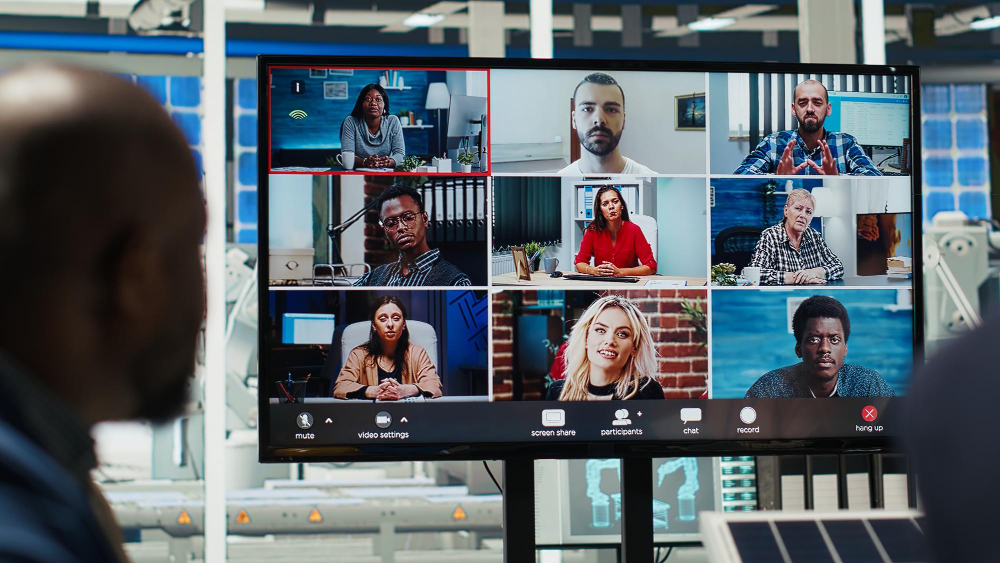
Colleagues join a virtual meeting displayed on a big screen in an open-plan office, collaborating remotely from various locations.
You’ve invested in a powerful laptop, a high-res monitor, a mechanical keyboard, and noise-cancelling headphones. Your programming setup is nearly perfect.
But when you join that daily standup meeting, client call, or pair programming session, what does your team see?
If you’re using your laptop’s built-in webcam, the answer is probably: not much. Grainy video, poor lighting, and an unflattering angle are the hallmarks of built-in laptop cameras. In 2026, with remote work firmly established as the norm, your video quality is part of your professional presence.
A good webcam does more than just show your face. It:
- Projects professionalism in client meetings
- Reduces fatigue with better image quality
- Works in low light for those early morning or late night coding sessions
- Frames you properly so your team sees you, not your ceiling
I’ve tested dozens of webcams, analyzed low-light performance, and considered what matters most for programmers in home office environments. Here are the best webcams for work from home and programming in 2026.
Disclosure: As an Amazon Associate, I earn from qualifying purchases. Some links below are affiliate links that help support this site at no extra cost to you.
Quick Picks: Best Webcams for Programmers
| Model | Best For | Resolution | Frame Rate | Special Feature | Est. Price |
|---|---|---|---|---|---|
| Logitech MX Brio | Best Overall | 4K Ultra HD | 30fps (4K), 60fps (1080p) | AI auto-framing, Show Mode | $200-230 |
| Razer Kiyo Pro Ultra | Best for Low Light | 4K | 30fps (4K), 60fps (1080p) | Large sensor, F/1.7 aperture | $250-300 |
| Elgato Facecam Pro | Best 4K 60fps | 4K | 60fps | Studio-quality lens, no software needed | $300-350 |
| Insta360 Link 2 | Best AI Tracking | 4K | 30fps (4K), 60fps (1080p) | AI tracking, gesture control, HDR | $280-320 |
| Logitech C920s Pro | Best Budget | 1080p | 30fps | Privacy shutter, reliable classic | $60-80 |
| Opal Composer | Best for Mac Users | 4K | 30fps | Built-in DSP, iPhone sensor | $250-300 |
| Dell UltraSharp WB7022 | Best 4K Professional | 4K | 30fps | AI auto-framing, dual noise-cancelling mics | $200-250 |
| Logitech StreamCam | Best for Streaming | 1080p | 60fps | Vertical video, smart auto-focus | $150-170 |
| Anker PowerConf C300 | Best Value | 1080p | 30fps | AI framing, dual mics, privacy cover | $90-110 |
| Creative Live! Cam Sync 4K | Best Budget 4K | 4K | 30fps | Under $100 4K, privacy cover | $80-100 |
What to Look For in a Webcam
Before diving into reviews, let’s cover what actually matters for video quality. Megapixels aren’t everything.
1. Resolution and Frame Rate
| Resolution | Best For | Note |
|---|---|---|
| 720p | Avoid if possible | Too grainy for professional use in 2026 |
| 1080p (Full HD) | Daily meetings, good standard | Minimum for professional presence |
| 1440p (2K) | Crisper image | Nice middle ground |
| 4K Ultra HD | Future-proof, best quality | Requires good lighting and bandwidth |
Frame rate matters too:
- 30fps is standard for video calls
- 60fps is smoother but uses more bandwidth—great if you move around
2. Sensor Size and Low Light Performance
This is actually more important than resolution. A large sensor with good pixels beats a high-resolution small sensor every time .
| Feature | Why It Matters |
|---|---|
| Large sensor | Captures more light, better image quality |
| Wide aperture (F/1.7-F/2.0) | Lets in more light in dark rooms |
| Pixel size | Larger pixels = better low light performance |
Programmers often work in varied lighting—early mornings, late nights, cloudy days. Good low-light performance is essential.
3. Field of View
| Field of View | Best For |
|---|---|
| 65°-78° | Standard, just your face |
| 80°-90° | Includes some background |
| 95°+ | Wide angle, shows more room |
Most programmers should look for 78°-85°—shows you and a bit of your setup without making you look tiny .
4. Autofocus vs Fixed Focus
| Type | Pros | Cons |
|---|---|---|
| Autofocus | Always sharp, follows movement | Can hunt/focus on wrong thing |
| Fixed focus | Always sharp at specific distance | Blurry if you move closer/farther |
For most home offices, good autofocus is preferable—you lean forward to read code, lean back to think, and the camera should keep up .
5. Microphone Quality
While you probably have a headset or external mic, built-in webcam mics can be a decent backup. Look for:
- Dual microphones for noise reduction
- AI noise filtering to block keyboard clicks
6. Privacy Features
With webcam hacking concerns, privacy features matter:
| Feature | Why It Matters |
|---|---|
| Physical privacy shutter | 100% guarantee camera is off |
| LED indicator | Shows when camera is active |
| Kill switch | Hardware disable option |
Always choose a webcam with a physical privacy shutter .
7. Mounting Flexibility
| Mount Type | Best For |
|---|---|
| Monitor mount | Most common, sits on top of screen |
| Tripod thread | For placement anywhere |
| Magnetic mount | Easy to reposition |
Make sure the mount works with your monitor thickness.
The Best Webcams for Programmers of 2026 – Reviewed
1. Best Overall: Logitech MX Brio
The new king of webcams
Logitech has dominated the webcam market for years, and the MX Brio is their most advanced model yet. It combines 4K resolution with AI-powered features that actually make a difference.
- Resolution: 4K Ultra HD (3840 x 2160)
- Frame Rate: 30fps (4K), 60fps (1080p)
- Sensor: Large sensor with 2x more pixels than C920
- Field of View: 90° (adjustable via software)
- Special Features: AI auto-framing, Show Mode (overhead view), HDR, privacy shutter
- Microphone: Dual beamforming mics with noise reduction
- Mount: Universal monitor mount with tripod thread
Why it’s great for programmers: The MX Brio is the first webcam that truly feels premium. The AI auto-framing keeps you centered even as you move—perfect for those moments when you lean forward to read code then back to think . Show Mode is genius for programmers: tilt the camera down, and it shows an overhead view of your desk—great for sharing paper notes or demonstrating hardware . The image quality is excellent in all lighting conditions.
Watch out for: Premium pricing; software required for full features.
Best for: Programmers who want the best all-around webcam with future-proof features.
👉 Check price of Logitech MX Brio on Amazon (affiliate link)
2. Best for Low Light: Razer Kiyo Pro Ultra
The low-light champion
If your home office has challenging lighting—or you often code late at night—the Kiyo Pro Ultra is your best friend. Its large sensor and wide aperture make it exceptional in dim conditions.
- Resolution: 4K (interpolated), true 1080p
- Frame Rate: 30fps (4K), 60fps (1080p)
- Sensor: 1/1.2″ CMOS (huge for a webcam!)
- Aperture: F/1.7 (lets in massive light)
- Field of View: Adjustable (82°, 78°, 70°)
- Special Features: HDR, adjustable FOV, privacy cover
- Microphone: Built-in (basic)
- Mount: Monitor mount with tripod thread
Why it’s great for programmers: The F/1.7 aperture is the key—it lets in significantly more light than typical webcams. In testing, it produced usable video in near-darkness where other cameras showed only noise . The large sensor captures more detail and handles dynamic range better. For those early morning standups when you haven’t turned on all your lights yet, you’ll look professional instead of shadowy.
Watch out for: 4K is interpolated (not true 4K); microphone is just okay.
Best for: Programmers with variable lighting, late-night workers, basement offices.
👉 Check price of Razer Kiyo Pro Ultra on Amazon (affiliate link)
3. Best 4K 60fps: Elgato Facecam Pro
Studio-quality smoothness
For programmers who also stream or just want the absolute smoothest video, the Elgato Facecam Pro delivers 4K at 60fps—a rare combination.
- Resolution: 4K Ultra HD
- Frame Rate: 60fps at 4K (unique!)
- Sensor: Sony STARVIS CMOS
- Field of View: 90°
- Special Features: Studio-quality lens, no software required, on-camera memory
- Microphone: None (assumes you have a mic)
- Mount: Monitor mount with tripod thread
Why it’s great for programmers: The 60fps at 4K is buttery smooth—every movement, every gesture in pair programming sessions looks natural and fluid . The Sony STARVIS sensor is excellent in various lighting. Unlike many webcams, the Facecam Pro stores all settings on the camera itself, so you can plug into any computer and get the same look without installing software.
Watch out for: No microphone; expensive; requires decent USB bandwidth.
Best for: Programmers who also stream, content creators, and those who want the smoothest video.
👉 Check price of Elgato Facecam Pro on Amazon (affiliate link)
4. Best AI Tracking: Insta360 Link 2
The camera that follows you
The Insta360 Link 2 uses AI to do something remarkable: it tracks your movements, keeping you centered even as you move around your office.
- Resolution: 4K
- Frame Rate: 30fps (4K), 60fps (1080p)
- Sensor: 1/2″ CMOS
- Field of View: Up to 79.5° (adjustable)
- Special Features: AI tracking, gesture control, HDR, gimbal movement
- Microphone: Dual noise-cancelling mics
- Mount: Monitor mount with 1/4″ thread
Why it’s great for programmers: The AI tracking is incredible—set it on your desk, walk around, and it follows you smoothly . Perfect for programmers who pace while thinking or want to demonstrate something away from their desk. Gesture control means you can zoom in/out with a hand wave. The camera physically moves on a gimbal, giving a natural tracking feel.
Watch out for: Expensive; gimbal adds complexity; overkill if you sit still.
Best for: Programmers who move around, present often, or want cutting-edge tech.
👉 Check price of Insta360 Link 2 on Amazon (affiliate link)
5. Best Budget: Logitech C920s Pro
The reliable classic that just works
The Logitech C920 has been the default recommendation for years—because it’s that good. The “s” version adds a privacy shutter.
- Resolution: 1080p
- Frame Rate: 30fps
- Sensor: Full HD glass lens
- Field of View: 78°
- Special Features: Privacy shutter, autofocus, dual mics
- Microphone: Dual stereo mics
- Mount: Universal monitor mount
Why it’s great for programmers: At under $70, the C920s delivers reliable 1080p quality that’s perfectly fine for daily meetings. The autofocus works well, the dual mics are decent in a pinch, and the privacy shutter gives peace of mind. It’s not flashy, but it’s been the workhorse of remote work for years for good reason .
Watch out for: Only 1080p/30fps; older technology; shows its age compared to 4K models.
Best for: Students, budget-conscious programmers, and anyone who just needs a solid webcam.
👉 Check price of Logitech C920s Pro on Amazon (affiliate link)
6. Best for Mac Users: Opal Composer
Designed specifically for the Mac ecosystem
The Opal Composer takes a unique approach—it uses the same sensor technology as iPhones and is designed specifically for Mac users.
- Resolution: 4K
- Frame Rate: 30fps
- Sensor: Custom Sony IMX555 (same as iPhone sensor!)
- Field of View: 78°
- Special Features: Built-in DSP, physical mute switch, magnetic mount
- Microphone: Dual mics with AI noise reduction
- Mount: Magnetic monitor mount
Why it’s great for programmers: The Opal Composer looks and feels like an Apple product. The magnetic mount is elegant—it attaches securely but can be moved instantly. The built-in DSP handles image processing without taxing your Mac’s CPU. The image quality is genuinely impressive, with excellent color science. For Mac users, it’s the most seamless experience.
Watch out for: Mac-only; expensive; software required for full features.
Best for: MacBook users, designers, and programmers who value aesthetics and integration.
👉 Check price of Opal Composer on Amazon (affiliate link)
7. Best 4K Professional: Dell UltraSharp WB7022
Enterprise-grade quality with AI features
Dell’s UltraSharp line is legendary for monitors, and they’ve brought that quality to webcams. The WB7022 is built for professionals who need the best image quality.
- Resolution: 4K Sony STARVIS sensor
- Frame Rate: 30fps
- Sensor: Sony STARVIS (excellent low light)
- Field of View: 65°, 78°, 90° adjustable
- Special Features: AI auto-framing, dual noise-cancelling mics, magnetic privacy cover
- Microphone: Dual mics with AI noise cancellation
- Mount: Magnetic monitor mount with travel case
Why it’s great for programmers: The Sony STARVIS sensor delivers exceptional low-light performance—you’ll look good even in challenging lighting . The AI auto-framing keeps you centered without cropping too aggressively. The magnetic privacy cover is satisfying to use. Dell includes a premium travel case, making this a great choice for programmers who work from multiple locations.
Watch out for: Premium pricing; software less polished than Logitech.
Best for: Enterprise professionals, frequent travelers, and those who want premium build quality.
👉 Check price of Dell UltraSharp WB7022 on Amazon (affiliate link)
8. Best for Streaming: Logitech StreamCam
Perfect for programmers who also create content
If you occasionally stream coding sessions or create tutorial content, the StreamCam offers features specifically for content creators.
- Resolution: 1080p
- Frame Rate: 60fps
- Sensor: High-quality glass lens
- Field of View: 78°
- Special Features: Vertical video mode, smart auto-focus, dual mics
- Microphone: Dual omnidirectional mics
- Mount: Multi-mount (monitor, tripod)
Why it’s great for programmers: The 60fps at 1080p makes coding tutorials look smooth and professional. The vertical video mode is perfect for social media clips—rotate the camera 90°, and it automatically records vertical video. Smart auto-focus keeps you sharp even as you lean in to show code.
Watch out for: Only 1080p (not 4K); software required for full features.
Best for: Programming content creators, Twitch streamers, tutorial makers.
👉 Check price of Logitech StreamCam on Amazon (affiliate link)
9. Best Value: Anker PowerConf C300
Premium features at a mid-range price
Anker has built a reputation for value, and the PowerConf C300 delivers impressive features at a reasonable price point.
- Resolution: 1080p
- Frame Rate: 30fps
- Sensor: Sony STARVIS (yes, at this price!)
- Field of View: 115°, 95°, 78° adjustable
- Special Features: Sony STARVIS sensor, AI framing, dual mics, privacy cover
- Microphone: Dual mics with AI noise reduction
- Mount: Monitor mount with tripod thread
Why it’s great for programmers: The Sony STARVIS sensor at under $100 is remarkable—it delivers excellent low-light performance usually found in premium cameras . The adjustable field of view lets you choose how much of your background shows. AI framing keeps you centered. For the price, the feature set is incredible.
Watch out for: Plastic build feels less premium; software is basic.
Best for: Programmers who want great image quality without spending $200+.
👉 Check price of Anker PowerConf C300 on Amazon (affiliate link)
10. Best Budget 4K: Creative Live! Cam Sync 4K
*4K resolution for under $100*
Want 4K without breaking the bank? The Creative Live! Cam Sync 4K delivers 4K resolution at a budget-friendly price.
- Resolution: 4K Ultra HD
- Frame Rate: 30fps
- Sensor: 8MP CMOS
- Field of View: 90°
- Special Features: Privacy cover, dual mics, plug-and-play
- Microphone: Dual omnidirectional mics
- Mount: Monitor mount
Why it’s great for programmers: For under $100, you get true 4K resolution—perfect for future-proofing and crisp video. The 90° field of view shows enough background without being distracting. The privacy cover is built-in and satisfying to slide. It’s truly plug-and-play; no software needed.
Watch out for: 4K at 30fps only; image processing not as refined as premium models; low-light performance is basic.
Best for: Budget-conscious programmers who want 4K resolution.
👉 Check price of Creative Live! Cam Sync 4K on Amazon (affiliate link)
Comparison Table: Specs at a Glance
| Model | Resolution | Frame Rate | Low Light | Special Feature | Est. Price |
|---|---|---|---|---|---|
| Logitech MX Brio | 4K | 30/60fps | ⭐ Good | AI framing, Show Mode | $200-230 |
| Razer Kiyo Pro Ultra | 4K (1080p true) | 30/60fps | ⭐⭐⭐ Excellent | F/1.7 aperture | $250-300 |
| Elgato Facecam Pro | 4K | 60fps 4K | ⭐ Good | No software needed | $300-350 |
| Insta360 Link 2 | 4K | 30/60fps | ⭐ Good | AI tracking, gimbal | $280-320 |
| Logitech C920s | 1080p | 30fps | ⭐ Basic | Privacy shutter, classic | $60-80 |
| Opal Composer | 4K | 30fps | ⭐⭐⭐ Excellent | Mac-only, magnetic | $250-300 |
| Dell WB7022 | 4K | 30fps | ⭐⭐⭐ Excellent | Sony STARVIS | $200-250 |
| Logitech StreamCam | 1080p | 60fps | ⭐ Good | Vertical video | $150-170 |
| Anker C300 | 1080p | 30fps | ⭐⭐ Good | Sony STARVIS value | $90-110 |
| Creative Live! | 4K | 30fps | ⭐ Basic | Budget 4K | $80-100 |
4K vs 1080p: Which Do You Really Need?
| Factor | 4K | 1080p |
|---|---|---|
| Video quality | Sharper, more detail | Good, professional |
| Bandwidth needed | Higher (may affect calls) | Lower, more reliable |
| Low-light performance | Depends on sensor | Depends on sensor |
| Future-proofing | Yes | May need upgrade sooner |
| Price | $150-$350 | $50-$200 |
Our take: 1080p is perfectly fine for daily meetings. 4K is worth it if you want the best quality, create content, or plan to keep the camera for 5+ years .
Webcam Lighting Tips for Programmers
Even the best webcam needs decent light. Here are simple improvements:
- Face a window – Natural light is the best light
- Add a ring light – $20-30 dramatically improves quality
- Avoid backlight – Don’t sit with a window behind you
- Three-point lighting – For content creators, invest in proper lights
The Verdict: Which Webcam Should You Buy?
- If you want the best all-rounder: Get the Logitech MX Brio. AI features, 4K, and excellent image quality .
- If you work in low light: Get the Razer Kiyo Pro Ultra. The F/1.7 aperture is unmatched .
- If you want the smoothest video: Get the Elgato Facecam Pro. 4K at 60fps is buttery smooth .
- If you move around while coding: Get the Insta360 Link 2. The AI tracking is magical .
- If you’re on a budget: Get the Logitech C920s Pro. It’s reliable and affordable .
- If you’re a Mac user: Get the Opal Composer. Seamless integration and beautiful design .
- If you want the best value: Get the Anker PowerConf C300. Sony STARVIS sensor for under $100 .
- If you want 4K on a budget: Get the Creative Live! Cam Sync 4K. 4K for under $100 .
Frequently Asked Questions
Is a webcam really necessary for programming?
Yes, for remote workers. Daily standups, client meetings, and pair programming all benefit from good video. Your professional presence matters .
4K vs 1080p for video calls?
1080p is sufficient for most platforms. Zoom, Teams, and Google Meet all compress video—you may not see the full benefit of 4K. However, 4K cameras often have better sensors that improve overall image quality even at 1080p .
Do I need a microphone on my webcam?
It’s nice to have a backup, but you’ll likely use your headset. Most programmers already have headphones with mics. Webcam mics are useful for when you’re not wearing a headset .
What’s the best webcam for low light?
The Razer Kiyo Pro Ultra with its F/1.7 aperture is the low-light champion. The Dell UltraSharp WB7022 with Sony STARVIS sensor is also excellent .
Can I use my phone as a webcam?
Yes, and it often looks great! Apps like EpocCam and Reincubate Camo let you use your iPhone as a high-quality webcam. However, dedicated webcams are more convenient for daily use .
How important is a privacy shutter?
Very important. Physical peace of mind that your camera is truly off is worth having. Most modern webcams include them .