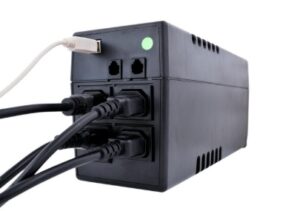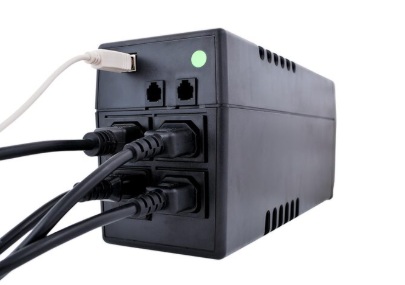
A UPS (Uninterruptible Power Supply) provides both surge protection and backup power to keep your development environment running during outages.
Disclosure: As an Amazon Associate, I earn from qualifying purchases. Some links below are affiliate links that help support this site at no extra cost to you.
📋 Quick Navigation
- Why Programmers Need Surge Protection & Battery Backup
- The Devastating Cost of Power Problems
- Surge Protector vs UPS: What’s the Difference?
- Top Picks at a Glance
- Best Whole-Home & High-End Surge Protectors
- Best Standalone Surge Protectors for Desktops
- Best UPS for Programmers (Battery Backup)
- Comparison Table
- How to Choose the Perfect Surge Protector or UPS
- Joule Rating Explained: How Much Protection Do You Really Need?
- Clamping Voltage & Response Time: The Numbers That Matter
- UPS Types: Standby, Line-Interactive, and Online Double-Conversion
- Real-World Case Study: How One Programmer Lost 6 Months of Work
- Frequently Asked Questions
- Related Guides
Why Programmers Need Surge Protection & Battery Backup
You’ve invested thousands of dollars in your programming setup:
| Component | Typical Cost |
|---|---|
| Programming Laptop | $1,500–$3,500 |
| Monitor(s) | $500–$1,500 |
| Mechanical Keyboard | $150–$300 |
| Ergonomic Mouse | $50–$150 |
| USB-C Hub / Dock | $100–$300 |
| External Storage (NAS/SSD) | $200–$500 |
| Total Investment | $2,500–$6,000+ |
Now imagine losing all of it—not just the hardware, but years of code, projects, and irreplaceable work—in a fraction of a second because of a power surge or outage.
The Hidden Threats You Face Every Day
| Threat | What Happens | How Often |
|---|---|---|
| Lightning strikes | Massive voltage spike destroys connected devices | Rare but catastrophic |
| Utility switching | Grid switching creates surges up to 6,000 volts | Multiple times daily |
| Brownouts | Voltage drops, stressing power supplies | Common in summer |
| Blackouts | Sudden power loss corrupts data, damages drives | Several per year |
| Generator power | Unstable power from generators | During outages |
| Neighboring appliances | AC units, refrigerators create mini-surges | Daily |
According to the Insurance Institute for Business & Home Safety, power surges cause more equipment damage than direct lightning strikes . The average home experiences 20-30 potentially damaging surges per day from utility switching alone.
The Devastating Cost of Power Problems
Data Loss: The Programmer’s Nightmare
For programmers, hardware can be replaced. Your code cannot.
| Scenario | Loss |
|---|---|
| Corrupted hard drive | Months of work gone |
| Failed SSD during write | Database corruption |
| Router/modem fried | No internet for days |
| NAS drive failure | Years of backups destroyed |
Hardware Damage: The Financial Hit
| Component | Replacement Cost |
|---|---|
| Laptop motherboard | $500–$1,000 repair |
| External SSD | $100–$300 + lost data |
| Monitor power supply | Often unrepairable |
| Router/modem | $100–$300 |
| Entire setup | Thousands of dollars |
The 80/20 Rule of Power Protection
The 80/20 rule of power protection states that 80% of damage comes from 20% of power events—specifically, the smaller, more frequent surges that go unnoticed until they’ve degraded your equipment over time . A quality surge protector doesn’t just block big spikes; it filters out thousands of small surges that slowly destroy your gear.
Surge Protector vs UPS: What’s the Difference?
Many programmers confuse these two essential devices. Here’s the simple breakdown:
| Feature | Surge Protector | UPS (Uninterruptible Power Supply) |
|---|---|---|
| Primary function | Blocks voltage spikes | Provides backup power + surge protection |
| Battery backup | ❌ No | ✅ Yes (minutes to hours) |
| Surge protection | ✅ Yes | ✅ Yes |
| Power conditioning | Basic | Advanced (AVR, pure sine wave) |
| Keeps equipment on during outage | ❌ No | ✅ Yes |
| Prevents data loss | ❌ No | ✅ Yes |
| Typical cost | $20–$100 | $100–$500+ |
Do You Need Both?
| Your Setup | Recommendation |
|---|---|
| Laptop only | Surge protector (laptop has internal battery) |
| Desktop PC | UPS is essential |
| NAS / Server | UPS is non-negotiable |
| Router + modem | UPS (keeps internet up during outages) |
| Multiple devices | UPS + surge protector daisy chain |
The Golden Rule: Every device that contains moving parts (hard drives) or volatile memory (unsaved work) needs a UPS. Everything else needs at least a quality surge protector.
Top Picks at a Glance
| Model | Type | Best For | Joule Rating | Outlets | Special Feature | Price |
|---|---|---|---|---|---|---|
| Eaton Whole Home Surge Protector | Whole House | Ultimate protection | 50kA | N/A | Installs at electrical panel | $120–$150 |
| APC SurgeArrest P11VNT3 | Surge Protector | Desktop & peripherals | 3,020 | 11 | Coax + Ethernet protection | $50–$60 |
| CyberPower 700VA AVR UPS | UPS (Standby) | Best value UPS | 700VA/450W | 7 | AVR, compact design | $100–$120 |
| APC Back-UPS Pro 1500VA | UPS (Line-Interactive) | High-end workstation | 1500VA/900W | 10 | LCD screen, AVR | $200–$250 |
| Tripp Lite 1500VA LCD UPS | UPS (Line-Interactive) | Heavy power draw | 1500VA/900W | 12 | Expandable battery | $220–$270 |
| CyberPower CP1500PFCLCD | UPS (Pure Sine Wave) | Sensitive electronics | 1500VA/900W | 12 | Pure sine wave, AVR | $180–$220 |
| Eaton 5S 1500VA UPS | UPS (Line-Interactive) | Home office | 1500VA/900W | 8 | Energy Star, compact | $200–$250 |
| Belkin 12-Outlet Surge Protector | Surge Protector | Budget | 4,000 | 12 | Rotating outlets | $40–$50 |
| Anker Power Strip Tower | Surge Protector | Desk organization | 2,500 | 12 | USB-C, vertical design | $50–$60 |
| APC P8W | Surge Protector | Wall-mount | 2,880 | 8 | Rotating outlets | $40–$45 |
Best Whole-Home & High-End Surge Protectors
1. Eaton Whole Home Surge Protector: Ultimate Protection
For programmers who want zero-compromise protection, a whole-house surge protector installed at your electrical panel is the gold standard. It protects every device in your home—not just your computer setup.
- Type: Type 1/Type 2 whole-house surge protector
- Surge Current Rating: 50,000 amps per mode
- Response Time: <1 nanosecond
- Installation: At main electrical panel (requires electrician)
- UL Rating: 1449 4th Edition
- Warranty: Up to $75,000 connected equipment warranty
Why it’s worth the investment: A whole-house unit stops surges before they enter your home’s wiring. Combined with point-of-use protectors for sensitive equipment, this creates a defense-in-depth strategy that no single surge protector can match.
- Stops surges from external sources (lightning, grid switching)
- Protects all outlets, lights, and hardwired appliances
- Pays for itself after one prevented disaster
- Lasts 10+ years
👉 Check price of Eaton Whole Home Surge Protector on Amazon
Best Standalone Surge Protectors for Desktops
2. APC SurgeArrest P11VNT3: The Gold Standard
APC is the most trusted name in power protection, and the SurgeArrest P11VNT3 is their best-selling surge protector for good reason.
- Joule Rating: 3,020 (excellent for a desktop setup)
- Outlets: 11 (with wide spacing for bulky adapters)
- Protection: Coax, Ethernet, and phone line protection
- Response Time: <1 nanosecond
- Indicator Lights: Protection status and wiring fault
- Warranty: $150,000 connected equipment warranty
Why it’s great for programmers: The integrated coax and Ethernet protection means your router, modem, and network gear are fully protected. The 3,020 joule rating is enough for a complete workstation with monitors, PC, and peripherals. The wide outlet spacing accommodates those bulky power bricks from USB hubs and docking stations .
Pros:
- Industry-leading build quality
- Comprehensive protection for all connection types
- Clear status indicators
- Generous equipment warranty
Cons:
- Bulky design
- Premium pricing
👉 Check price of APC SurgeArrest P11VNT3 on Amazon
3. Belkin 12-Outlet Surge Protector: Best Budget Pick
For programmers on a budget who still want quality protection, Belkin’s 12-outlet model delivers excellent value.
- Joule Rating: 4,000 (actually higher than the APC!)
- Outlets: 12 with 8-foot cord
- Protection: Coax and phone line
- Indicator Lights: Protected and grounded
- Warranty: $200,000 connected equipment warranty
Why it’s great for programmers: At 4,000 joules, this Belkin actually has higher energy absorption than the more expensive APC. It’s one of the highest-rated surge protectors in its price range and frequently tops budget recommendation lists .
Pros:
- Excellent joule rating for the price
- Lots of outlets
- Long cord
- Strong warranty
Cons:
- No Ethernet protection
- Bulkier design
👉 Check price of Belkin 12-Outlet Surge Protector on Amazon
4. Anker Power Strip Tower: Best for Desk Organization
Anker has revolutionized the power strip with their vertical tower design, perfect for programmers who want to eliminate cable clutter.
- Joule Rating: 2,500
- Outlets: 12 (3 sides, rotating)
- USB Ports: 3 USB-A + 1 USB-C (60W PD!)
- Cord Length: 5 feet
- Surge Protection: 900 joules
- Special Features: Vertical design saves desk space, rotating outlets
Why it’s great for programmers: The vertical tower design is a game-changer for desk organization. Instead of a tangled mess of plugs and cables, the tower sits neatly on your desk or floor with outlets on three sides. The 60W USB-C port can fast-charge your laptop, phone, or tablet without an extra charger .
Pros:
- Space-saving vertical design
- High-speed USB-C charging
- Rotating outlets for bulky plugs
- Clean, modern aesthetic
Cons:
- Lower joule rating (2,500)
- No coax/Ethernet protection
👉 Check price of Anker Power Strip Tower on Amazon
5. APC P8W: Best Wall-Mount Solution
For programmers with limited desk space, the APC P8W mounts directly to your wall or desk, keeping outlets accessible but out of the way.
- Joule Rating: 2,880
- Outlets: 8 (all with sliding safety covers)
- Mounting: Keyhole slots for wall or under-desk mounting
- Cord Length: 8 feet
- Warranty: Lifetime, $150,000 equipment protection
Why it’s great for programmers: The mounting flexibility means you can attach it under your desk, to the wall, or behind furniture—completely hidden but always accessible. The sliding safety covers keep dust and curious fingers out of unused outlets.
Pros:
- Versatile mounting options
- Sliding outlet covers
- Lifetime warranty
- Compact design
Cons:
- No USB ports
- Basic protection features
👉 Check price of APC P8W on Amazon
Best UPS for Programmers (Battery Backup)
6. CyberPower 700VA AVR UPS: Best Value UPS
The CyberPower 700VA is the perfect entry-level UPS for programmers with a desktop PC or home office setup.
- Type: Standby UPS with AVR
- Capacity: 700VA / 450W
- Outlets: 7 (5 battery backup + surge, 2 surge only)
- Runtime: ~45 minutes for a typical PC
- AVR: Automatic Voltage Regulation
- Form Factor: Compact tower
- Software: PowerPanel monitoring software
Why it’s great for programmers: The AVR (Automatic Voltage Regulation) corrects minor voltage fluctuations without switching to battery—saving battery life for when you really need it. The included software can automatically save your work and shut down your PC during extended outages .
Pros:
- Affordable entry point
- AVR protects against brownouts
- Compact size fits anywhere
- Reliable CyberPower quality
Cons:
- Lower runtime for gaming PCs
- Simulated sine wave (not pure sine wave)
👉 Check price of CyberPower 700VA AVR UPS on Amazon
7. APC Back-UPS Pro 1500VA: Best High-End UPS
The APC Back-UPS Pro 1500VA is the industry standard for serious workstation protection. It’s what IT professionals trust for critical equipment.
- Type: Line-Interactive UPS with AVR
- Capacity: 1500VA / 900W
- Outlets: 10 (5 battery backup, 5 surge only)
- Runtime: ~90 minutes for a typical PC
- AVR: Automatic Voltage Regulation
- Display: LCD screen shows power conditions, battery status
- Form Factor: Tower with front-panel controls
- Software: PowerChute for automatic shutdown
Why it’s great for programmers: The LCD screen gives you real-time visibility into your power conditions—you’ll know exactly what’s happening during a brownout or surge. The 900W capacity handles even high-end workstations with multiple monitors. The line-interactive design provides superior protection and battery life compared to standby UPS units .
Pros:
- Rock-solid reliability
- Clear LCD status display
- Excellent runtime
- Professional-grade AVR
Cons:
- Large footprint
- Premium pricing
👉 Check price of APC Back-UPS Pro 1500VA on Amazon
8. CyberPower CP1500PFCLCD: Best Pure Sine Wave UPS
For programmers with sensitive electronics—particularly those with Active PFC power supplies—pure sine wave output is essential.
- Type: Line-Interactive UPS with Pure Sine Wave output
- Capacity: 1500VA / 900W
- Outlets: 12 (6 battery backup, 6 surge only)
- Runtime: ~90 minutes
- AVR: Automatic Voltage Regulation
- Waveform: Pure Sine Wave (critical for Active PFC power supplies)
- Display: Multifunction LCD
- Software: PowerPanel
Why it’s great for programmers: Many modern computers, especially gaming PCs and high-end workstations, use Active PFC (Power Factor Correction) power supplies. These require pure sine wave power to operate correctly. Using a simulated sine wave UPS with Active PFC equipment can cause your PC to randomly shut down or fail to switch to battery. The CP1500PFCLCD is the most popular pure sine wave UPS on the market for exactly this reason .
Pros:
- Pure sine wave output for sensitive equipment
- Excellent runtime
- Clear LCD display
- Great value for pure sine wave
Cons:
- Lower efficiency than online double-conversion
- Fan noise under load
👉 Check price of CyberPower CP1500PFCLCD on Amazon
9. Tripp Lite 1500VA LCD UPS: Best Expandable UPS
Tripp Lite’s 1500VA UPS offers the unique ability to add external battery packs for extended runtime—perfect for programmers who need hours of backup time.
- Type: Line-Interactive UPS with AVR
- Capacity: 1500VA / 900W
- Outlets: 12 (8 battery backup, 4 surge only)
- Runtime: ~90 minutes (expandable with external batteries)
- AVR: Automatic Voltage Regulation
- Display: LCD with multi-function display
- Expandable: Yes—add external battery modules for hours of runtime
- Form Factor: Tower
Why it’s great for programmers: If you need to keep working through extended outages, the expandability is a game-changer. Add one or more external battery packs and you can run your workstation for hours, not minutes. This is critical for programmers who can’t afford to lose work during multi-hour blackouts .
Pros:
- Expandable battery capacity
- Excellent build quality
- Clear LCD display
- Lots of battery-backed outlets
Cons:
- Large and heavy
- Expandable batteries cost extra
👉 Check price of Tripp Lite 1500VA LCD UPS on Amazon
10. Eaton 5S 1500VA UPS: Best Energy-Efficient UPS
Eaton’s 5S series is designed for home office professionals who want reliable protection with minimal energy consumption.
- Type: Line-Interactive UPS with AVR
- Capacity: 1500VA / 900W
- Outlets: 8 (all with surge protection, some battery-backed)
- Runtime: ~90 minutes
- AVR: Automatic Voltage Regulation
- Special Features: Energy Star certified, compact design, hot-swappable batteries
- Form Factor: Sleek tower
Why it’s great for programmers: The Energy Star certification means this UPS is significantly more efficient than competitors—it wastes less power as heat and saves you money on electricity over time. The compact design fits neatly on a desk or credenza without dominating your space .
Pros:
- Energy-efficient design
- Hot-swappable batteries
- Compact footprint
- Reliable Eaton quality
Cons:
- Fewer battery-backed outlets
- Premium pricing
👉 Check price of Eaton 5S 1500VA UPS on Amazon
Comparison Table
| Model | Type | Capacity | Outlets | Runtime | AVR | Waveform | Special Feature | Price |
|---|---|---|---|---|---|---|---|---|
| Eaton Whole Home | Whole House | 50kA | N/A | N/A | N/A | N/A | Panel installation | $120–150 |
| APC P11VNT3 | Surge | 3,020J | 11 | N/A | N/A | N/A | Coax+Ethernet | $50–60 |
| Belkin 12-Outlet | Surge | 4,000J | 12 | N/A | N/A | N/A | High joule rating | $40–50 |
| Anker Tower | Surge | 2,500J | 12 | N/A | N/A | N/A | USB-C 60W, vertical | $50–60 |
| CyberPower 700VA | UPS | 450W | 7 | 45 min | ✅ | Simulated | Best value UPS | $100–120 |
| APC 1500VA | UPS | 900W | 10 | 90 min | ✅ | Simulated | LCD screen | $200–250 |
| CyberPower CP1500 | UPS | 900W | 12 | 90 min | ✅ | Pure Sine | Pure sine wave | $180–220 |
| Tripp Lite 1500VA | UPS | 900W | 12 | 90 min | ✅ | Simulated | Expandable | $220–270 |
| Eaton 5S 1500VA | UPS | 900W | 8 | 90 min | ✅ | Simulated | Energy Star | $200–250 |
How to Choose the Perfect Surge Protector or UPS
Step 1: Calculate Your Power Needs
For surge protectors: Any quality unit with 2,000+ joules is sufficient for most desktop setups. For complete peace of mind, 3,000+ joules.
For UPS: You need to know your equipment’s wattage:
| Component | Typical Wattage |
|---|---|
| Desktop PC (average) | 300–500W |
| Gaming PC / Workstation | 600–1000W |
| 27″ Monitor | 30–50W |
| 32″ Monitor | 50–70W |
| Router/Modem | 10–20W |
| External Drives | 10–25W each |
Formula: Add up all components you’ll connect, then add 20% headroom.
Example:
- PC: 400W
- 2 monitors: 100W
- Router: 15W
- External drive: 15W
- Total: 530W
- Add 20%: 636W
- Minimum UPS size: 636W / 0.6 = 1060VA
Most UPS units are rated in VA; multiply watts by ~1.6 to get VA.
Step 2: Match Your Needs to UPS Type
| UPS Type | Best For | Cost |
|---|---|---|
| Standby | Basic home office, laptops | $ |
| Line-Interactive | Most desktop PCs, workstations | $$ |
| Online Double-Conversion | Servers, critical equipment | $$$ |
Step 3: Check Critical Features
- AVR (Automatic Voltage Regulation): Essential for areas with frequent brownouts
- Pure Sine Wave: Required for Active PFC power supplies (most modern gaming PCs/workstations)
- LCD Display: Helpful for monitoring power conditions
- Software: Automatic shutdown prevents data loss
- Expandability: For extended runtime needs
Step 4: Verify Warranties
Quality surge protectors and UPS units include connected equipment warranties that cover damage to your gear if the device fails. Look for:
- $100,000+ coverage for surge protectors
- $250,000+ coverage for UPS units
- Clear terms and claim process
Joule Rating Explained: How Much Protection Do You Really Need?
Joule rating measures how much energy a surge protector can absorb before failing. Think of it as a bucket—once it’s full, your equipment is exposed.
| Joule Rating | Protection Level | Best For |
|---|---|---|
| Under 1,000 | Minimal | Phone chargers, lamps |
| 1,000–2,000 | Good | Basic computer setups |
| 2,000–3,000 | Very Good | Full workstations |
| 3,000+ | Excellent | Home theaters, servers |
The Degradation Factor
Surge protectors don’t last forever. Each surge absorbs some of the device’s capacity. After enough small surges, the protection degrades until it’s useless—even if the indicator light still glows .
Replace surge protectors every 2-3 years or immediately after a major surge event.
Clamping Voltage & Response Time: The Numbers That Matter
Clamping Voltage
The voltage level at which the surge protector starts blocking the surge. Lower is better:
| Clamping Voltage | Protection Level |
|---|---|
| 330V | Excellent (best) |
| 400V | Good |
| 500V | Basic |
| 600V+ | Poor—avoid |
Look for 330V clamping voltage for sensitive electronics.
Response Time
How quickly the surge protector reacts to a spike. Measured in nanoseconds (ns):
- <1 nanosecond = Excellent
- 1–5 nanoseconds = Good
- >5 nanoseconds = Basic
UPS Types: Standby, Line-Interactive, and Online Double-Conversion
Understanding UPS types helps you choose the right protection for your equipment.
Standby UPS (Offline)
text
Normal: Wall Power ────> Connected Directly
Surge:  Wall Power ────> Surge Protection ────> Equipment
Outage: Wall Power ────> Battery ────> Inverter ────> Equipment
How it works: Equipment runs on wall power until an outage occurs, then switches to battery. The switch takes 2–10 milliseconds—fast enough for most equipment.
Best for: Basic home office, laptops, non-critical equipment.
Pros: Affordable, simple.
Cons: No power conditioning, brief switch time.
Line-Interactive UPS
text
Normal: Wall Power ────> AVR ────> Equipment
Surge:  Wall Power ────> AVR + Surge Protection ────> Equipment
Outage: Wall Power ────> Battery ────> Inverter ────> Equipment
How it works: Same as standby, but adds Automatic Voltage Regulation (AVR) . AVR corrects minor voltage fluctuations (brownouts/overvoltages) without switching to battery, saving battery life and providing cleaner power.
Best for: Most desktop PCs, workstations, home offices.
Pros: AVR protection, longer battery life, better power quality.
Cons: Still a switch time (2–4ms).
Online Double-Conversion UPS
text
Normal: Wall Power ────> Rectifier ────> Battery ────> Inverter ────> Equipment
        (AC to DC)          (DC to AC)
Surge:  (Protected by continuous conversion)
Outage: (Battery continues powering inverter)
How it works: Power constantly flows: AC → DC → AC. The equipment always runs on the inverter, never directly on wall power. This provides perfect power: zero transfer time, perfect voltage and frequency regulation, complete isolation from power problems.
Best for: Servers, critical medical equipment, data centers, audiophile systems.
Pros: Zero transfer time, perfect power quality, complete isolation.
Cons: Expensive, less efficient (generates heat), larger.
Real-World Case Study: How One Programmer Lost 6 Months of Work
The Programmer: David Chen, freelance full-stack developer
The Setup: Custom workstation (≈$3,500), two 4K monitors, NAS for backups, router/modem
The Situation: David thought he was protected. He had a $20 power strip with a “surge protector” light. It had been working fine for two years.
The Event: A summer thunderstorm caused a nearby lightning strike. The surge traveled through power lines and into David’s home. His “surge protector” sacrificed itself—but too late.
The Damage:
- Workstation motherboard fried (unrepairable)
- Both monitors dead
- NAS power supply destroyed (data survived—barely)
- Router and modem fried
- Total hardware loss: ~$4,500
The Real Cost:
- 2 weeks of downtime replacing equipment
- 3 days reconfiguring development environment
- 6 months of client code on the local drive that wasn’t backed up (he thought the NAS backup was running—it wasn’t)
- Lost clients due to missed deadlines
- Total financial impact: ~$15,000+
The Aftermath: David now uses a CyberPower CP1500PFCLCD pure sine wave UPS for his workstation, an APC SurgeArrest for his monitors and peripherals, and has automated cloud backups. His advice:
“That $180 UPS would have saved me $15,000. I thought I was being cheap—turns out I was being expensive. Don’t learn this lesson the hard way.”
Frequently Asked Questions
What’s the difference between a power strip and a surge protector?
A power strip is just an extension cord with outlets. A surge protector contains MOVs (Metal Oxide Varistors) that divert excess voltage to ground. Never use a basic power strip for computer equipment—always look for “surge protector” labeling and a joule rating .
Can a surge protector protect against lightning?
Partially. A quality surge protector can handle the surge from nearby strikes, but a direct strike requires whole-house protection. Even then, unplugging during storms is the only 100% guarantee .
How many joules do I need for a gaming PC?
3,000+ joules for a gaming PC with multiple monitors and peripherals. Gaming PCs draw more power and have more sensitive components .
How long will a UPS power my computer?
| UPS Capacity | Typical Desktop | Gaming PC | Workstation |
|---|---|---|---|
| 700VA / 450W | 30–60 min | 10–20 min | Not enough |
| 1000VA / 600W | 60–90 min | 20–30 min | 10–15 min |
| 1500VA / 900W | 90–120 min | 30–45 min | 20–30 min |
Do I need pure sine wave UPS for my PC?
If your PC has an Active PFC power supply (most modern gaming PCs and workstations), YES. Check your power supply specifications. Using a simulated sine wave UPS with Active PFC can cause shutdowns or failures .
Should I plug my router into a UPS?
Absolutely. During a power outage, your router will keep your internet connection alive (if your ISP has backup power). This means you can keep working on your laptop and stay connected .
How often should I replace my surge protector?
Every 2-3 years, or immediately after a major surge event. Surge protectors degrade over time, and the protection light can stay on even when the unit is no longer functional .
What does clamping voltage mean?
The voltage level at which the surge protector activates. Lower is better—look for 330V for sensitive electronics .
Can I daisy-chain surge protectors?
Never. Daisy-chaining creates fire hazards and can overload circuits. If you need more outlets, buy a surge protector with more outlets .
What’s the warranty on these devices?
| Brand | Connected Equipment Warranty |
|---|---|
| APC | $150,000–$500,000 |
| CyberPower | $250,000–$500,000 |
| Tripp Lite | $250,000–$500,000 |
| Belkin | $200,000–$300,000 |
| Eaton | $75,000–$250,000 |
Conclusion: Protect Your Livelihood
Your programming setup isn’t just electronics—it’s your livelihood. The code you write, the projects you build, the clients you serve—all of it depends on reliable, protected equipment.
A $50 surge protector or $200 UPS is cheap insurance against thousands of dollars in hardware replacement and countless hours of lost work.
Our Recommendations by Need
| Need | Recommendation |
|---|---|
| Ultimate whole-home protection | Eaton Whole Home Surge Protector |
| Best overall surge protector | APC SurgeArrest P11VNT3 |
| Best budget surge protector | Belkin 12-Outlet |
| Best desk organizer + protection | Anker Power Strip Tower |
| Best value UPS | CyberPower 700VA AVR UPS |
| Best high-end UPS | APC Back-UPS Pro 1500VA |
| Best pure sine wave UPS | CyberPower CP1500PFCLCD |
| Best expandable UPS | Tripp Lite 1500VA LCD UPS |
| Most energy-efficient UPS | Eaton 5S 1500VA UPS |
Final Checklist
- ☐ Calculate your total wattage needs
- ☐ Choose surge protector or UPS based on equipment
- ☐ Verify joule rating (2,000+ minimum, 3,000+ preferred)
- ☐ Check clamping voltage (330V ideal)
- ☐ Ensure pure sine wave if needed
- ☐ Register your product warranty
- ☐ Replace every 2-3 years
Don’t wait for a power event to teach you this lesson. Protect your gear, protect your code, and code with confidence.
Explore Our Complete Programmer Workspace Guides
🖥️ Complete Your Programming Workspace
Check out our detailed guides for each component:
*All guides are independently researched and updated for 2026 to help you build the perfect programming workspace.
Disclosure: As an Amazon Associate, I earn from qualifying purchases. Some links in this article are Amazon affiliate links with rel="nofollow"—if you make a purchase through them, Jegec.com may earn a small commission at no extra cost to you. This helps us keep bringing you detailed tech guides.
Protect your code. Protect your gear. Code with confidence.