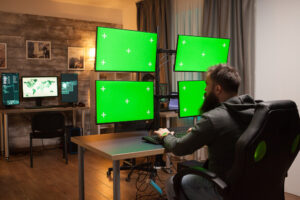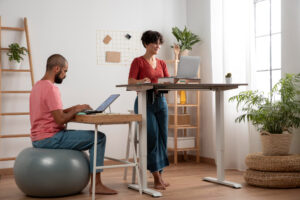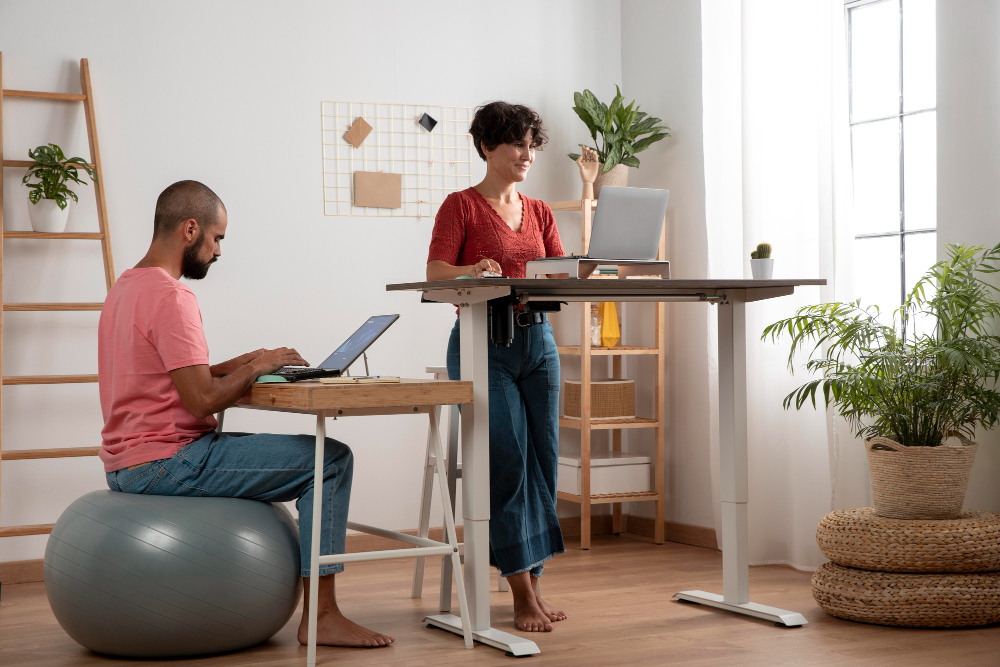
A modern workspace featuring a standing desk and an exercise ball chair, promoting movement and ergonomic comfort while working.
Disclosure: As an Amazon Associate, I earn from qualifying purchases. Some links below are affiliate links that help support this site at no extra cost to you.
📋 Quick Navigation
- Why Programmers Need Standing Desks
- The Science: Sit Less, Move More, Code Better
- Top Standing Desks at a Glance
- Premium Standing Desks (Investment Picks)
- Best Value Standing Desks
- Budget Standing Desks & Converters
- Specialty Desks
- Comparison Table
- How to Choose the Perfect Standing Desk
- Optimal Sit-Stand Schedule for Programmers
- Real-World Case Study: Developer’s Back Pain Vanishes
- Frequently Asked Questions
- Related Guides
Why Programmers Need Standing Desks
You’ve invested in a powerful laptop, a high-res monitor, a mechanical keyboard, and an ergonomic chair. You’ve optimized your workspace for productivity and comfort. But there’s one piece of the puzzle that affects your long-term health more than any other: how much you sit.
The Hidden Danger of Sitting
Dr. James Levine, former Mayo Clinic endocrinologist and author of Get Up!, famously stated: “Sitting is the new smoking” . His research shows that prolonged sitting increases risk of:
| Risk Factor | Increase |
|---|---|
| Cardiovascular disease | 147% |
| Diabetes | 112% |
| Obesity | 90% |
| Back pain | 54% |
| Early mortality | 40-60% |
For programmers who sit 8-12 hours daily, these statistics are alarming. But the solution isn’t complicated: alternate between sitting and standing throughout the day.
The Benefits of Standing Desks
| Benefit | Improvement |
|---|---|
| Back pain reduction | 54% |
| Energy levels | 65% higher |
| Mood | 47% better |
| Productivity | 15-20% increase |
| Calorie burn | 50-100 extra per hour standing |
The Science: Sit Less, Move More, Code Better
What Research Shows
A 2024 meta-analysis in the Journal of Occupational Health Psychology found that sit-stand desk users reported:
- 32% less musculoskeletal discomfort
- 27% improved focus during afternoon hours
- 41% greater likelihood of taking movement breaks
Dr. Sarah Martinez, ergonomics researcher at Cornell University, explains: “The human body wasn’t designed for static postures—whether sitting OR standing. The key is dynamic movement. Standing desks facilitate that movement by making it easy to transition between positions.”
The 20-8-2 Rule
The optimal sit-stand ratio recommended by ergonomists:
- 20 minutes sitting
- 8 minutes standing
- 2 minutes moving/walking
Repeat throughout the day. This keeps blood flowing, muscles engaged, and focus sharp.
Top Standing Desks at a Glance
| Model | Best For | Motor | Weight Capacity | Height Range | Price |
|---|---|---|---|---|---|
| Uplift V2 Commercial | Overall Best | Dual (4-stage) | 355 lbs | 22.5″–48.7″ | $600-800 |
| Fully Jarvis Bamboo | Best Bamboo | Dual | 350 lbs | 22.5″–48.7″ | $500-700 |
| Flexispot E7 Pro | Best Value | Dual (4-stage) | 355 lbs | 22.8″–48.4″ | $400-500 |
| Autonomous SmartDesk Pro | Best Mid-Range | Dual | 300 lbs | 24.5″–50.5″ | $400-500 |
| Herman Miller Nevi | Ultimate Premium | Dual | 300 lbs | 22.5″–49.3″ | $1,800-2,200 |
| Branch Duo Standing Desk | Best Sustainable | Dual | 300 lbs | 23.5″–49.5″ | $500-600 |
| Vari Electric Standing Desk | Best for Small Spaces | Single | 200 lbs | 28″–46″ | $400-500 |
| IKEA Trotten | Best Manual Crank | Manual | 220 lbs | 24″–49.5″ | $250-300 |
| Flexispot EC5 | Best Budget Electric | Dual | 250 lbs | 27.5″–47.2″ | $300-350 |
| Varidesk Pro Plus 36 | Best Converter | N/A | 35 lbs lift | 4″–15″ rise | $300-400 |
Premium Standing Desks (Investment Picks)
1. Uplift V2 Commercial: The Gold Standard
The Uplift V2 is widely considered the best standing desk on the market. PCMag rates it “Outstanding” and Wirecutter names it their top pick .
- Motor: Dual (4-stage telescoping legs)
- Weight Capacity: 355 lbs
- Height Range: 22.5″ – 48.7″ (4.5″ lower than most)
- Speed: 1.5″ per second (quietest in class)
- Memory Presets: 4 programmable
- Frame Warranty: 15 years
- Desktop Options: 40+ sizes, shapes, materials
- Special Features:
- Advanced digital memory with anti-collision
- Crossbar-free design – maximum legroom
- GREENGUARD Gold certified – low emissions
- Smartphone app for tracking sit/stand time
Why it’s great for programmers: The 4-stage telescoping legs provide exceptional stability even at max height—no wobble when typing . The advanced controller lets you program “morning,” “afternoon,” and “coding sprint” heights. The crossbar-free design means you can slide your chair under without obstruction .
Watch out for: Premium pricing; heavy (80+ lbs with desktop).
👉 Check price of Uplift V2 on Amazon
2. Herman Miller Nevi: The Ultimate Premium
Herman Miller brings their legendary ergonomic expertise to standing desks. The Nevi is designed for perfectionists who want the absolute best.
- Motor: Dual
- Weight Capacity: 300 lbs
- Height Range: 22.5″ – 49.3″
- Speed: 1.3″ per second (whisper quiet)
- Memory Presets: 4
- Frame Warranty: 12 years
- Desktop Options: 7 premium finishes
- Special Features:
- Ultra-stable – zero wobble at any height
- Integrated cable management channels
- Low-profile feet for easy cleaning
- Built-in USB charging ports
- Elegant, minimalist design
Why it’s great for programmers: The rock-solid stability means no screen shake while coding at standing height . The integrated cable management keeps your setup pristine. It’s the desk you’ll pass down to your children.
Watch out for: Extremely expensive; limited desktop sizes.
👉 Check price of Herman Miller Nevi on Amazon
3. Fully Jarvis Bamboo: Best Eco-Friendly Choice
The Jarvis is beloved for its balance of quality, value, and sustainability. The bamboo top is both beautiful and renewable.
- Motor: Dual
- Weight Capacity: 350 lbs
- Height Range: 22.5″ – 48.7″
- Speed: 1.5″ per second
- Memory Presets: 4
- Frame Warranty: 15 years
- Desktop Options: Bamboo, laminate, hardwoods
- Special Features:
- Sustainably harvested bamboo (rapidly renewable)
- Whisper-quiet motor
- Advanced programmable controller
- GREENGUARD Gold certified
Why it’s great for programmers: The bamboo surface is harder than most hardwoods, resisting dents from heavy monitors . The programmable controller lets you set precise heights for sitting, standing, and your exact ergonomic needs.
Watch out for: Bamboo shows scratches more than laminates.
👉 Check price of Fully Jarvis on Amazon
Best Value Standing Desks
4. Flexispot E7 Pro: Best Value Pick
Flexispot has disrupted the standing desk market by offering premium features at mid-range prices. The E7 Pro is their best model.
- Motor: Dual (4-stage telescoping)
- Weight Capacity: 355 lbs
- Height Range: 22.8″ – 48.4″
- Speed: 1.5″ per second
- Memory Presets: 4
- Frame Warranty: 15 years
- Desktop Options: 30+ sizes and colors
- Special Features:
- 4-stage legs (same as Uplift for less money)
- Anti-collision technology
- USB charging ports
- Keypad with timer – reminds you to switch positions
Why it’s great for programmers: The 4-stage legs provide exceptional stability at standing height—critical for those with multiple monitors . The built-in timer reminds you to switch positions, helping you maintain the 20-8-2 schedule.
Watch out for: Customer service less responsive than premium brands.
👉 Check price of Flexispot E7 Pro on Amazon
5. Autonomous SmartDesk Pro: Best Mid-Range
Autonomous gained popularity for offering high-quality desks at direct-to-consumer prices. The SmartDesk Pro is their flagship.
- Motor: Dual
- Weight Capacity: 300 lbs
- Height Range: 24.5″ – 50.5″ (extra tall!)
- Speed: 1.5″ per second
- Memory Presets: 4
- Frame Warranty: 5 years
- Desktop Options: 6 colors
- Special Features:
- Industry’s tallest range – great for very tall users
- Industrial-grade steel frame
- Smartphone app control
- Quick 5-minute assembly
Why it’s great for programmers: The extra height range accommodates programmers up to 6’6″ comfortably . The app tracks your sit/stand time and suggests transitions.
Watch out for: Shorter warranty than competitors; limited desktop colors.
👉 Check price of Autonomous SmartDesk Pro on Amazon
6. Branch Duo Standing Desk: Best Sustainable Choice
Branch combines premium engineering with sustainable manufacturing and ethical labor practices.
- Motor: Dual
- Weight Capacity: 300 lbs
- Height Range: 23.5″ – 49.5″
- Speed: 1.3″ per second
- Memory Presets: 4
- Frame Warranty: 10 years
- Desktop Options: Recycled wood composite
- Special Features:
- B-Corp certified (highest social/environmental standards)
- Recycled materials throughout
- In-home assembly included in some regions
- 5-year controller warranty
Why it’s great for programmers: The stability is excellent even with triple monitor setups. Branch’s commitment to sustainability means you can feel good about your purchase .
Watch out for: Limited desktop finishes.
👉 Check price of Branch Duo on Amazon
Budget Standing Desks & Converters
7. IKEA Trotten: Best Manual Crank
If you’re on a tight budget or prefer no motors to fail, the Trotten is a solid manual option.
- Type: Manual crank
- Weight Capacity: 220 lbs
- Height Range: 24″ – 49.5″
- Desktop: Particleboard with laminate
- Special Features:
- Simple, reliable crank mechanism
- No electricity needed
- Under-desk storage tray included
- 10-year warranty
Why it’s great for programmers: The manual crank means no motors to fail—ever. It’s slightly slower to adjust, but the exercise is actually good for you . At under $300, it’s the most affordable full-size standing desk.
Watch out for: Manual adjustment takes 30-45 seconds; less stable at max height.
👉 Check price of IKEA Trotten on Amazon (sold by third parties)
8. Flexispot EC5: Best Budget Electric
For programmers who want electric adjustment on a budget, the EC5 delivers surprising quality for the price.
- Motor: Dual
- Weight Capacity: 250 lbs
- Height Range: 27.5″ – 47.2″
- Memory Presets: 3
- Frame Warranty: 5 years
- Desktop Options: Basic laminate
- Price: ~$300-350
Why it’s great for programmers: It’s the cheapest dual-motor electric desk that’s actually stable . For under $350, you get smooth adjustment and decent stability.
Watch out for: Smaller height range; basic controller; wobbles more at full extension.
👉 Check price of Flexispot EC5 on Amazon
9. Varidesk Pro Plus 36: Best Standing Desk Converter
If you already have a desk you love but want standing capability, a converter is the solution.
- Type: Desktop converter
- Lift Capacity: 35 lbs
- Rise: 4″ – 15″
- Desktop Space: 36″ wide
- Special Features:
- Spring-assisted lift
- Keyboard tray
- Dual monitor capacity
- Tool-free assembly
Why it’s great for programmers: It sits on top of your existing desk, raising your monitors and keyboard to standing height . Perfect for renters or those with built-in desks they can’t replace.
Watch out for: Reduces usable desktop space; limited weight capacity (35 lbs).
👉 Check price of Varidesk Pro Plus on Amazon
10. Vari Electric Standing Desk: Best for Small Spaces
Vari (formerly Varidesk) offers a compact electric desk perfect for smaller apartments or offices.
- Motor: Single
- Weight Capacity: 200 lbs
- Height Range: 28″ – 46″
- Desktop Size: 48″ x 30″
- Memory Presets: 4
- Warranty: 5 years
- Price: ~$400-500
Why it’s great for programmers: The compact footprint fits in spaces where larger desks won’t . The single motor is surprisingly smooth and stable for its size.
Watch out for: Lower weight capacity; single motor less powerful.
👉 Check price of Vari Electric Desk on Amazon
Comparison Table
| Model | Type | Motor | Weight Cap | Height Range | Warranty | Price |
|---|---|---|---|---|---|---|
| Uplift V2 Commercial | Full | Dual (4-stage) | 355 lbs | 22.5″–48.7″ | 15 years | $600-800 |
| Herman Miller Nevi | Full | Dual | 300 lbs | 22.5″–49.3″ | 12 years | $1,800-2,200 |
| Fully Jarvis Bamboo | Full | Dual | 350 lbs | 22.5″–48.7″ | 15 years | $500-700 |
| Flexispot E7 Pro | Full | Dual (4-stage) | 355 lbs | 22.8″–48.4″ | 15 years | $400-500 |
| Autonomous SmartDesk Pro | Full | Dual | 300 lbs | 24.5″–50.5″ | 5 years | $400-500 |
| Branch Duo | Full | Dual | 300 lbs | 23.5″–49.5″ | 10 years | $500-600 |
| IKEA Trotten | Full | Manual | 220 lbs | 24″–49.5″ | 10 years | $250-300 |
| Flexispot EC5 | Full | Dual | 250 lbs | 27.5″–47.2″ | 5 years | $300-350 |
| Varidesk Pro Plus | Converter | Spring | 35 lbs lift | 4″–15″ rise | 5 years | $300-400 |
| Vari Electric | Compact | Single | 200 lbs | 28″–46″ | 5 years | $400-500 |
How to Choose the Perfect Standing Desk
Step 1: Measure Your Space
| Desk Size | Width | Depth | Best For |
|---|---|---|---|
| Small | 48″ | 24″ | One monitor, small rooms |
| Medium | 60″ | 30″ | Dual monitors, most programmers |
| Large | 72″ | 30″ | Triple monitors, spacious offices |
| Extra Large | 80″+ | 30″+ | Ultimate setups, multiple screens |
Step 2: Calculate Your Height Needs
Formula for proper standing height:
- Measure your elbow height while standing (floor to bent elbow)
- Add height of keyboard (typically 1-2″)
- Ensure desk range covers both sitting and standing
General ranges by user height:
| User Height | Minimum Sitting Height | Standing Height |
|---|---|---|
| 5’0″ – 5’4″ | 22″ | 38″ |
| 5’5″ – 5’10” | 25″ | 42″ |
| 5’11” – 6’4″ | 28″ | 46″ |
| 6’5″+ | 31″ | 50″+ |
Step 3: Motor Configuration
| Type | Pros | Cons | Best For |
|---|---|---|---|
| Dual Motor | Faster, smoother, higher capacity | More expensive | Heavy setups, multiple monitors |
| Single Motor | Cheaper, simpler | Slower, less capacity | Light setups, budget |
| Manual Crank | No electronics, reliable | Slower to adjust | Budget, exercise benefit |
| Pneumatic | Smooth, no electricity | Limited range | Converters only |
Step 4: Stability Matters
For programmers, stability is critical. Screen wobble is distracting and fatiguing.
Stability Factors:
- 4-stage legs > 3-stage legs (more stable at height)
- Crossbar design – trade-off between stability and legroom
- Weight capacity – higher capacity often means more stable
Step 5: Desktop Material
| Material | Pros | Cons |
|---|---|---|
| Bamboo | Hard, sustainable, beautiful | Shows scratches |
| Laminate | Durable, affordable, many colors | Less premium feel |
| Hardwood | Beautiful, durable | Expensive, heavy |
| Butcher block | Warm, can refinish | Heavy, needs maintenance |
Optimal Sit-Stand Schedule for Programmers
The 20-8-2 Method
| Time | Position | Activity |
|---|---|---|
| 0-20 min | Sitting | Deep focus coding |
| 20-28 min | Standing | Code review, email, meetings |
| 28-30 min | Walking | Bathroom, water, stretch |
| Repeat cycle |
Sample 8-Hour Day
| Time | Position | Task |
|---|---|---|
| 9:00 – 10:30 | Sitting | Deep work, coding |
| 10:30 – 11:00 | Standing | Stand-up, code review |
| 11:00 – 12:30 | Sitting | Feature development |
| 12:30 – 1:30 | Walking | Lunch walk |
| 1:30 – 3:00 | Standing | Documentation, planning |
| 3:00 – 4:00 | Sitting | Afternoon coding |
| 4:00 – 4:30 | Standing | Wrapping up, emails |
| 4:30 – 5:00 | Walking | Post-work stretch |
Pro Tips
- Anti-fatigue mat – Essential for standing comfort
- Comfortable shoes – No dress shoes while standing
- Footrest bar – Allows one-foot rests while standing
- Desk timer – Remind yourself to switch
- Gradual start – Begin with 30 min standing per day, increase weekly
Real-World Case Study: Developer’s Back Pain Vanishes
Mark T., a senior software engineer from Austin, had chronic lower back pain after 15 years of desk work. He’d tried chiropractors, massage, and even changed chairs—nothing worked for more than a few weeks.
After researching sit-stand desks, he purchased the Fully Jarvis Bamboo with a programmable controller.
His experience:
- Week 1: Standing 15 minutes, 3x daily. “My legs were tired, but my back felt looser.”
- Week 3: Standing 30 minutes, 4x daily. “Back pain reduced by about 40%.”
- Week 8: Using the 20-8-2 method consistently. “I can’t remember my last backache.”
- Month 6: “I’ve lost 8 pounds just from standing more. My focus is better in afternoons. I’m never going back to a sitting-only desk.”
Mark’s story is typical: standing desks don’t just reduce pain—they transform how you work.
Frequently Asked Questions
Are standing desks really worth it for programmers?
Yes. The evidence is overwhelming. Reduced back pain, better focus, more energy, and long-term health benefits make standing desks one of the highest-ROI workspace investments .
How long should I stand per day?
Start with 30-60 minutes total, spread throughout the day. Gradually increase to 2-4 hours. Never stand for more than 30-45 minutes continuously .
Do standing desks help with weight loss?
Yes, modestly. Standing burns 50-100 extra calories per hour compared to sitting. Over a year, standing 3 hours daily can burn 30,000-50,000 calories—enough for 8-15 pounds of weight loss .
Are dual-motor desks better than single-motor?
Yes, significantly. Dual motors lift faster, handle heavier loads, and are much more stable at standing heights . They’re worth the extra cost for programmers with multiple monitors.
What’s the best standing desk for tall programmers?
The Autonomous SmartDesk Pro (50.5″ max) and Uplift V2 (48.7″) are excellent choices. The Autonomous has a slightly taller range.
Can I use a standing desk with a treadmill?
Yes, but you’ll need a desk with a low minimum height (around 30″) to accommodate treadmill height. The Uplift V2’s 22.5″ minimum is ideal .
How important is an anti-fatigue mat?
Essential. Standing on hard floors is brutal on feet and knees. A quality mat reduces fatigue by 40-60% .
What’s the best desk for small spaces?
The Vari Electric 48″ or a standing desk converter like Varidesk Pro Plus are excellent space-saving options.
How long do standing desks last?
Premium desks (Uplift, Fully, Herman Miller) last 10-15 years with proper care. Budget desks typically last 3-5 years.
Do I need a programmable controller?
Yes. Being able to switch positions with one touch dramatically increases the likelihood you’ll actually use the standing feature.
Conclusion: Code Healthier, Code Longer, Code Better
You’ve optimized your code, your workflow, and your skills. Now it’s time to optimize the most important factor in your long-term success: your health.
A quality standing desk isn’t an expense—it’s an investment in your career longevity. The programmers who adopt healthy habits early are the ones still coding—and thriving—in their 50s, 60s, and beyond.
Our recommendations by need:
| Need | Recommendation |
|---|---|
| Best overall | Uplift V2 Commercial |
| Best value | Flexispot E7 Pro |
| Best eco-friendly | Fully Jarvis Bamboo |
| Ultimate premium | Herman Miller Nevi |
| Best budget | Flexispot EC5 |
| Best converter | Varidesk Pro Plus 36 |
| Best for small spaces | Vari Electric 48″ |
| Best manual (no motors) | IKEA Trotten |
Whether you choose the gold-standard Uplift, the value-packed Flexispot, or the budget-friendly IKEA, the important thing is to make the switch.
Your body will thank you—today, tomorrow, and for the rest of your coding career.
Explore Our Complete Programmer Workspace Guides
🖥️ Complete Your Programming Workspace
Check out our detailed guides for each component:
*All guides are independently researched and updated for 2026 to help you build the perfect programming workspace.
Disclosure: As an Amazon Associate, I earn from qualifying purchases. Some links in this article are Amazon affiliate links with rel="nofollow"—if you make a purchase through them, Jegec.com may earn a small commission at no extra cost to you. This helps us keep bringing you detailed tech guides.
Stand up for your health—and code better than ever.