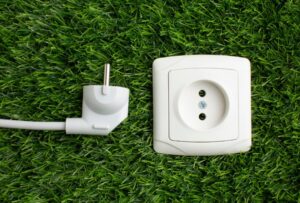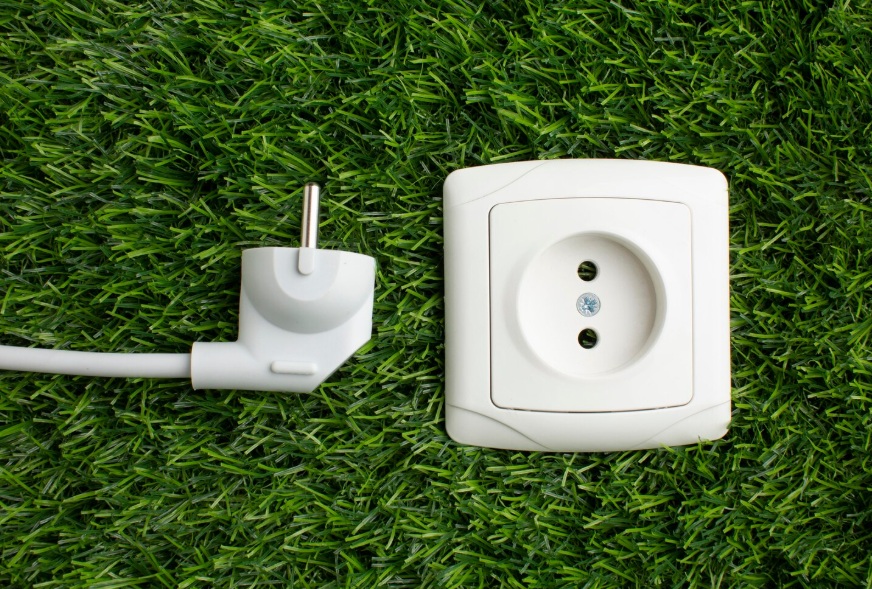
A minimalist white plug and socket rest on artificial grass, representing smart plugs that help programmers automate and save energy in their home offices.
📋 Quick Navigation
- Why Programmers Need Smart Plugs
- Top Smart Plugs at a Glance
- Best Smart Plugs for Programmers
- Comparison Table
- How to Choose the Perfect Smart Plug
- Real-World Case Study
- Frequently Asked Questions
- Related Guides
Disclosure: As an Amazon Associate, I earn from qualifying purchases. Some links below are affiliate links that help support this site at no extra cost to you.
Why Programmers Need Smart Plugs
You’ve optimized your code, your workflow, and your desk setup. But have you thought about the power in your home office? Smart plugs are one of the most underrated productivity tools for programmers.
Imagine walking into your office in the morning and your desk lamp is already on, your coffee maker is brewing, and your monitor is warmed up—all before you sit down. Or finishing a late-night coding session and turning off every device with a single voice command.
The Smart Plug Advantage
- Remote Control: Turn off devices from anywhere—no more wondering if you left something on
- Scheduling: Automate your workspace: lights on before you arrive, off after you leave
- Voice Control: “Alexa, turn on coding mode”—hands-free control while typing
- Energy Monitoring: Track power usage of your workstation, identify energy hogs
- Routines: One command activates your entire workspace setup
Top Smart Plugs at a Glance
- TP-Link Kasa EP25: Best Overall – Energy monitoring, Matter, $10-15
- Amazon Smart Plug: Best for Alexa – Certified for Alexa, $20-25
- Meross Smart Plug: Best Budget – Works with Alexa and Google, $8-12
- Eve Energy: Best for Apple Home – Thread, Matter, $35-40
- Kasa KP115: Best Energy Monitor – Detailed energy tracking, $12-18
- Wyze Plug: Best Value Smart – Energy monitoring, $10-15
Best Smart Plugs for Programmers
1. TP-Link Kasa EP25: Best Overall for Programmers
The TP-Link Kasa EP25 is the most recommended smart plug across tech communities. It combines reliability, energy monitoring, and Matter support in an affordable package.
- Connectivity: Wi-Fi (2.4 GHz)
- Energy Monitoring: Yes (real-time usage)
- Voice Control: Alexa, Google Assistant, Samsung SmartThings
- Matter Support: Yes (future-proof)
- Price: $10-15
Why it’s great for programmers: The energy monitoring lets you track how much power your workstation uses—helpful for understanding your energy costs and optimizing your setup.
Pros: Excellent reliability, energy monitoring included, Matter support, affordable, works with all major platforms
Cons: Requires 2.4 GHz Wi-Fi, no Thread support
👉 Check price of TP-Link Kasa EP25 on Amazon
2. Amazon Smart Plug: Best for Alexa Users
If you’re in the Alexa ecosystem, the Amazon Smart Plug is the simplest, most reliable option. It’s certified by Amazon, so setup takes seconds.
- Connectivity: Wi-Fi (2.4 GHz)
- Energy Monitoring: No
- Voice Control: Alexa only
- Price: $20-25
Why it’s great for programmers: The simplicity is the selling point. Setup takes seconds—just plug in, open the Alexa app, and it’s discovered.
Pros: Extremely easy setup, certified for Alexa, compact design, reliable connectivity
Cons: Alexa-only, no energy monitoring, more expensive than competitors
👉 Check price of Amazon Smart Plug on Amazon
3. Meross Smart Plug: Best Budget Option
The Meross Smart Plug offers great value for programmers who want basic smart features without breaking the bank.
- Connectivity: Wi-Fi (2.4 GHz)
- Energy Monitoring: No
- Voice Control: Alexa, Google Assistant, SmartThings
- Price: $8-12
Why it’s great for programmers: At under $10, you can automate your entire office without spending a fortune.
Pros: Very affordable, works with Alexa and Google, compact design, reliable basic functionality
Cons: No energy monitoring, app not as polished, no Matter support
👉 Check price of Meross Smart Plug on Amazon
4. Eve Energy: Best for Apple Home
For programmers in the Apple ecosystem, the Eve Energy is the premium choice. It uses Thread for ultra-reliable connectivity and includes detailed energy monitoring.
- Connectivity: Thread + Bluetooth
- Energy Monitoring: Yes (detailed usage)
- Voice Control: Siri, Apple Home, Alexa
- Matter Support: Yes
- Price: $35-40
Why it’s great for programmers: The Thread technology creates a self-healing mesh network that’s more reliable than Wi-Fi.
Pros: Thread technology for reliability, detailed energy monitoring, Apple Home integration, Matter support
Cons: Expensive, requires Apple Home hub for remote access
👉 Check price of Eve Energy on Amazon
5. TP-Link Kasa KP115: Best Energy Monitor
If energy monitoring is your priority, the Kasa KP115 delivers detailed, real-time power usage data.
- Connectivity: Wi-Fi (2.4 GHz)
- Energy Monitoring: Yes (real-time and historical)
- Voice Control: Alexa, Google Assistant, SmartThings
- Price: $12-18
Why it’s great for programmers: The energy monitoring shows real-time wattage, daily/monthly usage, and cost estimates.
Pros: Excellent energy monitoring, affordable, reliable Kasa ecosystem, works with all major voice assistants
Cons: No Matter support, requires 2.4 GHz Wi-Fi
👉 Check price of Kasa KP115 on Amazon
6. Wyze Plug: Best Value Smart Plug
Wyze is known for affordable smart home products, and their smart plug is no exception—offering energy monitoring at a budget price.
- Connectivity: Wi-Fi (2.4 GHz)
- Energy Monitoring: Yes
- Voice Control: Alexa, Google Assistant
- Price: $10-15
Why it’s great for programmers: The combination of energy monitoring and low price is hard to beat.
Pros: Energy monitoring included, affordable, compact design, works with Alexa and Google
Cons: Requires Wyze account, no Matter support
👉 Check price of Wyze Plug on Amazon
Comparison Table
- TP-Link Kasa EP25: Energy Monitor: Yes | Voice: Alexa, Google | Matter: Yes | Price: $10-15
- Amazon Smart Plug: Energy Monitor: No | Voice: Alexa only | Matter: No | Price: $20-25
- Meross Smart Plug: Energy Monitor: No | Voice: Alexa, Google | Matter: No | Price: $8-12
- Eve Energy: Energy Monitor: Yes | Voice: Siri, Alexa | Matter: Yes | Price: $35-40
- Kasa KP115: Energy Monitor: Yes | Voice: Alexa, Google | Matter: No | Price: $12-18
- Wyze Plug: Energy Monitor: Yes | Voice: Alexa, Google | Matter: No | Price: $10-15
How to Choose the Perfect Smart Plug
Step 1: Check Your Smart Home Ecosystem
- Alexa (Amazon Echo): Amazon Smart Plug or TP-Link Kasa
- Google Assistant: TP-Link Kasa or Meross
- Apple Home / Siri: Eve Energy (Thread)
- Multiple / Future-proof: TP-Link Kasa EP25 (Matter)
Step 2: Decide if You Need Energy Monitoring
- Yes, want to track power usage: TP-Link Kasa EP25, Eve Energy, or Wyze Plug
- No, just want on/off control: Amazon Smart Plug or Meross
Real-World Case Study: How a Programmer Automated His Workspace
The Programmer: David Park, remote backend developer
The Problem: David’s workspace had multiple devices—monitor, desk lamp, soldering station, and space heater. He often forgot to turn things off, and manually switching each device was tedious.
The Solution: David installed TP-Link Kasa EP25 smart plugs on his desk lamp, space heater, and soldering station.
The Result: Morning routine: “Alexa, start my day” turns on desk lamp. Coding mode: “Alexa, coding mode” dims lights. Night routine: “Alexa, good night” turns off everything. Energy savings: Energy monitoring revealed the space heater was using $30/month—he now schedules it only when needed.
“I didn’t think smart plugs would make a difference, but they’ve completely changed how I interact with my workspace. It’s like having a personal assistant for my office.” — David Park
Frequently Asked Questions
Do smart plugs work with all devices? Most smart plugs work with any device up to 15A (around 1800W). Check the wattage of your device—most monitors, lamps, and coffee makers are fine.
Can I use a smart plug with a computer? Yes, but with caution. For desktops, use a smart plug only if you properly shut down the computer first.
Do smart plugs work without Wi-Fi? Most require Wi-Fi for initial setup and remote control.
What’s Matter support and do I need it? Matter is a new smart home standard that ensures devices work across all platforms. For future-proofing, look for Matter-certified plugs like the TP-Link Kasa EP25.
Are smart plugs secure? Yes, with reputable brands. TP-Link, Amazon, Meross, and Eve all use encryption.
Can I use a smart plug with a surge protector? Not recommended. Daisy-chaining power strips and smart plugs can create fire hazards.
How much energy do smart plugs use themselves? Very little—typically 1-2 watts when idle, costing about $1-2 per year.
Can I control smart plugs when I’m away? Yes, as long as your Wi-Fi is working. You can turn devices on/off from anywhere using the app.
What’s the best smart plug for programming? The TP-Link Kasa EP25 is our top pick—reliable, affordable, and includes energy monitoring.
Explore Our Complete Programmer Workspace Guides
🖥️ Complete Your Programming Workspace
💻 Laptops & Monitors
- Best Programming Laptops 2026
- Best Desktop PCs 2026
- Best Mini PCs 2026
- Best Monitors for Coding 2026
⌨️ Input & Audio
- Best Mechanical Keyboards 2026
- Best Ergonomic Mice 2026
- Best Wrist Rests 2026
- Best Mouse Pads 2026
- Best Noise Cancelling Headphones 2026
- Best USB Microphones 2026
- Best Computer Speakers 2026
🔌 Accessories & Setup
- Best USB-C Hubs & Docks 2026
- Best Mesh Wi-Fi Systems 2026
- Best Surge Protectors & UPS 2026
- Best Laptop Backpacks 2026
- Best Laptop Sleeves 2026
- Best Laptop Cooling Pads 2026
- Best Travel Tech Kits 2026
- Complete Desk Setup Guide 2026
- Best Smart Plugs 2026
🪑 Health & Gifts
*All guides are independently researched and updated for 2026 to help you build the perfect programming workspace.
Disclosure: As an Amazon Associate, I earn from qualifying purchases. Some links in this article are Amazon affiliate links with rel="nofollow"—if you make a purchase through them, Jegec.com may earn a small commission at no extra cost to you. This helps us keep bringing you detailed tech guides.
Automate your workspace and code with focus.