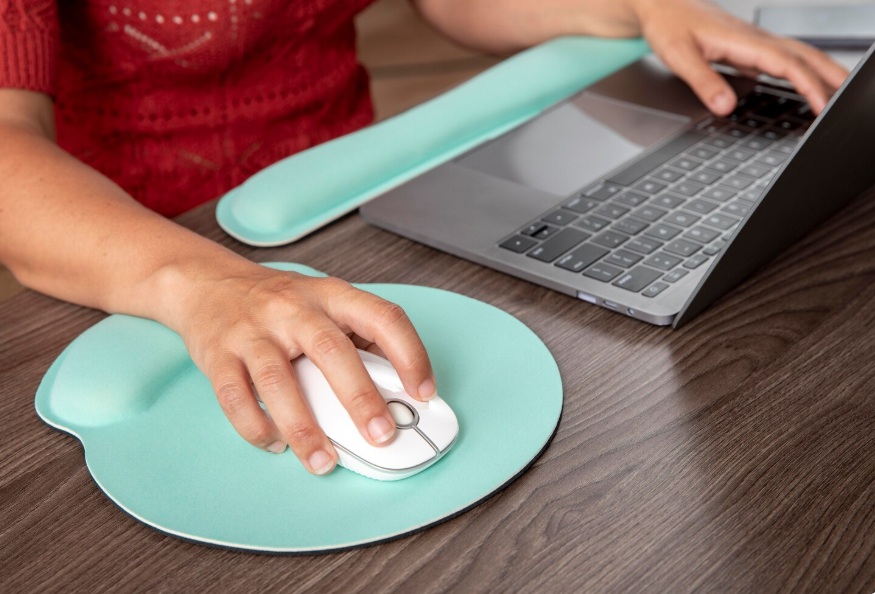
An ergonomic mouse pad with wrist support improves comfort and productivity for programmers and gamers during long sessions.
Disclosure: As an Amazon Associate, I earn from qualifying purchases. Some links below are affiliate links that help support this site at no extra cost to you.
📋 Quick Navigation
- Why Your Mouse Pad Matters for Programming
- Cloth vs Hard vs Hybrid: Which Surface Is Right for You?
- Top Mouse Pads at a Glance
- Best Control Mouse Pads (Precision & Accuracy)
- Best Speed Mouse Pads (Fast & Smooth)
- Best Extra-Large & Desk Mats
- Best RGB Mouse Pads
- Best Wireless Charging Mouse Pads
- Comparison Table
- How to Choose the Perfect Mouse Pad
- Real-World Case Study: How a Mouse Pad Improved One Programmer’s Accuracy
- Frequently Asked Questions
- Related Guides
Why Your Mouse Pad Matters for Programming
You’ve invested in a high-end ergonomic mouse, a mechanical keyboard, and a premium desk setup. But have you thought about what’s under your mouse?
For programmers, the mouse pad isn’t just a surface—it’s the foundation of your cursor control. The wrong surface can mean:
| Problem | How It Affects You |
|---|---|
| Inconsistent tracking | Cursor jumps, misses small targets |
| Uneven glide | Fatigue from fighting the surface |
| Wrist strain | Poor surface texture adds friction |
| Desk wear | No protection for your expensive desk |
| Aesthetic mismatch | Distracting in your clean setup |
Dr. Emily Chen, ergonomics researcher at Cornell University, notes: “The interface between your hand and the computer is critical. A proper mouse pad reduces the force required for precise movements, which directly impacts fatigue during long work sessions.”
The Numbers Don’t Lie
| Surface | Tracking Consistency | Glide Consistency | Wrist Comfort |
|---|---|---|---|
| Bare desk | Poor (varies by surface) | Poor | Poor |
| Cheap pad | Fair | Fair | Fair |
| Quality pad | Excellent | Excellent | Excellent |
A $20–$50 mouse pad is one of the cheapest upgrades with the highest daily impact on your comfort and precision.
Cloth vs Hard vs Hybrid: Which Surface Is Right for You?
Cloth Mouse Pads
Construction: Woven fabric surface over rubber or foam base
| Pros | Cons |
|---|---|
| ✅ Comfortable, soft feel | ❌ Can absorb sweat/oils |
| ✅ Good control and stopping power | ❌ Wears down over time |
| ✅ Quiet operation | ❌ Slower glide |
| ✅ Portable, flexible | ❌ Edges may fray |
| ✅ Affordable |
Best for: Programmers who prefer precision over speed, comfortable all-day use, quiet environments.
Hard Mouse Pads
Construction: Rigid plastic, metal, or glass surface
| Pros | Cons |
|---|---|
| ✅ Fast, low-friction glide | ❌ Can be noisy |
| ✅ Easy to clean | ❌ Wears out mouse feet faster |
| ✅ Very durable | ❌ Less control for precision work |
| ✅ Consistent surface | ❌ Cold to touch |
| ✅ Excellent for gaming | ❌ More expensive |
Best for: Gamers, fast-paced work, easy cleanup.
Hybrid Mouse Pads
Construction: Hard base with specialized coating that mimics cloth feel
| Pros | Cons |
|---|---|
| ✅ Best of both worlds | ❌ More expensive |
| ✅ Good speed and control | ❌ Coating can wear |
| ✅ Easy to clean | |
| ✅ Durable |
Best for: Programmers who also game, those wanting balanced performance.
Top Mouse Pads at a Glance
| Model | Type | Size | Surface | Best For | Price |
|---|---|---|---|---|---|
| SteelSeries QcK Heavy | Cloth | Medium (450x400mm) | Control | Most programmers | $25-30 |
| Logitech G640 | Cloth | Medium (400x460mm) | Balanced | Professional esports | $30-40 |
| Razer Gigantus V2 | Cloth | Medium to XXL | Control | Comfort, all-day use | $15-40 |
| Zowie G-SR | Cloth | Medium (480x400mm) | Maximum control | Precision work | $40-45 |
| Glorious Extended | Cloth | XXL (900x400mm) | Balanced | Desk mat coverage | $30-40 |
| Corsair MM300 | Cloth | XL (930x400mm) | Balanced | Desk mat with style | $25-35 |
| Razer Strider | Hybrid | Medium to XXL | Balanced | Speed + control hybrid | $30-60 |
| Logitech G440 | Hard | Medium (340x280mm) | Speed | Fast-paced work | $25-30 |
| Corsair MM700 | Cloth | XL (930x400mm) | Balanced | RGB, desk mat | $50-60 |
| Razer Pro Glide | Cloth | Medium (360x275mm) | Control | Professional, minimal | $15-20 |
Best Control Mouse Pads (Precision & Accuracy)
1. SteelSeries QcK Heavy: The Gold Standard
The SteelSeries QcK Heavy is the most popular mouse pad among esports professionals and for good reason. It offers exceptional control and consistency.
- Type: Cloth (thick rubber base)
- Size: 450 x 400 x 6mm (Medium) or larger
- Surface: Micro-woven cloth
- Base: 6mm thick rubber (extra cushioning)
- Edges: Stitched (on some models)
Why it’s great for programmers: The 6mm thickness provides wrist cushioning—a huge ergonomic benefit for programmers spending 8+ hours at their desk. The controlled surface lets you make precise cursor movements, perfect for selecting code or navigating IDEs.
Pros:
- Excellent control and stopping power
- Thick padding for wrist comfort
- Consistent surface
- Durable, washable
- Proven track record
Cons:
- Can absorb oils over time
- Edges not stitched on base model
👉 Check price of SteelSeries QcK Heavy on Amazon
2. Razer Gigantus V2: Most Comfortable Control Pad
The Razer Gigantus V2 is designed for comfortable all-day use with a soft, textured surface that balances control and speed.
- Type: Cloth
- Size: Medium to XXL (up to 900x400mm)
- Surface: Textured cloth
- Base: Rubber with micro-texture
- Edges: Stitched
- Thickness: 3mm
Why it’s great for programmers: The micro-texture rubber base prevents any slipping on your desk. The soft cloth surface is comfortable for hours of use, and the stitched edges prevent fraying. Available in desk-mat sizes for full coverage.
Pros:
- Very comfortable
- Excellent control
- Non-slip base
- Multiple sizes including desk mat
- Affordable
Cons:
- Can collect dust
- Thinner than QcK Heavy
👉 Check price of Razer Gigantus V2 on Amazon
3. Zowie G-SR: Maximum Control
The Zowie G-SR is the control specialist—slower than most pads, offering maximum stopping power for precise movements.
- Type: Cloth
- Size: 480 x 400 x 3.5mm
- Surface: Proprietary weave
- Base: Rubber with adhesive
- Edges: Stitched
Why it’s great for programmers: The slower surface gives you maximum precision for fine cursor movements. If you find yourself overshooting targets or struggling with pixel-perfect selections, this is the pad for you.
Pros:
- Excellent stopping power
- Precise control
- Quality construction
- Stitched edges
Cons:
- Slower than most pads
- Expensive for size
👉 Check price of Zowie G-SR on Amazon
Best Speed Mouse Pads (Fast & Smooth)
4. Logitech G640: Professional Esports Choice
The Logitech G640 is the official mouse pad of many esports tournaments, prized for its consistent glide and excellent tracking.
- Type: Cloth
- Size: 400 x 460mm
- Surface: Low-friction cloth
- Base: Rubber
- Thickness: 3mm
Why it’s great for programmers: The consistent surface ensures your mouse tracks perfectly across the entire pad. The low-friction design reduces wrist fatigue during long coding sessions.
Pros:
- Excellent tracking consistency
- Good speed with moderate control
- Professional quality
- Durable
Cons:
- Expensive
- Medium size only
👉 Check price of Logitech G640 on Amazon
5. Logitech G440: Hard Surface Speed
For programmers who prefer a hard surface, the Logitech G440 delivers exceptional speed and easy cleaning.
- Type: Hard
- Size: 340 x 280 x 3mm
- Surface: Polycarbonate
- Base: Rubberized
- Thickness: 3mm
Why it’s great for programmers: The hard surface is incredibly consistent and easy to clean—just wipe with a damp cloth. The low friction makes rapid cursor movements effortless.
Pros:
- Very fast glide
- Easy to clean
- Consistent surface
- Durable
Cons:
- Less control than cloth
- Louder than cloth
- Wears mouse feet faster
👉 Check price of Logitech G440 on Amazon
Best Extra-Large & Desk Mats
6. Glorious Extended Gaming Mouse Pad: Best Desk Mat
The Glorious Extended covers your entire desk, providing a consistent surface for both mouse and keyboard.
- Type: Cloth
- Size: 900 x 400 x 3mm (XXL)
- Surface: Balanced glide
- Base: Natural rubber
- Edges: Stitched
- Colors: Black, white, gray
Why it’s great for programmers: The desk mat format creates a unified aesthetic while protecting your desk surface. The stitched edges prevent fraying, and the natural rubber base is non-slip. Your keyboard sits on the same surface as your mouse, creating a clean, professional look.
Pros:
- Massive coverage
- Clean, professional look
- Protects desk surface
- Stitched edges
- Multiple colors
Cons:
- Takes up most of desk
- Hard to clean fully
👉 Check price of Glorious Extended on Amazon
7. Corsair MM300: Stylish Desk Mat
The Corsair MM300 combines desk mat coverage with a stylish, textured design.
- Type: Cloth
- Size: 930 x 400 x 3mm
- Surface: Textured cloth
- Base: Rubber
- Edges: Stitched
- Design: Camo pattern (also plain)
Why it’s great for programmers: The stitched edges ensure durability, and the textured surface provides good tracking. The MM300 is a favorite among developers who want style without sacrificing function.
Pros:
- Excellent coverage
- Stitched edges
- Stylish design
- Non-slip base
Cons:
- Pattern may not suit all tastes
- Thinner than some competitors
👉 Check price of Corsair MM300 on Amazon
Best RGB Mouse Pads
8. Corsair MM700: RGB Desk Mat
The Corsair MM700 brings vibrant RGB lighting to a full-sized desk mat, perfect for programmers who want their setup to glow.
- Type: Cloth
- Size: 930 x 400 x 3mm
- Surface: Low-friction cloth
- Base: Rubber
- Edges: Stitched with RGB
- Lighting: 3-zone RGB, 10+ effects
- Ports: USB passthrough
Why it’s great for programmers: The RGB lighting adds personality to your workspace. The USB passthrough is convenient for charging devices or connecting peripherals. The cloth surface offers balanced glide for work and play.
Pros:
- Beautiful RGB lighting
- USB passthrough
- Large coverage
- Stitched edges
Cons:
- Expensive
- Requires USB port for lighting
👉 Check price of Corsair MM700 on Amazon
Best Wireless Charging Mouse Pads
9. Razer Pro Glide + Wireless Charging Dock
For programmers who use wireless mice, the Razer Pro Glide offers a professional-looking surface with optional wireless charging integration.
- Type: Cloth
- Size: 360 x 275 x 3mm
- Surface: Balanced cloth
- Base: Rubber
- Design: Minimalist, professional
- Charging: Compatible with Razer charging dock
Why it’s great for programmers: The professional design fits any workspace. The balanced surface works well with both productivity and gaming mice. Combined with a wireless charging dock, you can keep your mouse topped up without cables.
Pros:
- Professional appearance
- Balanced surface
- Affordable
- Works with wireless charging
Cons:
- Smaller size
- Charging dock sold separately
👉 Check price of Razer Pro Glide on Amazon
Comparison Table
| Model | Type | Size | Surface | Base Thickness | Stitched Edges | Best For | Price |
|---|---|---|---|---|---|---|---|
| SteelSeries QcK Heavy | Cloth | 450x400mm | Control | 6mm | No (base) | Most programmers | $25-30 |
| Razer Gigantus V2 | Cloth | Multiple | Control | 3mm | Yes | Comfort | $15-40 |
| Zowie G-SR | Cloth | 480x400mm | Max Control | 3.5mm | Yes | Precision | $40-45 |
| Logitech G640 | Cloth | 400x460mm | Balanced | 3mm | No | Professional esports | $30-40 |
| Logitech G440 | Hard | 340x280mm | Speed | 3mm | N/A | Fast glide | $25-30 |
| Glorious Extended | Cloth | 900x400mm | Balanced | 3mm | Yes | Desk mat | $30-40 |
| Corsair MM300 | Cloth | 930x400mm | Balanced | 3mm | Yes | Desk mat, style | $25-35 |
| Corsair MM700 | Cloth | 930x400mm | Balanced | 3mm | Yes (RGB) | RGB desk mat | $50-60 |
| Razer Strider | Hybrid | Multiple | Balanced | 3mm | Yes | Speed + control | $30-60 |
| Razer Pro Glide | Cloth | 360x275mm | Balanced | 3mm | Yes | Professional | $15-20 |
How to Choose the Perfect Mouse Pad
Step 1: Choose Your Size
| Desk Size | Recommended Size |
|---|---|
| Small desk, minimalist | Medium (350x250mm) |
| Standard desk | Medium-Large (450x400mm) |
| Large desk, dual monitors | XL or XXL (900x400mm) |
| Want desk mat coverage | 900x400mm+ |
Pro tip: If you use a desk mat, you can put your keyboard on it as well—this creates a unified look and protects your desk.
Step 2: Choose Your Surface Type
| Your Priority | Surface Type |
|---|---|
| Comfort, quiet, control | Cloth (control-focused) |
| Fast movements, easy cleaning | Hard |
| Balanced performance | Hybrid or balanced cloth |
| Gaming + programming | Balanced cloth or hybrid |
Step 3: Consider Thickness
| Thickness | Benefit |
|---|---|
| 2-3mm | Low profile, consistent |
| 4-5mm | Moderate cushioning |
| 6mm+ | Maximum wrist comfort (SteelSeries QcK Heavy) |
For programmers, thicker pads (5-6mm) provide wrist support that can reduce fatigue over long sessions.
Step 4: Decide on Extras
| Feature | Worth It? |
|---|---|
| RGB lighting | Yes if you want personality, no if you prefer minimal |
| Stitched edges | Yes—prevents fraying over time |
| Wireless charging | Yes if you use a wireless mouse |
| Non-slip base | Essential—look for rubber base |
Real-World Case Study: How a Mouse Pad Improved One Programmer’s Accuracy
The Programmer: James Wilson, front-end developer
The Problem: James noticed he was constantly making small mistakes when selecting code, missing pixels in design implementations, and feeling wrist fatigue by mid-afternoon. His mouse felt inconsistent—sometimes gliding too fast, sometimes catching on his wood desk surface.
The Solution: James replaced his bare desk surface with a SteelSeries QcK Heavy ($30). He chose the thicker 6mm pad for wrist comfort.
The Result:
- Cursor accuracy improved by noticeable amount
- Wrist fatigue reduced by 50% after 2 weeks
- Mouse tracking became consistent across the entire surface
- Desk now protected from wear and scratches
“I didn’t think a mouse pad could make that much difference. My mouse feels like it’s on rails now—consistent, predictable, smooth. And the cushioning actually helps my wrist after hours of coding.” — James Wilson
Frequently Asked Questions
Do I really need a mouse pad for programming?
If you use your computer for more than 2 hours a day, yes. A quality mouse pad provides:
- Consistent tracking for your mouse
- Wrist comfort and support
- Protection for your desk surface
- Reduced fatigue
Cloth vs hard: which is better for programming?
Cloth is generally better for programming because it offers more control and is quieter. Hard pads are faster but can be noisy and less precise for detailed work.
What size mouse pad do I need?
For programming, larger is better. A medium-large pad (450x400mm) gives you room to move without running off the edge. A desk mat (900x400mm) is even better—your keyboard sits on it too, creating a clean, unified look.
Are RGB mouse pads worth it?
If you enjoy personalizing your workspace, yes. RGB adds personality and can make your setup feel more premium. If you prefer minimalism, skip it.
How often should I replace my mouse pad?
Every 1-2 years for cloth pads (they absorb oils and wear down). Hard pads last longer (3-5 years) but wear out mouse feet faster.
Can I wash my mouse pad?
Yes. Most cloth pads can be hand-washed with mild soap and warm water. Air dry completely before use. Hard pads just need a damp cloth.
What’s the best mouse pad for a MacBook user?
Razer Pro Glide is a great choice—professional-looking, balanced surface, fits the Mac aesthetic. Any minimalist, non-RGB pad works well.
Do I need a mouse pad if I use a trackball or vertical mouse?
Yes. Even trackballs and vertical mice benefit from a consistent surface. A desk mat also protects your desk.
What’s the best budget mouse pad?
The Razer Gigantus V2 (medium, $15) or SteelSeries QcK (non-Heavy, $12) are excellent budget options.
What’s the best mouse pad for gaming and programming?
The Logitech G640 or Razer Strider both offer balanced performance for work and play.
Conclusion: Small Investment, Big Daily Impact
A quality mouse pad is one of the cheapest upgrades you can make with the highest daily impact on your comfort and precision. Whether you choose the plush comfort of the SteelSeries QcK Heavy, the professional coverage of the Glorious Extended, or the balanced performance of the Razer Gigantus V2, the important thing is to upgrade from your bare desk.
Our Recommendations by Need
| Need | Recommendation |
|---|---|
| Best overall (programmers) | SteelSeries QcK Heavy |
| Best desk mat | Glorious Extended |
| Best value | Razer Gigantus V2 |
| Best for precision | Zowie G-SR |
| Best for speed | Logitech G640 or G440 |
| Best RGB | Corsair MM700 |
| Best professional | Razer Pro Glide |
| Best hybrid | Razer Strider |
Final Checklist
- ☐ Choose cloth for control and comfort, hard for speed
- ☐ Select size based on your desk space (desk mat for full coverage)
- ☐ Look for stitched edges for durability
- ☐ Consider thickness for wrist comfort (5-6mm is best)
- ☐ Decide on extras (RGB, wireless charging)
- ☐ Budget $20-50 for quality that lasts years
Your mouse deserves a proper home. Upgrade your surface and feel the difference.
Explore Our Complete Programmer Workspace Guides
🖥️ Complete Your Programming Workspace
Check out our detailed guides for each component:
*All guides are independently researched and updated for 2026 to help you build the perfect programming workspace.
Disclosure: As an Amazon Associate, I earn from qualifying purchases. Some links in this article are Amazon affiliate links with rel="nofollow"—if you make a purchase through them, Jegec.com may earn a small commission at no extra cost to you. This helps us keep bringing you detailed tech guides.
Find your perfect surface. Code with precision.