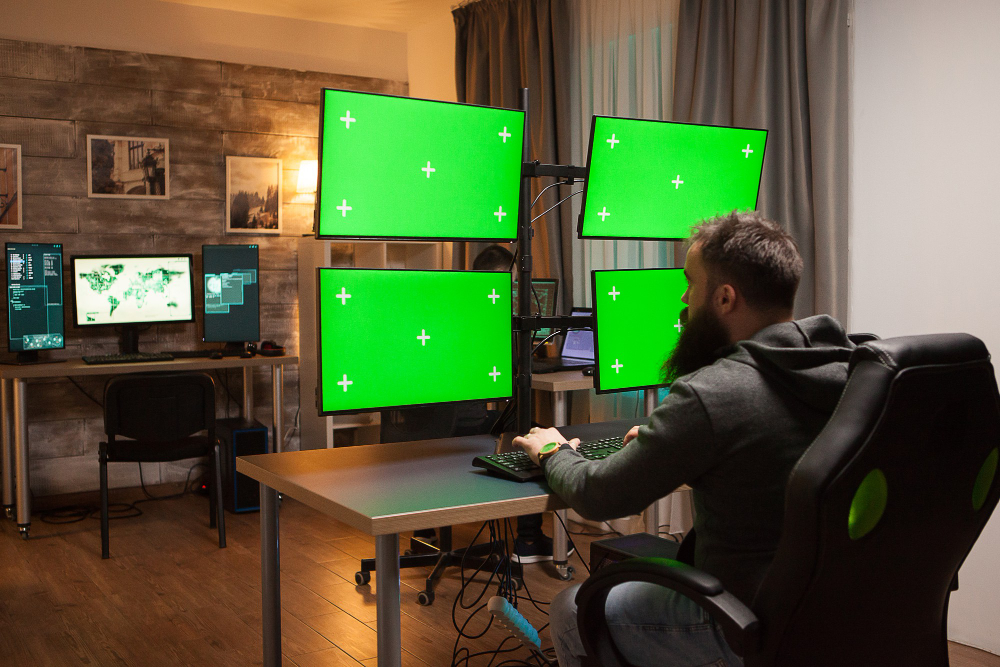
A workstation featuring several monitors mounted on arms, allowing flexible positioning for productivity and multitasking.
Disclosure: As an Amazon Associate, I earn from qualifying purchases. Some links below are affiliate links that help support this site at no extra cost to you.
📋 Quick Navigation
- Why Programmers Need Monitor Arms
- The Ergonomics of Proper Monitor Positioning
- Top Monitor Arms at a Glance
- Premium Monitor Arms (Investment Picks)
- Best Value Monitor Arms
- Specialty Arms: Triple, Laptop+Monitor, and Heavy-Duty
- BenQ’s New Monitor Arms
- Comparison Table
- How to Choose the Perfect Monitor Arm
- Single vs Dual vs Triple: Which Setup Is Right for You?
- Installation Guide: Mounting Your Monitor Arm
- Frequently Asked Questions
- Related Guides
Why Programmers Need Monitor Arms
You’ve invested in a powerful laptop, a high-resolution monitor (or two), a mechanical keyboard, and an ergonomic chair. But if your monitors are still sitting on their original stands, you’re leaving productivity, comfort, and desk space on the table.
The Three Problems Monitor Stands Create
A high-quality monitor arm solves all three problems instantly. Instead of forcing your body to adapt to your desk, you let your desk adapt to you .
The Ergonomics of Proper Monitor Positioning
Dr. Sarah Chen, Occupational Ergonomics Researcher at Stanford Medicine, explains: “For programmers who spend 8+ hours daily staring at screens, monitor positioning is critical for long-term musculoskeletal health. A properly positioned monitor reduces neck flexion by up to 70% compared to laptop-only setups.”
The Gold Standard: Ergonomic Monitor Position
- Top of screen at or slightly below eye level
- Arm’s length distance (approximately 20-28 inches)
- Screen tilted back 10-20 degrees
- No glare from windows or overhead lights
A monitor arm makes achieving this position effortless—and allows you to adjust throughout the day as your posture changes .
Special Considerations for Eyewear Users
If you wear multifocal or progressive lenses, proper monitor positioning becomes even more critical. These users typically need their monitors positioned lower to view the screen through the appropriate portion of their lens. An articulating arm provides the flexibility to position the monitor not only lower but also at the right distance and angle for comfortable viewing .
Top Monitor Arms at a Glance
| Model | Best For | Number of Screens | Weight Capacity | Key Feature | Price |
|---|---|---|---|---|---|
| Ergotron Trace | Premium Single Monitor | 1 | Varies by model | Ultra-smooth movement, elegant design | Premium |
| Ergotron LX Dual | Gold Standard Dual | 2 | Up to 20 lbs each | Rock-solid stability, 10-year warranty | Premium |
| Ergotron LX Single | Versatile Single | 1 | 7-25 lbs | Proven durability, smooth gas spring | Premium |
| Ergotron MXV Dual | Minimalist Dual | 2 | Lighter monitors | Sleek profile, tool-free adjustments | Premium |
| BenQ BSH Single | Large Monitors (Up to 45″) | 1 | 4.4-44 lbs | 25,000-cycle tested gas spring | Premium |
| BenQ BDH Dual | Advanced Dual Setup | 2 | 4.4-44 lbs each | Dual monitor flexibility, reinforcement plate | Premium |
| Innovative HAT 7500 | Maximum Adjustability | 1 | 8-27 lbs | 18″ vertical range, 6 mounting configs | Premium |
| MSI MPG MT201R | Gaming & Ultrawide | 1 | Up to 44 lbs | Supports 17″-49″ screens, app control | Premium |
| Move Double – Spring | Best Value Dual | 2 | Standard monitors | Spring-assisted, modern design | Mid-range |
| PrimeCables Heavy-Duty Dual | Budget Dual | 2 | 17″-27″ | Great value, gas-spring motion | Budget |
| PrimeCables Monitor+Laptop Combo | Hybrid Workflows | 1+ Laptop | 13″-27″ monitor | Lifts laptop to eye level | Budget |
Premium Monitor Arms (Investment Picks)
1. Ergotron Trace: The Ultimate Premium Monitor Arm
The Ergotron Trace represents the pinnacle of monitor arm engineering. It’s not just a functional tool—it’s a design statement that combines fluid movement with minimalist aesthetics .
Key Features:
- Smooth, precision-engineered movement that feels effortless
- Integrated cable management system keeps wires hidden
- Premium materials and finish
- Compact base footprint
- Designed for frequent daily repositioning
Pros:
- Exceptional smoothness and articulation
- Elegant, contemporary appearance
- Strong cable management
- Highly durable construction
- Excellent long-term investment
Cons:
- Premium pricing
- Over-specified for basic office needs
Best For:
Professionals who frequently adjust their screen position, hot-desking environments, and premium office fit-outs where design matters as much as performance .
Price Category: Premium
👉 Check price of Ergotron Trace on Amazon
2. Ergotron LX Dual Monitor Arm: The Gold Standard
The Ergotron LX Dual Monitor Arm is widely regarded as the most reliable and adaptable dual monitor solution on the market. It’s built on Ergotron’s proven arm architecture and offers strong weight capacity, smooth articulation, and long-term durability .
Key Features:
- Dual-arm setup with strong independent adjustment
- Robust aluminum construction
- Wide height and reach range
- Integrated cable routing
- Trusted ergonomic performance
Pros:
- Extremely stable dual support
- Broad compatibility with monitor sizes
- Long warranty reputation (10 years)
- Reliable gas-spring movement
Cons:
- Industrial aesthetic compared to newer designs
- Higher price than mid-range dual arms
Best For:
Serious dual-monitor workstations where performance and longevity are the priority. Ideal for programmers, finance professionals, and content editors working across two screens full-time .
Price Category: Premium
👉 Check price of Ergotron LX Dual on Amazon
3. Ergotron LX Single Monitor Arm: Versatile Workhorse
The single-arm version of the LX retains the same structural strength and smooth adjustability as its dual counterpart. It strikes an excellent balance between performance and flexibility, making it one of the safest choices in the premium ergonomic category .
Key Features:
- Gas-spring height adjustment
- Wide extension and rotation range
- Durable aluminum construction
- Integrated cable management
Pros:
- Excellent weight support range (7-25 lbs)
- Proven durability
- Strong ergonomic adjustment
- Suitable for varied desk layouts
Cons:
- Design slightly dated compared to Trace
- Premium pricing
Best For:
Home offices and professional desks requiring reliable, long-term ergonomic performance .
Price Category: Premium
👉 Check price of Ergotron LX Single on Amazon
4. Ergotron MXV Desk Dual Monitor Arm: Minimalist Choice
The MXV Dual offers a more streamlined aesthetic compared to the LX, with a sleeker profile and refined cable management. While its weight range is typically narrower, it delivers smooth performance in standard office environments .
Key Features:
- Slim, modern arm profile
- Tool-free adjustments
- Integrated cable routing
- Compact desk clamp
Pros:
- Clean, modern appearance
- Smooth movement
- Less bulky than LX Dual
- Ideal for lighter dual displays
Cons:
- Slightly lower weight range than LX
- Still premium priced
Best For:
Minimalist offices and collaborative spaces requiring a tidy dual monitor arm solution .
Price Category: Premium
👉 Check price of Ergotron MXV Dual on Amazon
5. Ergotron MXV Single: Refined Single-Screen Solution
The MXV Desk Monitor Arm delivers the same clean design language as its dual counterpart but in a compact single-arm format. It’s engineered for smooth day-to-day adjustment and works particularly well in modern offices where desk presentation matters .
Key Features:
- Slim, modern arm profile
- 2-piece desk clamp for stable mounting
- Integrated cable management
- Gas-spring height adjustment
Pros:
- Elegant, uncluttered appearance
- Smooth and quiet adjustment
- Compact footprint
- Straightforward installation
Cons:
- Premium pricing relative to capability
- Not ideal for very heavy monitors
Best For:
Minimalist single-screen desks in corporate or home office settings .
Price Category: Premium
👉 Check price of Ergotron MXV Single on Amazon
6. Innovative HAT 7500 Deluxe: Maximum Adjustability
The Innovative HAT 7500 is a premium high-performance arm that provides effortless ergonomic adjustment regardless of how frequently the monitor is moved throughout the workday .
Key Features:
- 18″ of vertical range and 27″ of horizontal reach
- Gas cylinder completely counterbalances monitor weight
- Universal FLEXmount with 6 mounting configurations
- Integrated internal cable management
- Heavy-duty spring-assisted tilter (200° tilt adjustment)
- 360° rotation at three joints
Pros:
- Exceptional adjustability range
- Suitable for sit-stand workstations
- Multiple mounting options (desk clamp, through desk, wall mount, grommet)
- Internal cable management prevents snags
- 10-year warranty
Cons:
- Premium pricing
- May be overkill for simple setups
Best For:
Sit-stand workstations, users with frequent posture changes, healthcare applications, and situations where adjustments are frequent .
Price Category: Premium
👉 Check price of Innovative HAT 7500 on Amazon
Best Value Monitor Arms
7. Move Double – Spring Monitor Arm: Strong Mid-Range Performer
The Move Double – Spring Monitor Arm targets modern workspaces seeking smooth movement without stepping into premium pricing territory. Its spring-assisted mechanism provides solid adjustability for typical office monitors .
Key Features:
- Spring-assisted height adjustment
- Dual-screen support
- Contemporary design
- Integrated cable routing
Pros:
- Competitive pricing
- Clean visual profile
- Suitable for hybrid offices
- Straightforward installation
Cons:
- Not as robust as premium models
- Limited suitability for heavier monitors
Best For:
Businesses equipping multiple desks on a moderate budget .
Price Category: Mid-range
👉 Check price of Move Double Monitor Arm on Amazon
8. PrimeCables Heavy-Duty Dual Monitor Desk Mount
This mount offers an excellent balance of support and flexibility for dual monitor productivity setups .
Key Features:
- Supports monitors 17″-27″
- Gas-spring motion feels premium
- Easy adjustment of screen height, angle, and distance
- Built-in cable channels
Pros:
- Stable, smooth movement
- Good value for money
- Both screens easily aligned at same height
Cons:
- Best for monitors under 27″
Best For:
Office productivity, coding with documentation, spreadsheet work .
Price Category: Budget
👉 Check price of PrimeCables Dual Monitor Mount on Amazon
9. Move – Spring Monitor Arm: Affordable Single Solution
A capable and modern single monitor arm for home and agile offices, offering smooth spring-assisted movement and modern styling at a mid-range price point .
Key Features:
- Spring-assisted height adjustment
- Rotational and tilt flexibility
- Integrated cable routing
- Contemporary finish
Pros:
- Good value for money
- Modern appearance
- Suitable for home offices
- Easy installation
Cons:
- Limited support for heavier displays
- Slightly less durable than premium options
Best For:
Home workers and small businesses upgrading from fixed monitor stands .
Price Category: Mid-range
👉 Check price of Move Single Monitor Arm on Amazon
Specialty Arms: Triple, Laptop+Monitor, and Heavy-Duty
10. StarTech Desk Mount Triple Monitor Arm
Create the ultimate ergonomic workstation and free up desk space with this triple-monitor arm. Perfect for programmers who need maximum screen real estate .
Key Features:
- Supports three displays up to 27″ each
- Weight capacity: 17.6 lbs per monitor
- 360° rotation and +/-30° tilt for each monitor
- Landscape or portrait orientation
- Tool-less height adjustment
- Desk-clamp or grommet mount
Pros:
- Ideal for coding with multiple windows
- Center monitor landscape + outer monitors portrait option
- Strong and durable steel construction
- VESA 75×75/100×100 compatible
Cons:
- Premium pricing
- Requires significant desk space
Best For:
Programmers working with multiple documents, web designers needing preview + code, financial analysts .
Price Category: Premium
👉 Check price of StarTech Triple Monitor Arm on Amazon
11. PrimeCables Monitor + Laptop Combo Arm
Many remote workers use a laptop + monitor combo—but laptops sitting flat on a desk force a hunched position. This mount lifts the laptop to eye level, eliminating the “tech neck” slouch instantly .
Key Features:
- Supports one monitor (13″-27″) plus laptop
- Lifts laptop to eye level
- Frees desk space under the laptop tray
- Minimal footprint (two devices, one mounting point)
Pros:
- Laptop becomes just as ergonomic as desktop
- Perfect for multitasking workflows
- Ideal for dynamic sit-stand desk setups
Cons:
- Must ensure laptop tray size matches your device
Best For:
Hybrid workers, remote employees, university students, traveling professionals .
Price Category: Budget
👉 Check price of Monitor + Laptop Combo Arm on Amazon
12. PrimeCables Full-Motion Dual Monitor Arm (17″-32″)
As monitors grow larger, many users are moving to 27″-32″ screens for programming, data visualization, and creative work. This mount supports heavier and wider screens without sagging .
Key Features:
- Supports monitors 17″-32″
- Independent movement for each arm
- Excellent stability with heavier monitors
- Future-proof for monitor upgrades
Pros:
- Flexible positioning options
- Solid construction
- Ideal for larger displays
Cons:
- Requires firm desk surface for clamp stability
Best For:
Programmers upgrading to larger screens, designers, analysts, creators .
Price Category: Budget
👉 Check price of Full-Motion Dual Monitor Arm on Amazon
BenQ’s New Monitor Arms for 2026
BenQ has recently expanded its professional accessories portfolio with two new premium monitor arms designed for modern professionals .
13. BenQ BSH Single Monitor Arm
Key Features:
- Supports monitors weighing 2-20 kg (4.4-44 lbs)
- Handles single displays up to 45 inches
- Specialized gas-spring mechanism passed 25,000-cycle fatigue testing
- Twice the lifespan of conventional monitor arms
- Available in black (BSH01) and white (BSH02)
- Reinforcement plate accessory protects desks
- Integrated cable management
Pros:
- Exceptional durability and reliability
- Suitable for large-format professional monitors
- Aesthetic matching options
- Prevents desk damage
Cons:
- Premium pricing
- New product (less long-term track record)
Best For:
Professionals with large monitors (up to 45″), creative studios, corporate offices .
👉 Check price of BenQ BSH Monitor Arm on Amazon
14. BenQ BDH Dual Monitor Arm
Key Features:
- Each arm supports 2-20 kg (4.4-44 lbs)
- Accommodates monitors up to 35 inches per arm
- Same 25,000-cycle tested gas-spring mechanism
- Reinforcement plate included
- Integrated cable management
Pros:
- Exceptional stability for dual large monitors
- Advanced multitasking capabilities
- Twice the lifespan of conventional arms
- Clean, professional appearance
Cons:
- Premium pricing
- New to market
Best For:
Advanced multitasking, dual-screen configurations, professional workspaces .
👉 Check price of BenQ BDH Dual Monitor Arm on Amazon
15. MSI MPG MT201R Gaming Monitor Arm
For programmers who also game or use ultrawide monitors, the MSI MPG MT201R offers exceptional flexibility .
Key Features:
- Supports screens from 17″ to 49″
- Weight capacity up to 20 kg (44 lbs)
- VESA 75×75 and 100×100 compatible
- Full-motion adjustment
- MSI Gaming Intelligence app control
Pros:
- Handles ultrawide and super-ultrawide monitors
- Clean, space-efficient design
- Precise positioning for immersive setups
Cons:
- Designed primarily for gaming aesthetics
Best For:
Programmer-gamers, ultrawide monitor users, simulation setups .
👉 Check price of MSI MPG MT201R on Amazon
Comparison Table
| Model | Type | Screens | Weight Capacity | Max Screen Size | Special Feature | Price Tier |
|---|---|---|---|---|---|---|
| Ergotron Trace | Single | 1 | Premium | Varies | Ultra-smooth movement | Premium |
| Ergotron LX Dual | Dual | 2 | Up to 20 lbs each | Up to 27″ | Gold standard, 10-year warranty | Premium |
| Ergotron LX Single | Single | 1 | 7-25 lbs | Up to 27″ | Proven durability | Premium |
| Ergotron MXV Dual | Dual | 2 | Lighter monitors | Standard | Sleek profile, tool-free | Premium |
| BenQ BSH | Single | 1 | 4.4-44 lbs | Up to 45″ | 25,000-cycle tested | Premium |
| BenQ BDH | Dual | 2 | 4.4-44 lbs each | Up to 35″ | 25,000-cycle tested | Premium |
| Innovative HAT 7500 | Single | 1 | 8-27 lbs | Varies | 18″ vertical range, 6 mounts | Premium |
| MSI MPG MT201R | Single | 1 | Up to 44 lbs | 17″-49″ | Ultrawide support, app control | Premium |
| StarTech ARMTRIO | Triple | 3 | 17.6 lbs each | Up to 27″ | Tool-less height adjust | Premium |
| Move Double | Dual | 2 | Standard | Standard | Best value mid-range | Mid-range |
| PrimeCables Dual | Dual | 2 | Standard | 17″-27″ | Budget-friendly gas spring | Budget |
| PrimeCables Combo | 1 + Laptop | 1 + laptop | Standard | 13″-27″ | Laptop to eye level | Budget |
How to Choose the Perfect Monitor Arm
Step 1: Count Your Monitors
| Setup | Best Arm Type |
|---|---|
| Single monitor | Single arm (Ergotron LX Single, BenQ BSH, Move Single) |
| Dual monitors | Dual arm (Ergotron LX Dual, BenQ BDH, Move Double) |
| Triple monitors | Triple arm (StarTech ARMTRIO) |
| Monitor + laptop | Combo arm (PrimeCables Laptop Combo) |
Step 2: Check Weight and Size
Critical Rule: Always check your monitor’s weight and VESA compatibility before purchasing.
| Monitor Size | Typical Weight | Recommended Arms |
|---|---|---|
| Up to 24″ | 5-10 lbs | Most arms work |
| 27″-32″ | 10-18 lbs | Ergotron LX, BenQ BSH, Full-Motion Dual |
| 34″-49″ | 18-30+ lbs | MSI MPG MT201R, BenQ BSH, Heavy-Duty models |
| Ultrawide 49″ | 20-30+ lbs | MSI MPG MT201R only |
Step 3: Measure Your Desk
Step 4: Consider Your Movement Needs
| How Often You Move | Arm Type |
|---|---|
| Rarely | Basic gas spring |
| Daily repositioning | Premium gas spring (Ergotron Trace) |
| Sit-stand desk | Extra vertical range (Innovative HAT 7500) |
| Sharing screen with others | Full 360° rotation |
Step 5: Cable Management Matters
Look for arms with internal cable routing—it’s not just about aesthetics. Internal channels prevent cables from being accidentally snagged and keep them securely in place and out of sight .
Single vs Dual vs Triple: Which Setup Is Right for You?
Single Monitor Arm
Ideal for:
- Home offices
- Compact desks
- Users with one primary display
Single arms offer greater positioning freedom per screen and typically provide a wider range of motion. They’re also easier to install and more affordable .
Dual Monitor Arm
Ideal for:
- Programmers
- Finance professionals
- Designers
- Productivity-heavy roles
A dual monitor arm keeps both screens aligned at the same height—critical for reducing neck twisting during long coding sessions .
Triple Monitor Arm
Ideal for:
- Power users
- Financial analysts
- Video editors
- Multi-document workflows
With triple displays, you can create a surround setup to maximize productivity. Some programmers prefer a center monitor in landscape with outer monitors in portrait for documentation and terminals .
Installation Guide: Mounting Your Monitor Arm
Step-by-Step Installation
- Assemble the base according to manufacturer instructions
- Attach the mounting plate to your monitor (use the correct screw length!)
- Mount the arm to your desk using clamp or grommet
- Attach the monitor to the arm
- Adjust tension (for gas spring arms) to match your monitor’s weight
- Route cables through integrated channels
- Position and tighten all joints
- Enjoy your new ergonomic setup!
Pro Tips
- For desks with thick edges, ensure your clamp fits (check specs!)
- Gas spring arms often need tension adjustment—don’t skip this step
- If your monitor wobbles, tighten all connections
- For through-desk mounting, use a reinforcement plate to prevent desk damage
Frequently Asked Questions
Are monitor arms worth it for programmers?
Absolutely. A good monitor arm is one of the highest-ROI ergonomic investments you can make. It frees desk space, improves posture, and allows you to position screens for optimal comfort during long coding sessions .
Will a monitor arm work with my desk?
Most arms work with desks 0.4″ to 3.5″ thick using a C-clamp. If your desk has a grommet hole, you can use that instead. For desks outside this range, look for arms with special mounting options .
Can I use a monitor arm with a curved or ultrawide monitor?
Yes, but check weight capacity carefully. The MSI MPG MT201R supports up to 49″ screens, and the BenQ BSH handles monitors up to 45″. Always verify that your specific monitor’s weight is within the arm’s range .
Do monitor arms work with sit-stand desks?
Yes, but you need an arm with sufficient vertical range. The Innovative HAT 7500 offers 18″ of vertical adjustment, which is ideal for sit-stand applications when mounted at the correct height .
How much weight do monitor arms hold?
It varies widely:
- Standard arms: 5-20 lbs
- Heavy-duty arms: 20-44 lbs
- Specialty arms: Up to 44 lbs (MSI, BenQ BSH)
Always check your monitor’s weight before purchasing .
Can I mix different monitor sizes on a dual arm?
Most dual arms allow independent positioning, but larger monitors may limit flexibility. For significantly mismatched monitors, consider two separate single arms.
What’s the difference between gas spring and mechanical spring arms?
Gas spring arms provide consistent linear counterbalance through the full range of motion. Mechanical spring mechanisms cannot provide the same consistent force, making gas spring arms smoother and more reliable .
Do I need a heavy-duty arm for my monitor?
If your monitor weighs over 20 lbs or is larger than 32″, yes. Standard arms may sag or fail with heavy monitors. The BenQ BSH and MSI MPG MT201R are excellent heavy-duty options .
How important is cable management?
Very important. Integrated cable channels prevent cables from being snagged, keep your desk looking professional, and make cleaning easier .
How long do monitor arms last?
Premium arms from Ergotron and BenQ are built to last 10-15 years. Ergotron offers 10-year warranties, and BenQ’s new arms are tested to 25,000 cycles—twice the industry standard .
Conclusion: Free Your Desk, Fix Your Posture
A monitor arm isn’t just a desk accessory—it’s a health tool, a workflow upgrade, and a space-efficiency solution .
Once your screens lift off the desk:
- Your body relaxes
- Your desk opens up
- Your work feels more natural
The right setup doesn’t just look better—it feels better, every day .
Our Recommendations by Need
| Need | Recommendation |
|---|---|
| Best overall premium | Ergotron Trace or Ergotron LX Dual |
| Best for large monitors | BenQ BSH (up to 45″) or MSI MPG MT201R (up to 49″) |
| Best value | Move Double – Spring Monitor Arm |
| Best budget | PrimeCables Heavy-Duty Dual |
| Best for sit-stand desks | Innovative HAT 7500 |
| Best for monitor + laptop | PrimeCables Monitor+Laptop Combo |
| Best for triple monitors | StarTech Desk Mount Triple Arm |
| Newest option (2026) | BenQ BSH or BDH |
Explore Our Complete Programmer Workspace Guides
🖥️ Complete Your Programming Workspace
Check out our detailed guides for each component:
*All guides are independently researched and updated for 2026 to help you build the perfect programming workspace.
Disclosure: As an Amazon Associate, I earn from qualifying purchases. Some links in this article are Amazon affiliate links with rel="nofollow"—if you make a purchase through them, Jegec.com may earn a small commission at no extra cost to you. This helps us keep bringing you detailed tech guides.
Lift your screens, improve your posture, and code more comfortably.