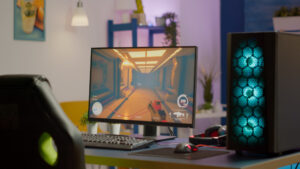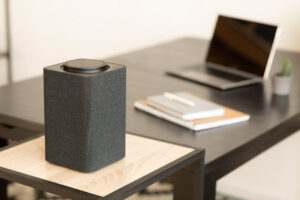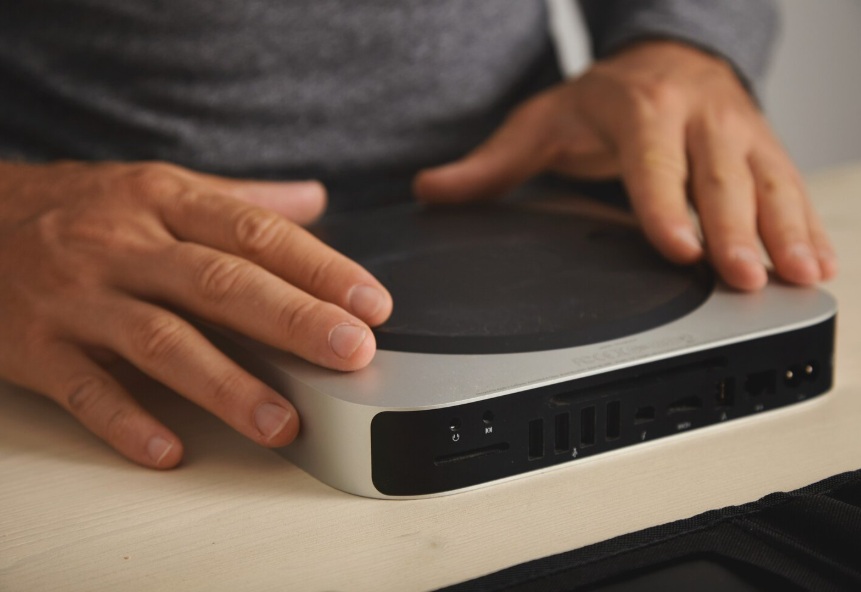
A powerful mini PC setup designed for developers, featuring compact hardware with high-performance capabilities for coding, AI, and multitasking.
Disclosure: As an Amazon Associate, I earn from qualifying purchases. Some links below are affiliate links that help support this site at no extra cost to you.
📋 Quick Navigation
- Why Programmers Are Switching to Mini PCs
- Mini PC vs Desktop vs Laptop: The Ultimate Comparison
- What Programmers Need in a Mini PC
- Top Mini PCs at a Glance
- Best Premium Mini PCs
- Best Value Mini PCs
- Best Budget Mini PCs (Under $500)
- Comparison Table
- How to Choose the Perfect Mini PC for Your Workflow
- Real-World Case Study: How a Mini PC Transformed a Developer’s Workspace
- Frequently Asked Questions
- Related Guides
Why Programmers Are Switching to Mini PCs
You’ve seen the trend. Walk into any modern developer’s home office, and you’re increasingly likely to find a tiny box—smaller than a book—powering a dual-monitor setup. It’s the mini PC revolution.
The Problem with Traditional Desktops
Traditional towers are powerful, but they come with baggage:
- Massive footprint – Takes up desk space or sits on the floor collecting dust
- Noise – Fans spin up during compilation, distracting calls
- Power hungry – 200-500W+ electricity bills
- Overkill – Most development doesn’t need full tower specs
The Laptop Trade-Off
Laptops offer portability but at a cost:
- Thermal throttling – 20-40% performance loss under sustained loads
- Limited connectivity – Few ports, dongle life
- Integrated peripherals – Subpar keyboard and trackpad
- Screen compromises – Too small for productivity
The Mini PC Solution
Mini PCs hit the sweet spot:
| Benefit | Why It Matters |
|---|---|
| Ultra-compact | Fits anywhere, VESA mounts behind monitor (zero desk space!) |
| Silent operation | Passive cooling or low-RPM fans—no jet engine during builds |
| Power efficient | 15-65W typical power draw vs 200-500W for towers |
| Surprising power | Latest CPUs handle compilation, VMs, Docker with ease |
| Clean setup | One cable to monitor, wireless peripherals = minimalist desk |
For programmers who value a clean, quiet, powerful workspace, mini PCs are the new standard.
Mini PC vs Desktop vs Laptop: The Ultimate Comparison
| Metric | Mini PC | Desktop Tower | Laptop |
|---|---|---|---|
| Footprint | 🏆 Tiny (0.5-2L) | Large (20-50L) | Medium |
| Performance | Good to Excellent | 🏆 Excellent | Moderate to Good |
| Silence | 🏆 Very quiet to silent | Moderate (fans) | Noisy under load |
| Power Draw | 🏆 15-65W | 200-500W | 30-100W |
| Upgradability | Limited | 🏆 Fully upgradable | None |
| Portability | Good (pocket-sized) | None | 🏆 Excellent |
| Price/Performance | Good | 🏆 Best value | Poor |
| Clean Desk Setup | 🏆 VESA mountable | Fair | Good |
Who Should Choose a Mini PC?
| Your Workflow | Recommendation |
|---|---|
| Work from one desk | ✅ Perfect |
| Want clean, minimalist setup | ✅ Ideal |
| Need silence for calls | ✅ Excellent |
| Web/backend development | ✅ More than enough |
| Machine learning | ⚠️ Need GPU? Look elsewhere |
| Game development | ⚠️ Need dedicated GPU |
| Travel frequently | Consider laptop |
What Programmers Need in a Mini PC
1. CPU: The Heart of Your Mini PC
| CPU | Best For | Typical Power |
|---|---|---|
| Intel Core Ultra 5/7 | General development, efficiency | 28W-65W |
| AMD Ryzen 7/9 | Multi-threaded workloads, compilation | 35W-65W |
| Intel Core i5/i7 | Budget to mid-range | 15W-35W |
| AMD Ryzen 5 | Budget, web development | 15W-28W |
For most programmers: Intel Core Ultra 5 or AMD Ryzen 7 is the sweet spot. For heavy compilation and virtualization, step up to Ultra 7 or Ryzen 9.
2. RAM: Your Multitasking Lifeline
| RAM | Capacity | Best For |
|---|---|---|
| 16GB | Minimum | Light development, web dev |
| 32GB | Recommended | Full-stack, Docker, multiple VMs |
| 64GB | Heavy | Large projects, data science |
Crucial: Ensure the mini PC has upgradable RAM (SODIMM slots), not soldered.
3. Storage: Speed Matters
| Storage Type | Speed | Best For |
|---|---|---|
| NVMe SSD (PCIe 4.0) | 5,000-7,000 MB/s | OS, applications, active projects |
| NVMe SSD (PCIe 3.0) | 2,500-3,500 MB/s | Good performance, value |
| SATA SSD | 500 MB/s | Secondary storage |
Pro tip: Look for mini PCs with dual NVMe slots for RAID or expansion.
4. Connectivity: Ports and Expansion
| Port | Why You Need It |
|---|---|
| Thunderbolt 4 / USB4 | Docks, high-speed peripherals, multiple monitors |
| HDMI / DisplayPort | External monitors |
| USB-A | Keyboards, mice, legacy devices |
| 2.5GbE Ethernet | Fast, stable network connection |
| Wi-Fi 7 | Future-proof wireless |
5. Cooling and Noise
Mini PCs use different cooling strategies:
| Cooling Type | Noise Level | Best For |
|---|---|---|
| Passive (fanless) | 🏆 Silent | Quiet offices, open floor plans |
| Active (fan) | Low to moderate | General use |
| Liquid/advanced | Moderate | High-performance models |
Pro tip: For video calls and open offices, prioritize low noise (under 25 dBA).
Top Mini PCs at a Glance
| Model | Best For | CPU | RAM | Storage | Special Feature | Price |
|---|---|---|---|---|---|---|
| Apple Mac Mini (M4) | macOS development | M4/M4 Pro | 16-64GB | 512GB-8TB | Silent, Apple ecosystem | $600-1,500 |
| Intel NUC 14 Pro | Professional Windows | Core Ultra 7 | 16-64GB | 512GB-2TB | Thunderbolt 4, modular | $800-1,200 |
| Minisforum MS-A1 | High-performance | Ryzen 9 7940HS | 16-64GB | 512GB-4TB | Dual Ethernet, USB4 | $600-900 |
| ASUS NUC 14 Pro | Compact powerhouse | Core Ultra 7/9 | 16-64GB | 512GB-2TB | 2.5GbE, Thunderbolt 4 | $700-1,100 |
| Beelink SER8 | Best value | Ryzen 7 8845HS | 16-32GB | 512GB-1TB | Ryzen AI, dual Ethernet | $500-700 |
| GMKtec NucBox K8 | Budget performance | Ryzen 7 8845HS | 16-32GB | 512GB-1TB | Compact, good cooling | $450-600 |
| Beelink EQR6 | Budget Ryzen | Ryzen 5/7 | 16-32GB | 512GB-1TB | Best budget | $350-500 |
| ASUS NUC 13 Pro | Value Windows | Core i5/i7 | 8-32GB | 256GB-1TB | Solid performance | $500-800 |
| Minisforum UM790 Pro | Ryzen powerhouse | Ryzen 9 7940HS | 32-64GB | 512GB-2TB | USB4, fast | $700-1,000 |
| Geekom AX8 Pro | Compact Intel | Core Ultra 5/7 | 16-32GB | 512GB-1TB | Quiet, professional | $600-800 |
Best Premium Mini PCs
1. Apple Mac Mini (M4): The macOS Powerhouse
The Mac Mini has been reborn with Apple’s M4 chip. It’s silent, powerful, and compact—the perfect macOS development machine.
- CPU: Apple M4 (10-core) or M4 Pro (12-14 core)
- GPU: Integrated (10-20 core)
- RAM: 16-64GB unified memory
- Storage: 512GB-8TB SSD
- Ports: Thunderbolt 4 (2-4), HDMI, USB-A, 2.5Gb Ethernet
- Special Features:
- Silent operation – No fans under normal use
- Media Engine – ProRes acceleration for video work
- Neural Engine – 16-core for AI/ML workloads
- Thunderbolt 4 – Connect multiple high-res monitors
- Form Factor: 7.7″ square, 1.4″ tall
- Price: $600-$1,500
Why it’s great for programmers: The unified memory architecture is revolutionary. The CPU, GPU, and Neural Engine share the same high-speed memory, eliminating bottlenecks. For iOS/macOS developers, it’s the ultimate machine. For web developers, the M4’s single-core performance is unmatched.
Pros:
- Silent operation
- Incredible performance per watt
- macOS ecosystem
- Thunderbolt 4
- Compact, clean design
Cons:
- macOS only
- No internal expansion
- Soldered RAM (choose wisely)
👉 Check price of Apple Mac Mini on Amazon
2. Intel NUC 14 Pro: The Professional’s Choice
Intel’s NUC (Next Unit of Computing) line has been the gold standard for mini PCs for years. The NUC 14 Pro brings professional-grade performance to a tiny package.
- CPU: Intel Core Ultra 5 or Ultra 7 (up to 14 cores)
- GPU: Intel Arc integrated graphics
- RAM: Up to 64GB DDR5 (SODIMM slots)
- Storage: Dual M.2 NVMe slots
- Ports: Thunderbolt 4, HDMI 2.1, 2.5Gb Ethernet, USB-A, USB-C
- Special Features:
- Modular design – Easy to upgrade RAM and storage
- VESA mountable – Hide behind monitor
- vPro options – IT-managed, security features
- TPM 2.0 – Hardware security
- Form Factor: 4.4″ x 4.4″ x 1.5″ (tiny!)
- Price: $800-$1,200
Why it’s great for programmers: The Thunderbolt 4 ports allow connection to high-speed docks and multiple monitors. The dual M.2 slots let you run RAID or separate OS/projects. It’s the closest you’ll get to a workstation in a pocket-sized package.
Pros:
- Highly upgradable
- Thunderbolt 4
- Dual NVMe slots
- Professional build quality
- VESA mountable
Cons:
- Expensive
- Fans can be audible under load
- No dedicated GPU
👉 Check price of Intel NUC 14 Pro on Amazon
3. Minisforum MS-A1: Ryzen Performance Monster
Minisforum has become a major player in the mini PC space, and the MS-A1 is their flagship Ryzen model with exceptional performance.
- CPU: AMD Ryzen 9 7940HS (8 cores, 16 threads)
- GPU: Radeon 780M integrated graphics (powerful!)
- RAM: Up to 64GB DDR5
- Storage: Dual M.2 NVMe slots
- Ports: USB4, HDMI 2.1, 2.5Gb Ethernet, USB-A
- Special Features:
- USB4 – Thunderbolt 3 equivalent
- Dual 2.5Gb Ethernet – Server-grade networking
- Active cooling – Keeps performance sustained
- VESA mountable
- Form Factor: 6.5″ x 6.5″ x 2.5″
- Price: $600-$900
Why it’s great for programmers: The Radeon 780M is the most powerful integrated GPU on the market—it rivals entry-level dedicated GPUs. For developers doing light ML work or game development, this is a game-changer. The dual 2.5Gb Ethernet is perfect for developers running local servers or home labs.
Pros:
- Excellent integrated graphics
- Dual 2.5Gb Ethernet
- USB4 connectivity
- Strong multi-core performance
- Great value
Cons:
- Larger than Intel NUC
- Fans more noticeable than Mac Mini
👉 Check price of Minisforum MS-A1 on Amazon
Best Value Mini PCs
4. ASUS NUC 14 Pro: Compact Intel Powerhouse
ASUS took over Intel’s NUC line, and the NUC 14 Pro maintains the legacy of quality and performance in a compact package.
- CPU: Intel Core Ultra 5/7
- GPU: Intel Arc integrated
- RAM: Up to 64GB DDR5
- Storage: Dual M.2 NVMe
- Ports: Thunderbolt 4, HDMI 2.1, 2.5Gb Ethernet, USB-A
- Special Features:
- VESA mountable
- Tool-less access – Easy upgrades
- Wi-Fi 7 ready
- TPM 2.0
- Form Factor: 4.5″ x 4.5″ x 2.0″
- Price: $700-$1,100
Why it’s great for programmers: The tool-less access makes upgrading RAM and storage effortless—no screwdrivers needed. The Wi-Fi 7 future-proofs your wireless connection. It’s the perfect balance of performance and ease of use.
Pros:
- Easy to upgrade
- Thunderbolt 4
- Professional build
- Wi-Fi 7
Cons:
- Premium pricing
- Fans audible under load
👉 Check price of ASUS NUC 14 Pro on Amazon
5. Beelink SER8: Best Value Mini PC
Beelink has earned a reputation for outstanding value, and the SER8 is their best model yet. It delivers Ryzen 7 performance at a competitive price.
- CPU: AMD Ryzen 7 8845HS (8 cores, 16 threads)
- GPU: Radeon 780M integrated
- RAM: 16-32GB DDR5 (upgradable)
- Storage: 512GB-1TB NVMe (dual slots)
- Ports: USB4, HDMI 2.1, DisplayPort, 2.5Gb Ethernet, USB-A
- Special Features:
- Ryzen AI – NPU for AI/ML tasks
- Dual 2.5Gb Ethernet
- Quiet cooling – <30 dBA under load
- VESA mountable
- Form Factor: 5.1″ x 5.1″ x 1.8″
- Price: $500-$700
Why it’s great for programmers: The Ryzen AI NPU (Neural Processing Unit) accelerates AI development tasks—perfect for developers experimenting with local LLMs or machine learning. The dual 2.5Gb Ethernet is rare at this price point. It’s the best value in the mini PC market.
Pros:
- Excellent value
- Ryzen AI for ML
- Dual 2.5Gb Ethernet
- Quiet operation
- USB4 connectivity
Cons:
- Plastic construction
- BIOS can be basic
👉 Check price of Beelink SER8 on Amazon
6. GMKtec NucBox K8: Budget Ryzen Performance
GMKtec offers a budget-friendly alternative to Beelink with the NucBox K8, packing the same Ryzen 7 power in a slightly smaller package.
- CPU: AMD Ryzen 7 8845HS
- GPU: Radeon 780M
- RAM: 16-32GB DDR5
- Storage: 512GB-1TB NVMe
- Ports: USB4, HDMI, DisplayPort, 2.5Gb Ethernet, USB-A
- Special Features:
- Ryzen AI – NPU for AI workloads
- Compact design – Smaller than SER8
- Good cooling
- Form Factor: 4.5″ x 4.5″ x 1.8″
- Price: $450-$600
Why it’s great for programmers: The Ryzen AI NPU is present even at this price point. For developers exploring local AI models, this is a fantastic entry point. The compact size fits anywhere.
Pros:
- Great value
- Ryzen AI
- Compact
- Good performance
Cons:
- Build quality less premium
- Fan noise under load
👉 Check price of GMKtec NucBox K8 on Amazon
Best Budget Mini PCs (Under $500)
7. Beelink EQR6: Best Budget Ryzen
The Beelink EQR6 brings Ryzen power to the sub-$500 market, making it perfect for students and budget-conscious developers.
- CPU: AMD Ryzen 5 or 7 (up to 8 cores)
- GPU: Radeon 660M/760M
- RAM: 16-32GB DDR5
- Storage: 512GB-1TB NVMe
- Ports: HDMI, DisplayPort, 2.5Gb Ethernet, USB-A, USB-C
- Special Features:
- Dual Ethernet
- VESA mountable
- Good cooling
- Form Factor: 4.5″ x 4.5″ x 1.5″
- Price: $350-$500
Why it’s great for programmers: The dual Ethernet ports are rare at this price—perfect for developers running local servers or testing network applications. The Ryzen 5 version is more than enough for web development and backend work.
Pros:
- Outstanding value
- Dual Ethernet
- Good performance for price
- Compact
Cons:
- Slower GPU than 780M
- Plastic build
👉 Check price of Beelink EQR6 on Amazon
8. ASUS NUC 13 Pro (Previous Gen): Value Windows Option
The previous-generation NUC still offers excellent performance at a discount, perfect for programmers who don’t need the latest specs.
- CPU: Intel Core i5 or i7 (13th gen)
- GPU: Intel Iris Xe
- RAM: 8-32GB DDR4
- Storage: 256GB-1TB NVMe
- Ports: Thunderbolt 4, HDMI, 2.5Gb Ethernet, USB-A
- Special Features:
- Thunderbolt 4
- VESA mountable
- Good build quality
- Form Factor: 4.5″ x 4.5″ x 1.5″
- Price: $500-$800
Why it’s great for programmers: The Thunderbolt 4 ports are the standout feature at this price—connect docks, multiple monitors, and high-speed storage. It’s a proven, reliable platform.
Pros:
- Thunderbolt 4
- Proven reliability
- Good build quality
- VESA mountable
Cons:
- Previous generation
- DDR4 RAM
👉 Check price of ASUS NUC 13 Pro on Amazon
9. Minisforum UM790 Pro: Ryzen 9 Power
The UM790 Pro offers Ryzen 9 performance in a compact package, making it a favorite among developers who need maximum CPU power.
- CPU: AMD Ryzen 9 7940HS
- GPU: Radeon 780M
- RAM: 32-64GB DDR5
- Storage: 512GB-2TB NVMe (dual slots)
- Ports: USB4 (2), HDMI, DisplayPort, 2.5Gb Ethernet
- Special Features:
- Dual USB4 – Thunderbolt 3 equivalent
- Dual NVMe slots
- Excellent cooling
- Form Factor: 5.5″ x 5.5″ x 2.0″
- Price: $700-$1,000
Why it’s great for programmers: The dual USB4 ports give you Thunderbolt-level connectivity without the Intel premium. The Ryzen 9 handles heavy compilation and virtualization with ease.
Pros:
- Powerful Ryzen 9
- Dual USB4
- Excellent cooling
- Dual NVMe
Cons:
- Pricier than Beelink alternatives
- Larger form factor
👉 Check price of Minisforum UM790 Pro on Amazon
10. Geekom AX8 Pro: Compact Intel Value
Geekom has carved out a niche with compact, quiet Intel mini PCs that look great in professional settings.
- CPU: Intel Core Ultra 5 or 7
- GPU: Intel Arc integrated
- RAM: 16-32GB DDR5
- Storage: 512GB-1TB NVMe
- Ports: Thunderbolt 4, HDMI, USB-A, 2.5Gb Ethernet
- Special Features:
- Quiet operation
- Professional design
- VESA mountable
- Form Factor: 4.5″ x 4.5″ x 1.5″
- Price: $600-$800
Why it’s great for programmers: The quiet operation makes it ideal for open offices and video calls. The professional design fits any workspace aesthetic.
Pros:
- Very quiet
- Professional design
- Thunderbolt 4
- Good performance
Cons:
- Premium for the form factor
- Limited upgrade options
👉 Check price of Geekom AX8 Pro on Amazon
Comparison Table
| Model | CPU | GPU | RAM (Max) | Storage | Key Ports | Noise | Price |
|---|---|---|---|---|---|---|---|
| Apple Mac Mini M4 | M4/M4 Pro | Integrated | 64GB | 8TB | Thunderbolt 4, HDMI | Silent | $600-1,500 |
| Intel NUC 14 Pro | Core Ultra 7 | Arc | 64GB | Dual M.2 | Thunderbolt 4, 2.5GbE | Low | $800-1,200 |
| Minisforum MS-A1 | Ryzen 9 | 780M | 64GB | Dual M.2 | USB4, Dual 2.5GbE | Moderate | $600-900 |
| ASUS NUC 14 Pro | Core Ultra 7 | Arc | 64GB | Dual M.2 | Thunderbolt 4, 2.5GbE | Low | $700-1,100 |
| Beelink SER8 | Ryzen 7 | 780M | 32GB | Dual M.2 | USB4, Dual 2.5GbE | Low | $500-700 |
| GMKtec NucBox K8 | Ryzen 7 | 780M | 32GB | Single M.2 | USB4, 2.5GbE | Moderate | $450-600 |
| Beelink EQR6 | Ryzen 5/7 | 660M/760M | 32GB | Single M.2 | Dual 2.5GbE | Moderate | $350-500 |
| ASUS NUC 13 Pro | Core i7 | Iris Xe | 32GB | Single M.2 | Thunderbolt 4, 2.5GbE | Low | $500-800 |
| Minisforum UM790 Pro | Ryzen 9 | 780M | 64GB | Dual M.2 | Dual USB4, 2.5GbE | Moderate | $700-1,000 |
| Geekom AX8 Pro | Core Ultra 7 | Arc | 32GB | Single M.2 | Thunderbolt 4, 2.5GbE | Very Low | $600-800 |
How to Choose the Perfect Mini PC for Your Workflow
Step 1: Define Your Development Work
| Workflow | CPU Priority | RAM | GPU Need |
|---|---|---|---|
| Web/Backend | Single-core | 16-32GB | None |
| Full-stack + Docker | Multi-core | 32GB+ | None |
| iOS/macOS | M4 | 16-64GB | Integrated |
| Data Science | Multi-core | 32-64GB | Helpful |
| Machine Learning | Multi-core | 32-64GB | 780M or eGPU |
| Game Development | Multi-core | 32GB+ | 780M or eGPU |
Step 2: Set Your Budget
| Budget | What You Get | Recommendations |
|---|---|---|
| Under $500 | Ryzen 5/7, 16-32GB, integrated GPU | Beelink EQR6, GMKtec |
| $500-$800 | Ryzen 7, 32GB, 780M GPU | Beelink SER8, ASUS NUC 13 |
| $800-$1,200 | Core Ultra, 32-64GB, Thunderbolt | Intel NUC 14, Mac Mini |
| $1,200+ | M4 Pro, 64GB, professional features | Mac Mini M4 Pro |
Step 3: Consider Your Desk Setup
| Desk Space | Recommendation |
|---|---|
| Minimalist, clean | VESA-mount behind monitor (all models support this) |
| Visible on desk | Apple Mac Mini (design), Geekom (professional) |
| Hidden away | Any model VESA mounted |
Step 4: Check Noise Levels
| Environment | Noise Priority |
|---|---|
| Open office | Silent/fanless or very quiet (Mac Mini, Geekom) |
| Home office | Low to moderate (most models fine) |
| Recording/podcasting | Silent (Mac Mini) |
Real-World Case Study: How a Mini PC Transformed a Developer’s Workspace
The Programmer: David Park, full-stack developer
The Problem: David had a powerful gaming laptop that he used for development. It handled his workloads well, but the fans would roar during compilation, making Zoom calls difficult. The laptop took up half his desk, and the power brick was massive. He was tethered to a desk but carrying laptop compromises.
The Solution: David switched to a Beelink SER8 ($550) with Ryzen 7 8845HS and 32GB RAM. He VESA-mounted it behind his monitor, hiding it completely.
The Result:
- Zero desk space – Monitor stand holds the mini PC invisibly
- Silent operation – <25 dBA under load, colleagues can’t hear it
- Same performance – Compilation times identical to laptop
- Clean setup – Single USB-C to monitor, wireless peripherals
- Savings – Sold laptop for more than mini PC cost
“I didn’t realize how much my laptop was holding me back—not in performance, but in workspace and sanity. My desk is clean, my calls are quiet, and I can’t even see the computer. It’s like magic.” — David Park
Frequently Asked Questions
Is a mini PC powerful enough for programming?
Yes, for most development work. Modern mini PCs with Intel Core Ultra or AMD Ryzen 7 processors handle compilation, Docker, and multiple VMs with ease. For web development, backend work, and even data science, they’re more than sufficient.
Can I run Docker on a mini PC?
Absolutely. Docker runs perfectly on both Windows and Linux mini PCs. The Beelink SER8 and Intel NUC are popular choices for Docker-based development.
What about machine learning on a mini PC?
For training models, you need a dedicated GPU. For inference and light ML work, the Ryzen 780M integrated GPU can handle it. Consider an eGPU enclosure if you need more GPU power.
How do I mount a mini PC behind a monitor?
Most mini PCs include a VESA mount bracket that attaches to the back of your monitor (requires 75mm or 100mm VESA holes). The PC then slides onto the bracket—no visible cables.
Are mini PCs quiet?
Very quiet compared to laptops and desktops. The Apple Mac Mini is completely silent (no fan). Most others operate at 20-30 dBA—about the volume of a whisper.
Can I upgrade RAM and storage in a mini PC?
It depends on the model. Intel NUC, Minisforum, and Beelink models typically have upgradable RAM (SODIMM slots) and dual M.2 slots. Apple Mac Mini has soldered RAM (choose at purchase) but upgradable storage via Thunderbolt.
Is a mini PC good for dual monitors?
Yes. Most mini PCs support dual 4K monitors via HDMI and Thunderbolt/USB4. Some support triple monitors with the right adapters.
What’s the best mini PC for macOS development?
The Apple Mac Mini M4 is the obvious choice. It’s the only way to run macOS legally on a mini PC and offers excellent performance for iOS/macOS development.
Can I use a mini PC as a home server?
Absolutely. Mini PCs make excellent home servers for development, media, or file storage. The dual Ethernet models (Beelink SER8, Minisforum MS-A1) are particularly well-suited for this.
How long do mini PCs last?
3-5 years is typical, but they often last longer. Unlike laptops, there are no batteries to degrade. The limited upgradability (RAM/storage) extends lifespan.
Conclusion: Small Footprint, Big Performance
Your computer shouldn’t dominate your desk—or your life. Mini PCs prove that you don’t need a massive tower or a compromised laptop to get serious development work done.
Our Recommendations by Need
| Need | Recommendation |
|---|---|
| Best overall (macOS) | Apple Mac Mini M4 |
| Best overall (Windows) | Beelink SER8 |
| Best professional | Intel NUC 14 Pro |
| Best value | Beelink SER8 |
| Best budget | Beelink EQR6 |
| Best for ML/AI | Beelink SER8 (Ryzen AI) or Minisforum MS-A1 |
| Best for dual Ethernet | Minisforum MS-A1, Beelink SER8 |
| Most silent | Apple Mac Mini M4 |
| Most portable | GMKtec NucBox K8 |
Final Checklist
- ☐ Choose macOS or Windows based on your stack
- ☐ Prioritize CPU for compilation, RAM for VMs
- ☐ Consider integrated GPU needs (780M if doing light ML/game dev)
- ☐ Plan your mounting (VESA behind monitor = cleanest)
- ☐ Verify Thunderbolt/USB4 if using high-speed docks
- ☐ Consider noise level for your environment
Don’t let a bulky tower or compromised laptop hold you back. Go small. Go quiet. Go mini.
Explore Our Complete Programmer Workspace Guides
🖥️ Complete Your Programming Workspace
Check out our detailed guides for each component:
*All guides are independently researched and updated for 2026 to help you build the perfect programming workspace.
Disclosure: As an Amazon Associate, I earn from qualifying purchases. Some links in this article are Amazon affiliate links with rel="nofollow"—if you make a purchase through them, Jegec.com may earn a small commission at no extra cost to you. This helps us keep bringing you detailed tech guides.
Small footprint. Big performance. Clean desk. Happy developer.