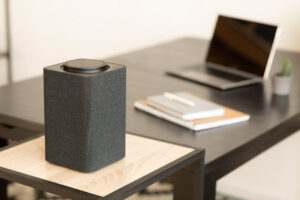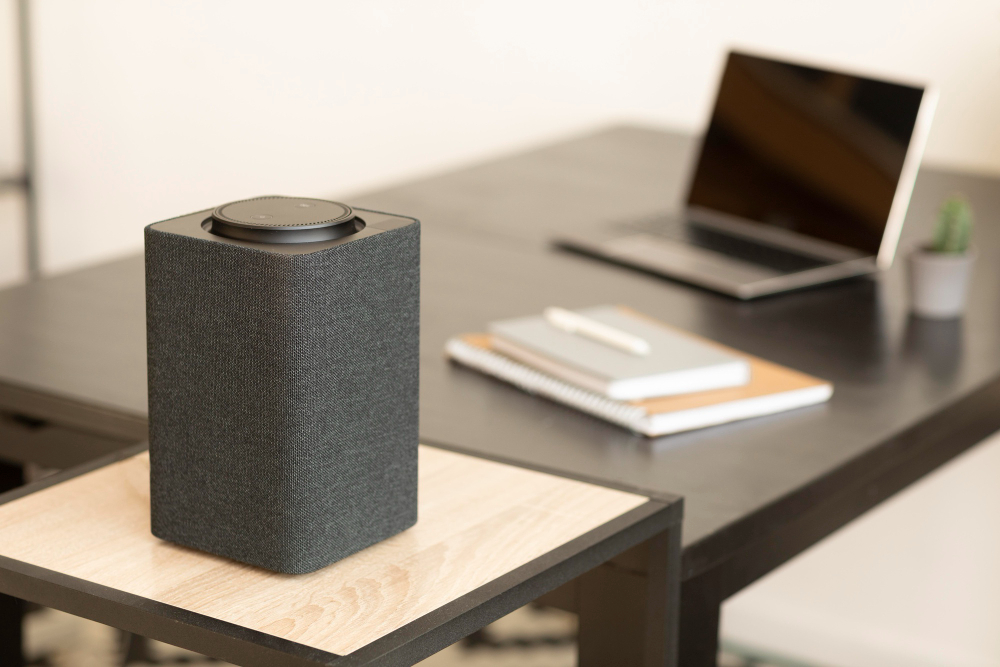
A minimalist wireless desktop speaker sits beside a laptop in a clean home‑office setup, ideal for programmers who need clear audio without clutter.
Disclosure: As an Amazon Associate, I earn from qualifying purchases. Some links below are affiliate links that help support this site at no extra cost to you.
📋 Quick Navigation
- Why Programmers Need Quality Speakers
- 2.0 vs 2.1 vs Soundbar: What’s the Difference?
- Top Computer Speakers at a Glance
- Best Overall Computer Speakers
- Best Budget Computer Speakers
- Best 2.1 Speakers (With Subwoofer)
- Best Studio Monitors for Programming
- Best Soundbars for Desks
- Comparison Table
- How to Choose the Perfect Speakers
- Speaker Placement Guide for Programmers
- Real-World Case Study: How Good Speakers Improved One Programmer’s Focus
- Frequently Asked Questions
- Related Guides
Why Programmers Need Quality Speakers
You’ve invested in a powerful laptop, a high-res monitor, a mechanical keyboard, and noise-canceling headphones. But when you want to take a break from headphones, what’s filling your room with sound?
For programmers, good speakers aren’t just about entertainment—they’re about:
| Benefit | Why It Matters |
|---|---|
| Better focus | Background music helps concentration (when chosen well) |
| Video calls | Clear audio for meetings, podcasts, tutorials |
| Taking breaks | Quality sound for unwinding between coding sessions |
| Professional presence | Clean audio during presentations |
| Less headphone fatigue | Giving your ears a break from headphones |
Dr. Maria Santos, audio researcher at Stanford’s Center for Computer Research in Music and Acoustics, notes: “High-quality speakers reduce listening fatigue during long work sessions and provide a more natural soundstage that can improve comprehension during video calls and tutorials.”
The Cost of Bad Speakers
| Problem | Impact |
|---|---|
| Tinny, distorted sound | Listening fatigue, headaches |
| Poor voice clarity | Missed information on calls |
| Muffled bass | Unpleasant music experience |
| Inconsistent volume | Constantly adjusting |
2.0 vs 2.1 vs Soundbar: What’s the Difference?
2.0 Speaker Systems
Two speakers (left and right). Simple, compact, good for general listening.
| Pros | Cons |
|---|---|
| ✅ Compact footprint | ❌ Limited bass |
| ✅ Simple setup | ❌ No separate subwoofer |
| ✅ Affordable | |
| ✅ Great for speech |
Best for: Small desks, video calls, background music.
2.1 Speaker Systems
Two satellite speakers + subwoofer. The subwoofer handles low frequencies.
| Pros | Cons |
|---|---|
| ✅ Full range sound | ❌ Larger footprint |
| ✅ Deep bass for music | ❌ More cables |
| ✅ More powerful | ❌ Harder to position sub |
Best for: Music lovers, larger desks, gaming.
Soundbars
Single bar with multiple drivers. Sits under or above monitor.
| Pros | Cons |
|---|---|
| ✅ Ultra-compact | ❌ Less stereo separation |
| ✅ Clean aesthetic | ❌ Limited bass |
| ✅ Easy placement | ❌ Can block monitor base |
| ✅ Often Bluetooth capable |
Best for: Minimalist setups, small desks, TV-style experience.
Studio Monitors
Professional-grade speakers designed for accurate, uncolored sound.
| Pros | Cons |
|---|---|
| ✅ Flat frequency response | ❌ Expensive |
| ✅ Accurate sound | ❌ Larger size |
| ✅ Great for audio work | ❌ No Bluetooth usually |
| ✅ Excellent clarity |
Best for: Podcasters, musicians, audio-sensitive work.
Top Computer Speakers at a Glance
| Model | Type | Configuration | Power | Connection | Best For | Price |
|---|---|---|---|---|---|---|
| Audioengine A2+ | Desktop | 2.0 | 60W | USB, RCA, Bluetooth | Best overall | $250-270 |
| Bose Companion 50 | Desktop | 2.1 | 120W | 3.5mm | Premium 2.1 | $300-350 |
| Creative Pebble Pro | Desktop | 2.0 | 8W | USB, Bluetooth | Best budget | $30-40 |
| Klipsch ProMedia 2.1 | Desktop | 2.1 | 200W | 3.5mm | Powerful 2.1 | $150-180 |
| Edifier R1280T | Bookshelf | 2.0 | 42W | RCA, 3.5mm | Best value bookshelf | $100-120 |
| Presonus Eris E3.5 | Studio Monitor | 2.0 | 50W | TRS, RCA, 3.5mm | Best studio monitors | $100-120 |
| Creative Stage V2 | Soundbar | 2.1 | 60W | USB, Bluetooth, optical | Best soundbar | $80-100 |
| Logitech Z407 | Desktop | 2.1 | 40W | Bluetooth, 3.5mm | Wireless control | $80-100 |
| Edifier R1700BTs | Bookshelf | 2.0 | 66W | Bluetooth, RCA | Premium bookshelf | $150-180 |
| Razer Leviathan V2 | Soundbar | 2.1 | 65W | USB, Bluetooth | Gaming + programming | $200-250 |
Best Overall Computer Speakers
1. Audioengine A2+: Best Overall for Programmers
The Audioengine A2+ is widely considered the gold standard for desktop speakers. They’re compact, powerful, and sound incredible.
- Type: 2.0 desktop speakers
- Power: 60W total
- Drivers: 0.75″ silk dome tweeter, 2.75″ aramid fiber woofer
- Frequency Response: 65Hz – 22kHz
- Inputs: USB (built-in DAC), RCA, 3.5mm, Bluetooth
- Special Features:
- Built-in DAC – Better sound than standard headphone jack
- Front-mounted volume – Easy access
- Protective grilles – Optional
- Multiple colors – Red, black, white
- Dimensions: 6″ x 4″ x 5.25″ each
- Price: $250-270
Why it’s great for programmers: The built-in USB DAC means cleaner sound than your laptop’s headphone jack. The compact size fits even small desks. They sound fantastic for both music and voice, making them perfect for coding sessions and calls alike.
Pros:
- Excellent sound quality
- Built-in DAC via USB
- Compact size
- Bluetooth connectivity
- Front volume control
Cons:
- Expensive
- Limited bass without subwoofer
👉 Check price of Audioengine A2+ on Amazon
2. Bose Companion 50: Premium 2.1 System
Bose is synonymous with quality audio, and the Companion 50 delivers room-filling sound with deep bass.
- Type: 2.1 desktop system
- Power: 120W total
- Satellites: 2″ drivers
- Subwoofer: 5.25″ down-firing
- Frequency Response: 50Hz – 20kHz
- Inputs: 3.5mm
- Special Features:
- Acoustic waveguide – Deep bass from small satellites
- Control pod – Volume, mute, headphone jack, auxiliary input
- Downgr port – For subwoofer placement
- Dimensions: Satellites: 6″ x 2.5″ x 4.5″, Sub: 12″ x 7″ x 9″
- Price: $300-350
Why it’s great for programmers: The control pod sits on your desk for easy volume control, headphone switching, and connecting a phone. The acoustic waveguide technology delivers surprisingly deep bass without a huge subwoofer.
Pros:
- Deep, impactful bass
- Convenient control pod
- Compact satellites
- Bose reliability
Cons:
- Expensive
- Large subwoofer
👉 Check price of Bose Companion 50 on Amazon
Best Budget Computer Speakers
3. Creative Pebble Pro: Best Budget Speakers
The Creative Pebble Pro is the best-selling budget speaker for good reason—it sounds far better than its price suggests.
- Type: 2.0 desktop speakers
- Power: 8W total (20W peak)
- Drivers: 2.25″ full-range
- Frequency Response: 70Hz – 20kHz
- Inputs: USB-C (built-in DAC), Bluetooth, 3.5mm
- Special Features:
- USB-C powered – Single cable for power + audio
- Lighting – RGB ring around drivers
- 45° upward tilt – Directs sound to ears
- Bluetooth 5.3
- Dimensions: 4.8″ x 4.2″ x 4.4″
- Price: $30-40
Why it’s great for programmers: The 45° upward tilt directs sound perfectly to your ears, even on a desk. The USB-C connection means one cable for power and audio—clean setup. At under $40, they’re an easy upgrade from built-in laptop speakers.
Pros:
- Incredible value
- Clean, compact design
- USB-C connectivity
- Bluetooth option
- Angled for desk use
Cons:
- Limited bass
- RGB may not suit all tastes
👉 Check price of Creative Pebble Pro on Amazon
4. Logitech Z407: Best Wireless Control
The Logitech Z407 offers a unique wireless control dial that sits on your desk for easy volume and playback control.
- Type: 2.1 desktop system
- Power: 40W total
- Satellites: 2″ drivers
- Subwoofer: 4.5″ down-firing
- Frequency Response: 80Hz – 20kHz
- Inputs: Bluetooth, 3.5mm
- Special Features:
- Wireless control dial – Volume, playback, source switching
- Bluetooth 5.0 – Two device pairing
- Down-firing subwoofer
- Dimensions: Satellites: 6.7″ x 3.6″ x 3.1″, Sub: 9.5″ x 9.5″ x 7.9″
- Price: $80-100
Why it’s great for programmers: The wireless control dial is genius—it sits on your desk for instant volume control without reaching for speakers. The Bluetooth can connect to your laptop and phone simultaneously.
Pros:
- Wireless control dial
- Bluetooth connectivity
- Compact satellites
- Good sound for price
Cons:
- Subwoofer is large
- Limited cable length
👉 Check price of Logitech Z407 on Amazon
Best 2.1 Speakers (With Subwoofer)
5. Klipsch ProMedia 2.1: Powerful 2.1 System
The Klipsch ProMedia 2.1 is one of the most popular 2.1 computer speaker systems for its powerful, detailed sound.
- Type: 2.1 desktop system
- Power: 200W total
- Satellites: 3″ fiber-composite drivers, 0.75″ tweeters
- Subwoofer: 6.5″ down-firing
- Frequency Response: 31Hz – 20kHz
- Inputs: 3.5mm
- Special Features:
- MicroTractrix horn – Clear highs
- Down-firing subwoofer – Deep bass
- Volume and bass controls on satellite
- Dimensions: Satellites: 8.5″ x 4.2″ x 5.7″, Sub: 10.5″ x 9.5″ x 9.8″
- Price: $150-180
Why it’s great for programmers: The MicroTractrix horn technology delivers incredibly clear highs—perfect for voice calls and tutorials. The 200W power fills even large rooms with sound.
Pros:
- Powerful, detailed sound
- Deep bass
- Clear highs for voice
- Great value
Cons:
- Large subwoofer
- No Bluetooth
👉 Check price of Klipsch ProMedia 2.1 on Amazon
6. Edifier R1700BTs: Best Bookshelf Speakers
Edifier’s R1700BTs are bookshelf speakers that work beautifully on a desk, offering rich, detailed sound.
- Type: 2.0 bookshelf speakers
- Power: 66W total
- Drivers: 4″ woofer, 0.75″ tweeter
- Frequency Response: 60Hz – 20kHz
- Inputs: Bluetooth 5.0, RCA, 3.5mm
- Special Features:
- Subwoofer output – Add a sub later
- Dual RCA inputs
- Remote control
- MDF wood cabinet
- Dimensions: 6″ x 9.5″ x 7″ each
- Price: $150-180
Why it’s great for programmers: The subwoofer output lets you add a subwoofer later if you want more bass. The wood cabinet gives them a classic, professional look that fits any office.
Pros:
- Rich, detailed sound
- Bluetooth connectivity
- Subwoofer output for expansion
- Classic design
Cons:
- Larger than desktop speakers
- No USB input
👉 Check price of Edifier R1700BTs on Amazon
Best Studio Monitors for Programming
7. Presonus Eris E3.5: Best Studio Monitors
For programmers who do audio work or just want accurate, uncolored sound, the Presonus Eris E3.5 are the best entry-level studio monitors.
- Type: 2.0 studio monitors
- Power: 50W total
- Drivers: 3.5″ woofer, 1″ silk dome tweeter
- Frequency Response: 80Hz – 20kHz
- Inputs: TRS, RCA, 3.5mm (front), headphone out
- Special Features:
- Acoustic tuning controls – Adjust to your room
- Front headphone jack
- Front volume control
- Balanced TRS inputs
- Dimensions: 5.5″ x 8″ x 6″ each
- Price: $100-120
Why it’s great for programmers: The front headphone jack lets you quickly switch between speakers and headphones without reaching behind your desk. The acoustic tuning controls let you adjust for desk placement.
Pros:
- Accurate, flat frequency response
- Front headphone jack
- Acoustic tuning
- Good value
Cons:
- Limited bass without sub
- No Bluetooth
👉 Check price of Presonus Eris E3.5 on Amazon
8. Edifier R1280T: Best Value Bookshelf
The Edifier R1280T is the best-selling bookshelf speaker for its combination of great sound and affordable price.
- Type: 2.0 bookshelf speakers
- Power: 42W total
- Drivers: 4″ woofer, 0.5″ silk dome tweeter
- Frequency Response: 75Hz – 18kHz
- Inputs: RCA, 3.5mm
- Special Features:
- Remote control
- Bass and treble controls
- MDF wood cabinet
- Dimensions: 6″ x 9″ x 7″ each
- Price: $100-120
Why it’s great for programmers: The bass and treble controls let you tune the sound to your preference. The wood cabinet gives a professional, timeless look that fits any desk setup.
Pros:
- Excellent value
- Great sound for price
- Remote control
- Classic design
Cons:
- No Bluetooth
- Larger than desktop speakers
👉 Check price of Edifier R1280T on Amazon
Best Soundbars for Desks
9. Creative Stage V2: Best Desktop Soundbar
The Creative Stage V2 is a compact soundbar with wireless subwoofer that fits perfectly under a monitor.
- Type: 2.1 soundbar system
- Power: 60W total
- Soundbar: 2″ drivers
- Subwoofer: 5.25″ wireless
- Frequency Response: 50Hz – 20kHz
- Inputs: USB, Bluetooth 5.0, optical, 3.5mm
- Special Features:
- Wireless subwoofer – Flexible placement
- USB audio – One cable to computer
- Clear Dialog mode – Enhanced voice clarity
- Surround mode
- Dimensions: Soundbar: 21″ x 2.5″ x 3″, Sub: 7″ x 11″ x 7″
- Price: $80-100
Why it’s great for programmers: The Clear Dialog mode enhances voice clarity for video calls and tutorials. The USB connection means one cable to your computer—clean, simple setup.
Pros:
- Clean, compact design
- Wireless subwoofer
- Clear Dialog mode
- USB audio
Cons:
- Subwoofer still needs power
- Limited stereo separation
👉 Check price of Creative Stage V2 on Amazon
10. Razer Leviathan V2: Best Gaming + Programming Soundbar
The Razer Leviathan V2 combines compact size with powerful sound and RGB lighting for programmers who also game.
- Type: 2.1 soundbar system
- Power: 65W total
- Soundbar: 2″ drivers
- Subwoofer: 5″ down-firing
- Frequency Response: 50Hz – 20kHz
- Inputs: USB-C, Bluetooth 5.2
- Special Features:
- RGB lighting – Customizable
- USB-C – Single cable to computer
- THX Spatial Audio – Virtual surround
- Razer Chroma integration
- Dimensions: Soundbar: 20″ x 3.5″ x 3.5″, Sub: 8″ x 12″ x 8″
- Price: $200-250
Why it’s great for programmers: The USB-C connection is clean and future-proof. The RGB lighting can be set to match your keyboard and mouse for a cohesive setup. The sound is powerful and clear for both work and play.
Pros:
- Clean USB-C connection
- RGB lighting
- THX Spatial Audio
- Good for gaming and work
Cons:
- Expensive
- RGB may not suit all
👉 Check price of Razer Leviathan V2 on Amazon
Comparison Table
| Model | Type | Configuration | Power | Inputs | Special Feature | Price |
|---|---|---|---|---|---|---|
| Audioengine A2+ | Desktop | 2.0 | 60W | USB, RCA, 3.5mm, BT | Built-in DAC | $250-270 |
| Bose Companion 50 | Desktop | 2.1 | 120W | 3.5mm | Control pod | $300-350 |
| Creative Pebble Pro | Desktop | 2.0 | 8W | USB-C, BT, 3.5mm | 45° tilt | $30-40 |
| Klipsch ProMedia 2.1 | Desktop | 2.1 | 200W | 3.5mm | Powerful sound | $150-180 |
| Edifier R1700BTs | Bookshelf | 2.0 | 66W | BT, RCA, 3.5mm | Sub output | $150-180 |
| Presonus Eris E3.5 | Studio | 2.0 | 50W | TRS, RCA, 3.5mm | Front headphone | $100-120 |
| Edifier R1280T | Bookshelf | 2.0 | 42W | RCA, 3.5mm | Remote | $100-120 |
| Creative Stage V2 | Soundbar | 2.1 | 60W | USB, BT, optical | Clear Dialog | $80-100 |
| Razer Leviathan V2 | Soundbar | 2.1 | 65W | USB-C, BT | RGB, THX | $200-250 |
| Logitech Z407 | Desktop | 2.1 | 40W | BT, 3.5mm | Wireless dial | $80-100 |
How to Choose the Perfect Speakers
Step 1: Define Your Use Case
| Primary Use | Recommended Type |
|---|---|
| Video calls, tutorials | 2.0 with clear voice (Creative Pebble, Audioengine) |
| Background music | 2.0 or 2.1 with balanced sound |
| Serious music listening | 2.1 or bookshelf (Klipsch, Edifier) |
| Podcasting/audio work | Studio monitors (Presonus) |
| Gaming + programming | 2.1 or soundbar (Razer, Creative) |
Step 2: Consider Your Desk Space
| Desk Size | Speaker Type |
|---|---|
| Small (< 40″ wide) | 2.0 desktop speakers (Creative Pebble) or soundbar |
| Medium (40-55″ wide) | 2.0 desktop or small bookshelf |
| Large (55″+ wide) | 2.1 system or bookshelf speakers |
Step 3: Choose Your Connection
| Connection | Best For |
|---|---|
| USB | Cleanest, bypasses laptop DAC |
| USB-C | Modern laptops, one cable |
| Bluetooth | Cable-free, phone connection |
| 3.5mm | Universal, no drivers needed |
Step 4: Set a Budget
| Budget | What You Get |
|---|---|
| Under $50 | Decent 2.0 speakers (Creative Pebble) |
| $50-100 | Good 2.0 or entry 2.1 (Logitech Z407) |
| $100-200 | Excellent 2.0 or good 2.1 (Klipsch, Edifier) |
| $200+ | Premium 2.0 or high-end 2.1 (Audioengine, Bose) |
Speaker Placement Guide for Programmers
The Equilateral Triangle
For the best sound, position speakers and your head in an equilateral triangle:
text
        Monitor
    L           R
        Your Head
- Speakers should be at ear level (or tilted up)
- Equal distance between speakers and to your head
- Tweeters aimed at your ears
Desk Placement Tips
| Placement | Effect |
|---|---|
| Too close to wall | Boomy bass |
| In corners | Muddy sound |
| Directly on desk | Bass reflection |
| On isolation pads | Cleaner sound |
Pro tip: Speaker isolation pads reduce vibration and improve clarity—they’re a cheap upgrade.
Real-World Case Study: How Good Speakers Improved One Programmer’s Focus
The Programmer: Mark Chen, front-end developer
The Problem: Mark used his laptop’s built-in speakers for everything. Music sounded tinny, video calls were hard to understand, and he found himself reaching for headphones constantly, which caused ear fatigue by afternoon.
The Solution: Mark invested in Audioengine A2+ speakers ($260), placing them on isolation pads on his desk.
The Result:
- Music now sounds rich – He can listen for hours without fatigue
- Video calls are clear – No more asking “can you repeat that?”
- Headphone breaks – Gives ears rest, reduces fatigue
- Focus improved – Better sound quality equals better concentration
“I didn’t realize how much bad audio was affecting my day. The A2+ speakers make everything sound better—music, calls, tutorials. It’s like my whole desk got an upgrade.” — Mark Chen
Frequently Asked Questions
Do I really need external speakers for my computer?
If you use your computer for more than 2 hours a day, yes. Built-in laptop speakers are terrible for anything beyond basic alerts.
What’s the best speaker setup for video calls?
Look for speakers with clear voice reproduction—Audioengine A2+ or Creative Stage V2’s Clear Dialog mode are excellent.
Are studio monitors worth it for programming?
If you do audio work or just want extremely accurate sound, yes. The Presonus Eris E3.5 offer great value for entry-level studio monitors.
2.0 vs 2.1: which is better?
2.0 for smaller desks and simpler setups. 2.1 for music lovers who want deep bass.
Can I use Bluetooth speakers for my computer?
Yes, but wired connections sound better. Bluetooth adds compression and latency. USB connection is ideal.
How important is a subwoofer?
For music and movies, very important. For video calls and tutorials, not essential. The subwoofer handles low frequencies that desktop speakers can’t reproduce.
What’s the difference between active and passive speakers?
Active speakers have built-in amplifiers (plug directly into computer). Passive need external amplifier. All speakers in this guide are active—easier to use.
Should I get speakers with Bluetooth?
If you want to play music from your phone or use your speakers with multiple devices, yes.
How loud are computer speakers?
Most desktop speakers are designed for near-field listening—they sound great at moderate volumes, not for filling a large room.
Can I use speakers with a laptop and desktop?
Yes. Most have multiple inputs. Some (like Audioengine A2+) let you connect via USB to computer and Bluetooth to phone simultaneously.
Conclusion: Fill Your Workspace with Great Sound
Your workspace deserves more than tinny laptop speakers. Good computer speakers improve focus, enhance music enjoyment, and make video calls clearer.
Our Recommendations by Need
| Need | Recommendation |
|---|---|
| Best overall | Audioengine A2+ |
| Best budget | Creative Pebble Pro |
| Best 2.1 | Klipsch ProMedia 2.1 |
| Best premium 2.1 | Bose Companion 50 |
| Best studio monitors | Presonus Eris E3.5 |
| Best bookshelf | Edifier R1700BTs |
| Best soundbar | Creative Stage V2 |
| Best for gaming + work | Razer Leviathan V2 |
| Best wireless control | Logitech Z407 |
Final Checklist
- ☐ Choose speaker type (2.0, 2.1, soundbar)
- ☐ Measure your desk space
- ☐ Set a budget
- ☐ Consider connection type (USB, Bluetooth, 3.5mm)
- ☐ Plan speaker placement (ear level, isolation)
- ☐ Read reviews for voice clarity if calls are important
Don’t let bad speakers ruin your workday. Upgrade your audio and code with better sound.
Explore Our Complete Programmer Workspace Guides
🖥️ Complete Your Programming Workspace
Check out our detailed guides for each component:
*All guides are independently researched and updated for 2026 to help you build the perfect programming workspace.
Disclosure: As an Amazon Associate, I earn from qualifying purchases. Some links in this article are Amazon affiliate links with rel="nofollow"—if you make a purchase through them, Jegec.com may earn a small commission at no extra cost to you. This helps us keep bringing you detailed tech guides.
Fill your workspace with great sound—and code with better focus.