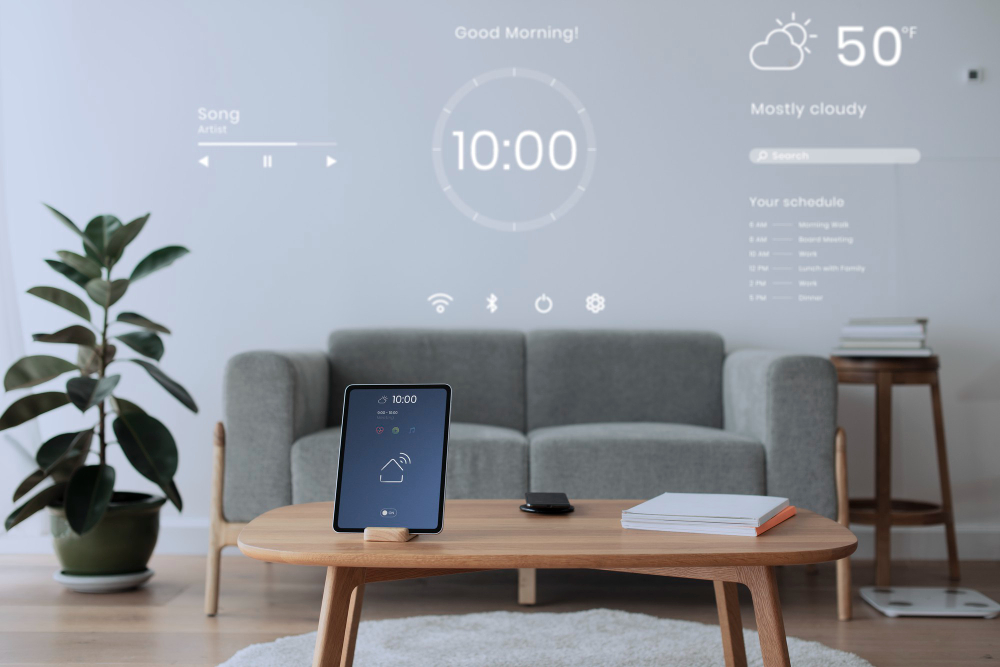
A smart sensor device projects an interactive home dashboard with weather updates, schedule reminders, and media controls in a minimalist living space.
📋 Quick Navigation
- Why Programmers Need Smart Sensors
- What to Look For in a Smart Sensor
- Top Smart Sensors at a Glance
- Best Door & Window Sensors
- Best Motion Sensors
- Best Temperature & Humidity Sensors
- Best Water Leak Detectors
- Comparison Table
- How to Choose the Perfect Smart Sensor
- Automation Ideas for Programmers
- Real-World Case Study: How Smart Sensors Saved One Programmer’s Home Office
- Frequently Asked Questions
- Related Guides
Disclosure: As an Amazon Associate, I earn from qualifying purchases. Some links below are affiliate links that help support this site at no extra cost to you.
Why Programmers Need Smart Sensors
You’ve automated your lights, thermostat, security cameras, locks, vacuum, and smart display. But the foundation of any truly smart home is sensors — the eyes and ears that trigger automations.
Smart sensors detect what’s happening in your home: doors opening, motion detected, temperature changes, water leaks, and more. They’re the input devices for your smart home automations.
The Smart Sensor Advantage for Programmers
- Security automation: Get alerts when doors/windows open while you’re in deep work mode
- Energy savings: Automatically turn off lights when no motion detected
- Temperature monitoring: Protect your expensive equipment from heat/cold extremes
- Leak detection: Prevent water damage to your home office
- Arrival/departure automations: Trigger routines when you enter or leave
- Peace of mind: Know what’s happening even when you’re focused on code
What to Look For in a Smart Sensor
1. Connectivity
- Zigbee/Z-Wave: Most reliable, low power, requires hub
- Thread/Matter: New standard, excellent reliability, low power
- Wi-Fi: Direct connection, no hub needed, higher battery drain
2. Battery Life
- Standard: 1-2 years (Zigbee/Z-Wave)
- Extended: 3-5 years (some Zigbee models)
- Wi-Fi sensors: 6-12 months
3. Response Time
- Immediate: Zigbee/Z-Wave/Thread (sub-second)
- Delayed: Some Wi-Fi sensors (1-2 seconds)
4. Hub Requirements
- Hub required: Zigbee, Z-Wave, Thread sensors
- Hubless: Wi-Fi sensors
5. Smart Home Compatibility
- Alexa, Google, HomeKit, SmartThings
- Matter: Universal compatibility
Top Smart Sensors at a Glance
- Aqara Door/Window Sensor: Best Door Sensor | Zigbee | Hub Required | $15-20
- Eve Door & Window (Matter): Best Matter Sensor | Thread | Apple Hub | $35-40
- YoLink Door/Window Sensor: Best Long Range | LoRa | Hub Required | $25-30
- Aqara Motion Sensor P1: Best Motion Sensor | Zigbee | Hub Required | $20-25
- Eve Motion (Matter): Best Matter Motion | Thread | Apple Hub | $40-50
- Aqara Temperature/Humidity Sensor: Best Temp/Humidity | Zigbee | Hub Required | $15-20
- Eve Weather (Matter): Best Outdoor Temp | Thread | Apple Hub | $40-50
- YoLink Water Leak Sensor: Best Leak Detector | LoRa | Hub Required | $20-25
- Eve Water Guard (Matter): Best Premium Leak | Thread | Apple Hub | $80-100
- Ring Contact Sensor (Gen 2): Best Ring Ecosystem | Z-Wave | Ring Hub | $20-25
- Samsung SmartThings Multipurpose Sensor: Best SmartThings | Zigbee | SmartThings Hub | $20-25
- Aqara Vibration Sensor: Best Vibration | Zigbee | Hub Required | $18-22
Best Door & Window Sensors (Contact Sensors)
1. Aqara Door/Window Sensor: Best Overall Door Sensor
The Aqara Door/Window Sensor is the best-selling contact sensor — reliable, affordable, and excellent battery life.
- Type: Contact sensor (door/window)
- Connectivity: Zigbee (requires Aqara hub or Zigbee hub)
- Battery Life: 2+ years (CR1632)
- Response Time: Sub-second
- Smart Home: Alexa, Google, Apple HomeKit (via Aqara hub), Home Assistant
- Price: $15-20
Why it’s great for programmers: The sub-second response time means automations trigger instantly. Excellent battery life means you’ll rarely need to replace batteries. Aqara’s ecosystem is affordable and extensible.
Pros: Affordable, reliable, fast response, good battery life, works with many hubs
Cons: Requires hub (Aqara or Zigbee), plastic build
👉 Check price of Aqara Door/Window Sensor on Amazon
2. Eve Door & Window (Matter): Best Matter Sensor
The Eve Door & Window sensor uses Thread and Matter — the new standard for smart home connectivity — for ultra-reliable, low-latency operation.
- Type: Contact sensor (door/window)
- Connectivity: Thread (Matter)
- Battery Life: 1+ year
- Response Time: Sub-second
- Smart Home: Apple HomeKit (primary), Alexa, Google (via Matter)
- Price: $35-40
Why it’s great for programmers: Thread technology creates a self-healing mesh network that’s more reliable than Wi-Fi or Bluetooth. Matter support means it works with any Matter-compatible ecosystem.
Pros: Thread/Matter for reliability, works with multiple ecosystems, good build quality, fast response
Cons: Expensive, requires Thread border router
👉 Check price of Eve Door & Window Sensor on Amazon
3. YoLink Door/Window Sensor: Best Long Range
The YoLink Door/Window Sensor uses LoRa technology for extreme range — up to 1/4 mile — perfect for detached garages or large properties.
- Type: Contact sensor (door/window)
- Connectivity: LoRa (requires YoLink hub)
- Battery Life: 5+ years (AA)
- Range: Up to 1/4 mile (400+ meters)
- Response Time: 1-2 seconds
- Smart Home: Alexa, Google, IFTTT
- Price: $25-30
Why it’s great for programmers: The extreme range means you can monitor outbuildings, detached garages, or large properties. The 5-year battery life is industry-leading.
Pros: Extreme range, excellent battery life, works far from hub, reliable
Cons: LoRa hub required, slower response time than Zigbee
👉 Check price of YoLink Door/Window Sensor on Amazon
Best Motion Sensors
4. Aqara Motion Sensor P1: Best Motion Sensor
The Aqara Motion Sensor P1 features wide detection angle and adjustable sensitivity — perfect for home offices.
- Detection Angle: 170° wide
- Detection Range: Up to 25 feet
- Connectivity: Zigbee (requires Aqara hub)
- Battery Life: 2+ years (CR2450)
- Adjustable Sensitivity: Yes (via app)
- Smart Home: Alexa, Google, Apple HomeKit
- Price: $20-25
Why it’s great for programmers: The 170-degree detection angle covers an entire office. Adjustable sensitivity lets you fine-tune for pets or small movements.
Pros: Wide detection angle, adjustable sensitivity, good battery life, affordable
Cons: Requires Aqara hub, plastic build
👉 Check price of Aqara Motion Sensor on Amazon
5. Eve Motion (Matter): Best Matter Motion Sensor
The Eve Motion sensor uses Thread and Matter for ultra-reliable motion detection with excellent privacy.
- Detection Angle: 120° wide
- Detection Range: Up to 30 feet
- Connectivity: Thread (Matter)
- Battery Life: 1+ year
- Special Features: Light sensor built-in, USB-C powered option
- Smart Home: Apple HomeKit, Alexa, Google (via Matter)
- Price: $40-50
Why it’s great for programmers: The built-in light sensor can trigger automations based on ambient light — turn on lights only when it’s dark and motion detected.
Pros: Thread/Matter reliability, built-in light sensor, USB-C powered option, good privacy
Cons: Expensive, requires Thread border router
👉 Check price of Eve Motion on Amazon
Best Temperature & Humidity Sensors
6. Aqara Temperature/Humidity Sensor: Best Value
The Aqara Temperature/Humidity sensor is the best value for monitoring your home office climate.
- Temperature Range: -20°C to 60°C (-4°F to 140°F)
- Humidity Range: 0-100% RH
- Connectivity: Zigbee (requires Aqara hub)
- Battery Life: 2+ years (CR2450)
- Smart Home: Alexa, Google, Apple HomeKit
- Price: $15-20
Why it’s great for programmers: Monitor your home office temperature and humidity to protect expensive equipment. Trigger automations: “If temperature > 78°F, turn on fan.”
Pros: Affordable, accurate, good battery life, small size
Cons: Requires Aqara hub, no built-in display
👉 Check price of Aqara Temperature/Humidity Sensor on Amazon
7. Eve Weather (Matter): Best Outdoor Sensor
The Eve Weather sensor is designed for outdoor use — perfect for monitoring outside temperature from your desk.
- Temperature Range: -40°C to 55°C (-40°F to 130°F)
- Humidity Range: 0-100% RH
- Connectivity: Thread (Matter)
- Battery Life: 1+ year (AA)
- Weather Resistance: IPX4 (water resistant)
- Smart Home: Apple HomeKit, Alexa, Google (via Matter)
- Price: $40-50
Why it’s great for programmers: See outside temperature from your desk without checking your phone. Use automations: “If outside temperature drops below freezing, turn on heated driveway.”
Pros: Weather-resistant, Thread/Matter, accurate readings, outdoor rated
Cons: Expensive, requires Thread border router
👉 Check price of Eve Weather on Amazon
Best Water Leak Detectors
8. YoLink Water Leak Sensor: Best Value Leak Detector
The YoLink Water Leak sensor features extreme range and probe extension — perfect for hard-to-reach areas like under sinks or behind appliances.
- Detection: Water contact (two probes)
- Connectivity: LoRa (requires YoLink hub)
- Battery Life: 5+ years (AA)
- Range: Up to 1/4 mile
- Special Features: Probe extension for hard-to-reach areas
- Smart Home: Alexa, Google, IFTTT
- Price: $20-25
Why it’s great for programmers: Place the sensor in hard-to-reach areas (under sink, behind dishwasher) and run the probe to where water might leak. 5-year battery life means you can set it and forget it.
Pros: Extreme range, excellent battery life, probe extension for tight spaces, loud siren, affordable
Cons: Requires YoLink hub, bulky
👉 Check price of YoLink Water Leak Sensor on Amazon
9. Eve Water Guard (Matter): Best Premium Leak Detector
The Eve Water Guard is a rope-style leak detector — place it along baseboards to detect leaks across a wider area.
- Detection: Rope sensor (6 feet)
- Connectivity: Thread (Matter)
- Battery Life: 1+ year
- Special Features: 6-foot detection rope, remote sensor port
- Smart Home: Apple HomeKit, Alexa, Google (via Matter)
- Price: $80-100
Why it’s great for programmers: The 6-foot rope sensor detects water anywhere along its length — perfect for protecting entire walls or large areas.
Pros: Covers large area, Thread/Matter, can be extended, loud siren
Cons: Expensive, requires Thread border router
👉 Check price of Eve Water Guard on Amazon
10. Aqara Vibration Sensor: Best Vibration Sensor
The Aqara Vibration sensor detects shaking, tilting, and falling — perfect for protecting valuable equipment.
- Detection: Vibration, tilt, drop
- Sensitivity: Adjustable (3 levels)
- Connectivity: Zigbee (requires Aqara hub)
- Battery Life: 2+ years (CR2032)
- Smart Home: Alexa, Google, Apple HomeKit
- Price: $18-22
Why it’s great for programmers: Attach to your desktop computer, NAS, or monitor to get alerts if someone moves or bumps your equipment. Adjustable sensitivity prevents false alarms.
Pros: Adjustable sensitivity, detects tilt and drop, good battery life, affordable
Cons: Requires Aqara hub
👉 Check price of Aqara Vibration Sensor on Amazon
Comparison Table
| Model | Type | Connectivity | Hub Required | Battery Life | Price | Best For |
|---|---|---|---|---|---|---|
| Aqara Door/Window | Contact | Zigbee | ✅ | 2+ years | $15-20 | Best Door Sensor |
| Eve Door & Window | Contact | Thread | ✅ | 1+ year | $35-40 | Best Matter Sensor |
| YoLink Door/Window | Contact | LoRa | ✅ | 5+ years | $25-30 | Best Long Range |
| Aqara Motion P1 | Motion | Zigbee | ✅ | 2+ years | $20-25 | Best Motion Sensor |
| Eve Motion | Motion | Thread | ✅ | 1+ year | $40-50 | Best Matter Motion |
| Aqara Temp/Humidity | Temp/Humidity | Zigbee | ✅ | 2+ years | $15-20 | Best Temp/Humidity |
| Eve Weather | Temp (outdoor) | Thread | ✅ | 1+ year | $40-50 | Best Outdoor Sensor |
| YoLink Water Leak | Water Leak | LoRa | ✅ | 5+ years | $20-25 | Best Leak Detector |
| Eve Water Guard | Water Leak (rope) | Thread | ✅ | 1+ year | $80-100 | Best Premium Leak |
| Aqara Vibration | Vibration | Zigbee | ✅ | 2+ years | $18-22 | Best Vibration |
How to Choose the Perfect Smart Sensor
Step 1: Identify What You Want to Monitor
- Doors/windows opening: Contact sensor
- Movement in a room: Motion sensor
- Temperature/humidity: Temp/humidity sensor
- Water leaks: Leak detector
- Equipment movement: Vibration sensor
Step 2: Choose Your Hub/Ecosystem
- Already have Echo Show/Nest Hub: Consider Zigbee sensors (Aqara)
- Already have Apple HomePod/Apple TV: Consider Thread sensors (Eve)
- Already have SmartThings hub: Consider Zigbee/Z-Wave sensors
- Large property/detached buildings: YoLink (LoRa)
Step 3: Consider Battery Life
- Standard (1-2 years): Aqara, Eve, most Zigbee/Thread
- Extended (5+ years): YoLink (LoRa)
Step 4: Set Your Budget
- Under $20: Aqara sensors (with hub)
- $20-40: Eve sensors (requires Thread border router)
- $25-30: YoLink sensors (requires YoLink hub)
Automation Ideas for Programmers
Smart Home Office Automations
Arrival automation: When front door opens → turn on office lights, set thermostat to 72°F, start robot vacuum in office.
Deep work mode: When motion sensor detects you in office → turn on desk light, set lights to cool white, start focus playlist on smart speaker.
Security automation: When door/window sensor opens while you’re in deep work mode → send phone alert, have smart speaker announce “Door opened.”
Energy savings: When motion sensor detects no motion for 30 minutes → turn off lights, lower thermostat, turn off monitor.
Equipment protection: When vibration sensor detects movement on desktop → record security camera clip, send phone alert.
Leak protection: When water leak sensor detects water → turn off water valve, send phone alert, have smart speaker announce emergency.
Real-World Case Study: How Smart Sensors Saved One Programmer’s Home Office
The Programmer: Michael Torres, remote software engineer
The Problem: Michael’s home office was in his basement. He worried about water leaks (washer, water heater, sump pump), temperature extremes affecting his equipment, and security while he was in deep work mode.
The Solution: Michael installed:
- YoLink Water Leak sensors near sump pump, water heater, and washing machine
- Aqara Temperature/Humidity sensor in his office
- Aqara Door/Window sensor on his office door
- Aqara Vibration sensor on his desktop computer
- YoLink Hub and Aqara Hub M3
The Result:
- Leak detected early: Sump pump failed — water sensor alerted him before significant damage
- Temperature monitoring: Prevented equipment damage during winter cold snap
- Office security: Door sensor alerts him if someone enters during deep work
- Equipment protection: Vibration sensor would alert if someone touched his desktop
- Peace of mind: He can focus on coding, knowing sensors monitor everything else
“The water leak sensor alone paid for the entire system. The sump pump failed at 2 AM — the sensor alerted me before water reached my office. Without it, I would have lost thousands in equipment.” — Michael Torres
Frequently Asked Questions
Do smart sensors need a hub? Most do. Zigbee, Z-Wave, Thread, and LoRa sensors require a hub. Wi-Fi sensors work without a hub but have shorter battery life.
What’s the best smart sensor brand? Aqara offers the best value with Zigbee sensors. Eve offers the best Thread/Matter sensors (Apple ecosystem). YoLink offers the best long-range LoRa sensors.
How long do smart sensor batteries last? Zigbee/Thread: 1-2 years. LoRa (YoLink): 5+ years. Wi-Fi: 6-12 months.
Can smart sensors trigger automations? Yes — that’s their primary purpose. Motion detected → turn on light. Door opened → send alert. Temperature high → turn on fan.
What’s the best smart sensor for a home office? The Aqara Door/Window sensor for security, Aqara Temperature/Humidity sensor for equipment protection, and Aqara Motion sensor for energy savings.
Do smart sensors work without Wi-Fi? Yes — Zigbee, Z-Wave, Thread, and LoRa sensors work locally. Only Wi-Fi sensors require internet.
What’s the best water leak detector? The YoLink Water Leak sensor offers the best value and 5-year battery life. The Eve Water Guard is best for large areas with its rope sensor.
Can I use smart sensors with Home Assistant? Yes — Aqara (Zigbee), Eve (Thread/Matter), and YoLink (LoRa) all work with Home Assistant with appropriate hubs or dongles.
What’s the best smart sensor for renters? Aqara sensors — they’re affordable, easy to install (adhesive mounting), and easy to remove without damage.
What’s the best smart sensor for programmers? The Aqara ecosystem offers the best balance of affordability, reliability, and automation capabilities. The Eve ecosystem is best for privacy-focused Apple users.
Explore Our Complete Programmer Workspace Guides
🖥️ Complete Your Programming Workspace
💻 Laptops & Monitors
- Best Programming Laptops 2026
- Best Desktop PCs 2026
- Best Mini PCs 2026
- Best Monitors for Coding 2026
⌨️ Input & Audio
- Best Mechanical Keyboards 2026
- Best Ergonomic Mice 2026
- Best Wrist Rests 2026
- Best Mouse Pads 2026
- Best Noise Cancelling Headphones 2026
- Best USB Microphones 2026
- Best Computer Speakers 2026
🔌 Accessories & Setup
- Best USB-C Hubs & Docks 2026
- Best Mesh Wi-Fi Systems 2026
- Best Surge Protectors & UPS 2026
- Best Smart Plugs 2026
- Best Smart Lights 2026
- Best Smart Thermostats 2026
- Best Smart Security Cameras 2026
- Best Smart Speakers 2026
- Best Smart Locks 2026
- Best Robot Vacuums 2026
- Best Smart Displays 2026
- Best Smart Sensors 2026
- Best Laptop Backpacks 2026
- Best Laptop Sleeves 2026
- Best Travel Tech Kits 2026
- Complete Desk Setup Guide 2026
🪑 Health & Gifts
*All guides are independently researched and updated for 2026 to help you build the perfect programming workspace.
Disclosure: As an Amazon Associate, I earn from qualifying purchases. Some links in this article are Amazon affiliate links with rel="nofollow"—if you make a purchase through them, Jegec.com may earn a small commission at no extra cost to you.