Smart Gadgets for Beginners: Worthwhile Buys for Your First Smart Home
The journey into home automation begins with a single, simple device. The overwhelming array of options can paralyze decision-making, but the key is to start with foundational gadgets that solve everyday problems, are easy to install, and offer clear value. This guide focuses on high-impact, beginner-friendly devices that create immediate convenience, enhance security, and build a scalable ecosystem without requiring technical expertise or a massive upfront investment.
The Foundational Hub: A Smart Speaker with a Built-In Assistant
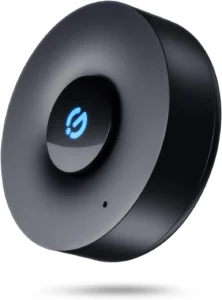
Your first purchase should be the brain of your operation. A smart speaker with a voice assistant like Amazon Alexa or Google Assistant provides a central control point. For beginners, the Amazon Echo Dot (5th Gen) or Google Nest Mini (2nd Gen) are ideal entry points. These compact, affordable spheres connect to your Wi-Fi and allow you to control other compatible devices using just your voice. Ask for the weather, set timers, play music, and crucially, command your growing smart home. They require minimal setup via a smartphone app and act as the intuitive interface that makes everything else feel cohesive. Consider which ecosystem you already use (Amazon for shopping, Google for calendars) as your starting point, as it will streamline integration.
Illumination Made Intelligent: Smart Light Bulbs and Plugs
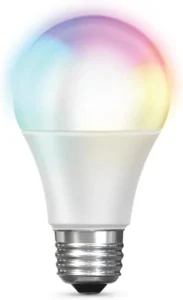
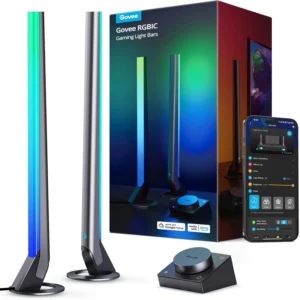
Lighting control offers the most visually satisfying and practical introduction to automation. Instead of rewiring, start with smart LED bulbs like the Philips Hue White Starter Kit or the more budget-friendly Wyze Bulb. Screw them into existing lamps or fixtures, connect via the app, and instantly gain the ability to turn lights on/off remotely, set schedules (e.g., turn on at sunset), and create “scenes” like “Movie Night” that dim the lights with one tap. For even greater simplicity, a smart plug like the TP-Link Kasa Smart Wi-Fi Plug Mini is transformative. Plug any standard lamp, fan, or coffee maker into it, and that “dumb” device becomes smart. You can schedule your coffee maker to brew at 7 AM or ensure a lamp turns on every evening to deter burglars, all for a very low cost and zero installation hassle.
Security and Peace of Mind: Smart Video Doorbells and Cameras
Enhancing home security is a primary driver for smart home adoption. A smart video doorbell is a perfect first security device. The Blink Video Doorbell (battery-powered for easy installation) or the Google Nest Doorbell (battery) allow you to see, hear, and speak to visitors from your phone, whether you’re on the sofa or at the office. They send motion-activated alerts, record clips, and provide package detection. For indoor monitoring, a compact smart indoor camera like the Eufy Solo Indoor Cam C24 offers 2K resolution, pan-and-tilt capabilities, and local storage options without a monthly fee. Placing one in a common area lets you check on pets, babysitters, or simply monitor your home while on vacation, delivering immediate and powerful reassurance.
Climate Control and Comfort: Smart Thermostats and Sensors
Managing your home’s environment intelligently can increase comfort and reduce energy bills. A smart thermostat like the Google Nest thermostat or Ecobee3 Lite learns your schedule and preferences, automatically adjusting heating and cooling for efficiency. Remote control via an app means you can adjust the temperature on your way home. For renters or those not wanting to replace a thermostat, a smart plug paired with a space heater or fan offers basic climate control. To add intelligence, pair these devices with smart sensors. A smart temperature and humidity sensor (like those from Govee or SwitchBot) placed in a problematic room can trigger a smart plug-connected dehumidifier or fan, automating solutions to stuffy basements or damp bathrooms.
Automated Ambiance and Air Quality: Smart Displays and Air Purifiers
As your ecosystem grows, consider devices that enhance daily living. A smart display, such as the Echo Show 5 or Nest Hub (2nd Gen), combines a speaker with a touchscreen. It becomes a kitchen command center for watching recipes, making video calls, viewing doorbell camera feeds, and controlling devices with a visual interface. For health-conscious beginners, a smart air purifier like the Levoit Core 300S connects to Wi-Fi, allowing you to monitor air quality metrics (PM2.5, allergens) remotely, set schedules, and control fan speed via an app or voice. It automates the fight against dust, pollen, and pet dander, creating a healthier living environment.
Streamlined Cleaning: Robot Vacuums
For a tangible reduction in household chores, a robot vacuum is a game-changing smart appliance. Entry-level models like the Roborock Q5+ or iRobot Roomba 694 offer smart mapping, app control, and scheduling. You can command your vacuum to clean the living room while you’re at work or set a routine where it runs every weekday at 10 AM. The hands-free maintenance of floors provides significant time savings and consistent cleanliness, making it one of the most appreciated smart home purchases for beginners.
Building Your Ecosystem: Compatibility and Connectivity
The true power of a smart home emerges when devices work together in automations or routines. This requires attention to compatibility. Most beginner devices connect via Wi-Fi for simplicity. Ensure your home router is robust enough to handle multiple devices. For more complex setups, protocols like Zigbee or Z-Wave (which often require a specific hub, like the Samsung SmartThings Hub) offer greater reliability and device interoperability but add a layer of complexity. As a beginner, stick primarily to Wi-Fi or choose a brand’s ecosystem (like Philips Hue for lighting) that includes its own simple hub. Use your smart speaker’s app (Alexa or Google Home) to create routines: a single command like “Alexa, good morning” can turn on lights, read the news, and adjust the thermostat.
Installation and Setup Considerations for New Users
Ease of installation is paramount. Prioritize devices that are plug-and-play or require only basic smartphone app setup. Smart plugs, bulbs, and speakers typically fall into this category. For doorbells and thermostats, check compatibility with your existing wiring; many battery-powered options exist to circumvent this. Always download the manufacturer’s official app from verified stores and follow the step-by-step guides. Set up devices one at a time to avoid confusion. Crucially, secure your network: use strong, unique passwords for your Wi-Fi and smart home accounts, enable two-factor authentication where available, and keep device firmware updated to protect against vulnerabilities.
Budgeting and Prioritizing Your First Purchases
A phased approach prevents overwhelm. Start with a smart speaker and a multi-pack of smart bulbs or plugs (under $150 total). This immediately delivers voice control and basic automation. In phase two, add a video doorbell for security ($100-$200). Phase three could introduce a robot vacuum ($250-$400) or smart thermostat ($150-$250). Watch for sales, especially during major shopping events. Remember that expanding gradually allows you to assess what you truly value—be it convenience, security, or entertainment—before committing to a full-house system.
Avoiding Common Beginner Pitfalls
New users often buy incompatible devices on impulse. Research and ensure new gadgets work with your chosen assistant (Alexa/Google/Siri). Avoid obscure brands with questionable app support or security practices; stick to reputable, well-reviewed companies. Do not neglect placement: a smart speaker hears you better centrally, a camera needs a power outlet and a clear field of view, and a robot vacuum requires a clutter-free floor. Finally, manage expectations: smart homes are About subtle, daily efficiencies, not futuristic perfection. Connectivity glitches may occur, requiring occasional router reboots or app resets, but the cumulative convenience far outweighs these minor hiccups for most users.